Our productions

Project type

Activity

Events

Tags

2020
2021
2022
2023
2024
2025
2026

Rosetta

Harvard Medical School
1 / 3

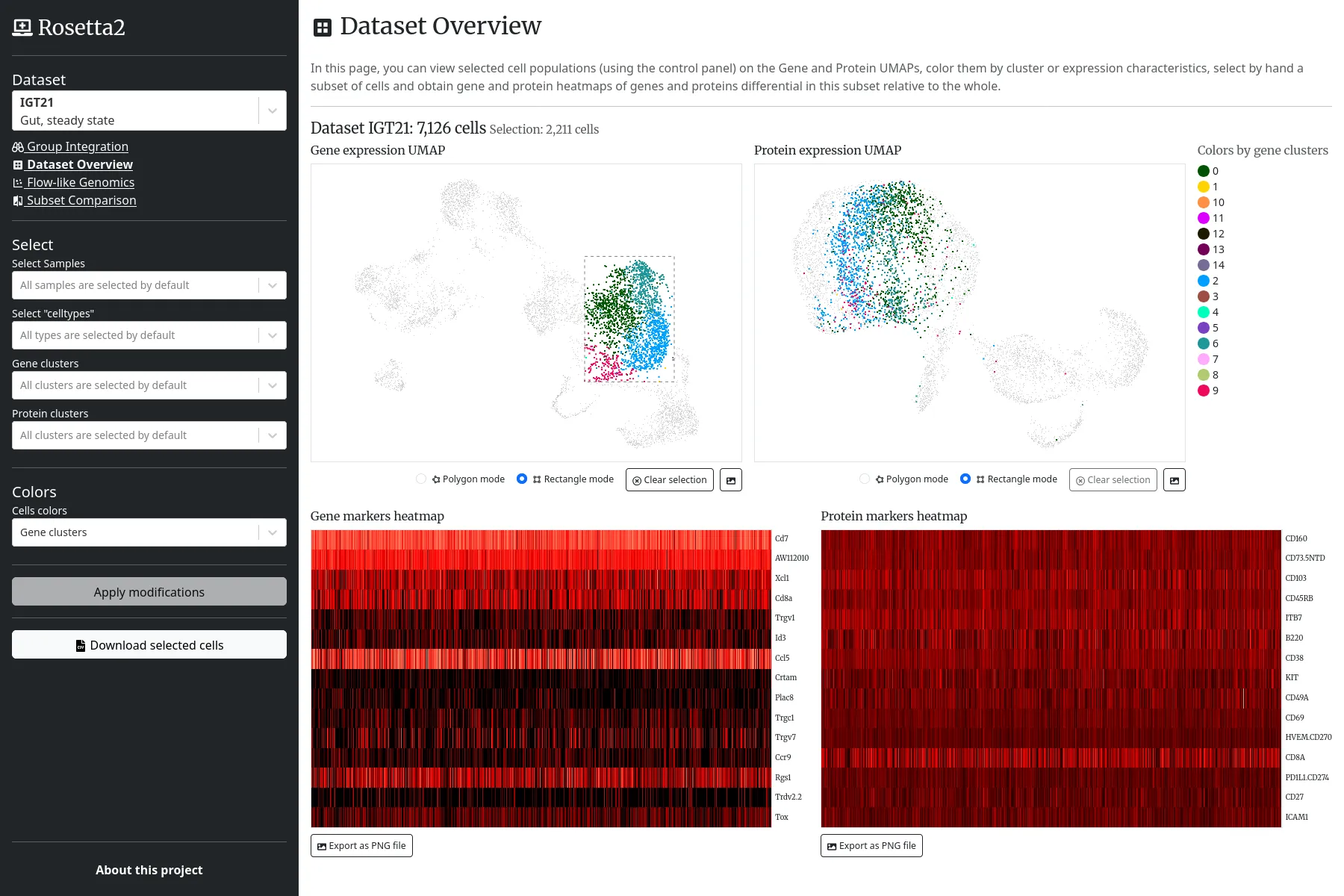
The "Dataset Overview" view allows searching for genes or proteins "markers" of a given cells population, within a given dataset.

2 / 3

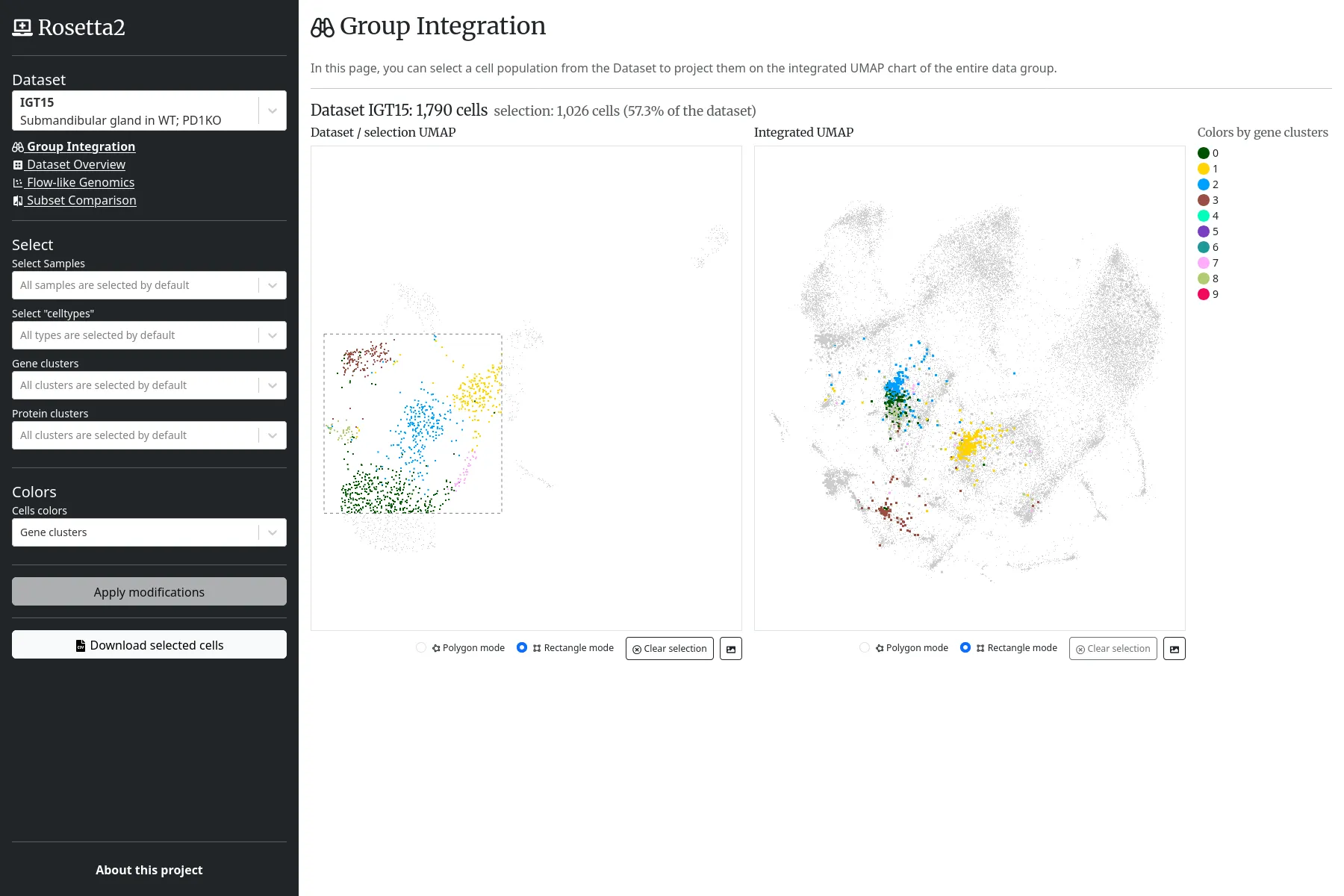
The "Group Integration" view allows highlighting a local cells population in the global UMAP diagram, with all cells from every datasets of the project.

3 / 3

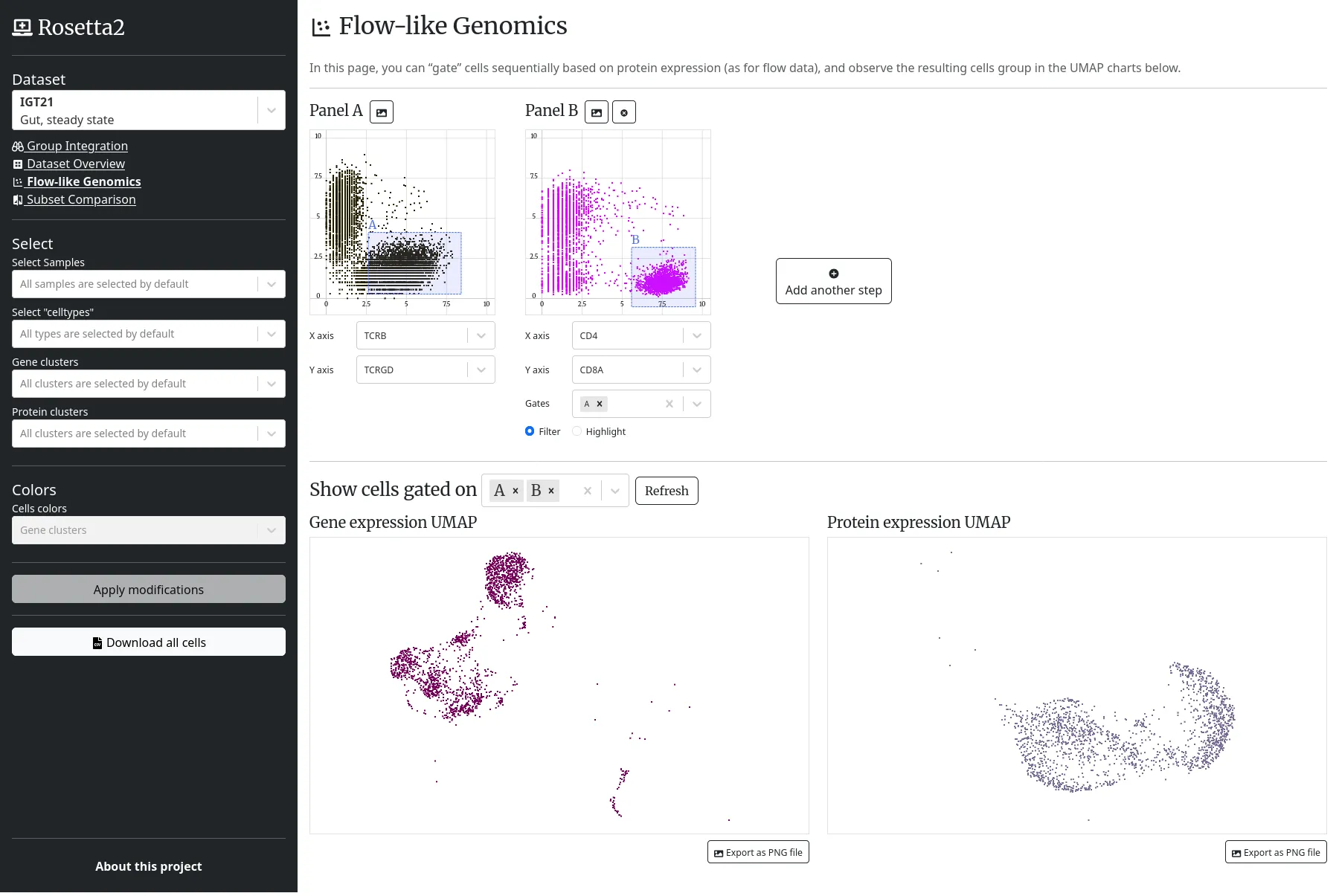
The "Flow-like Genomics" view allows users to apply sequential filters, to observe the resulting cells on a UMAP diagram.

Theme crawler

Will & Agency
1 / 4

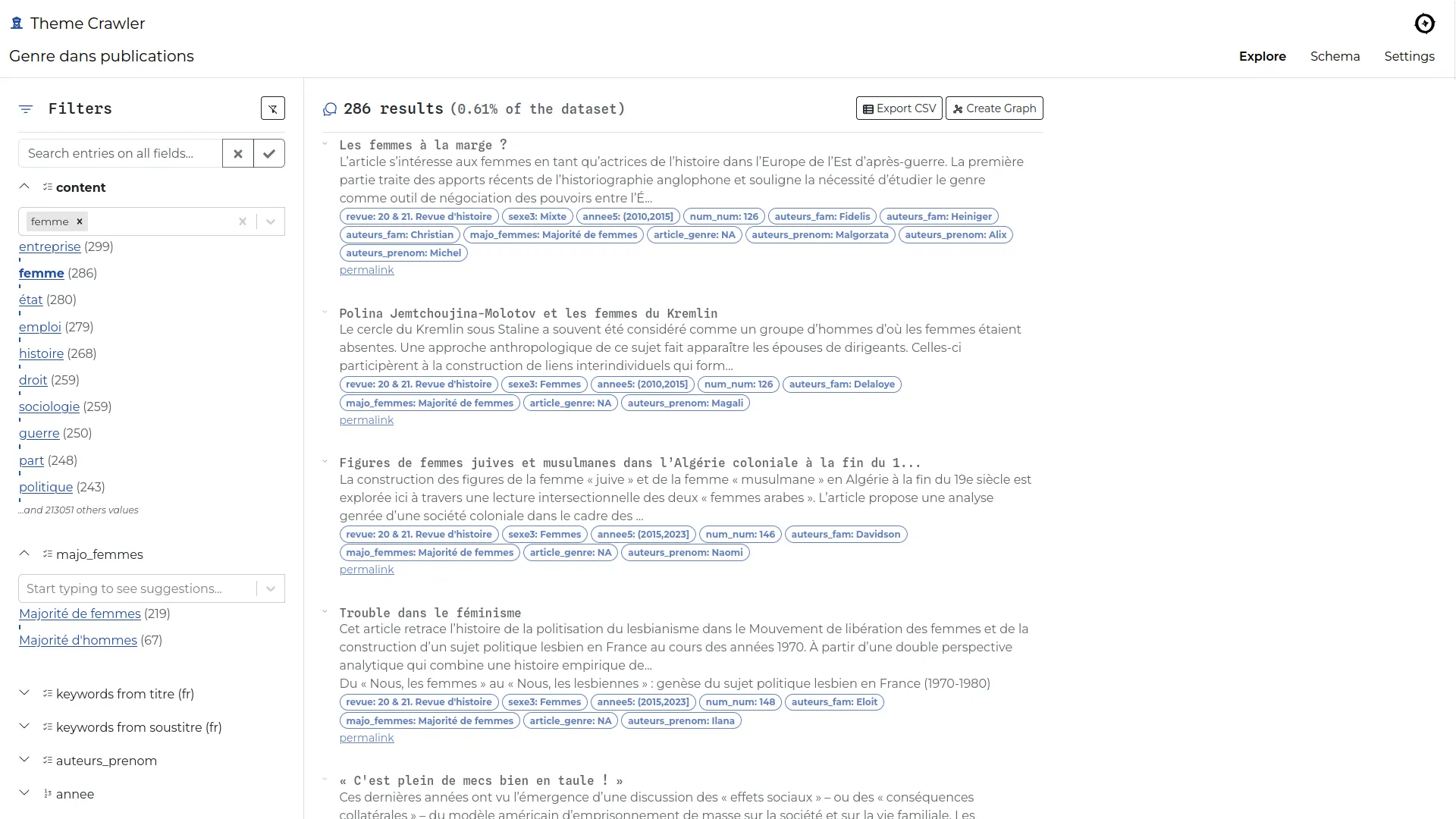
The search engine: each CSV column becomes a filter according its content type.

2 / 4

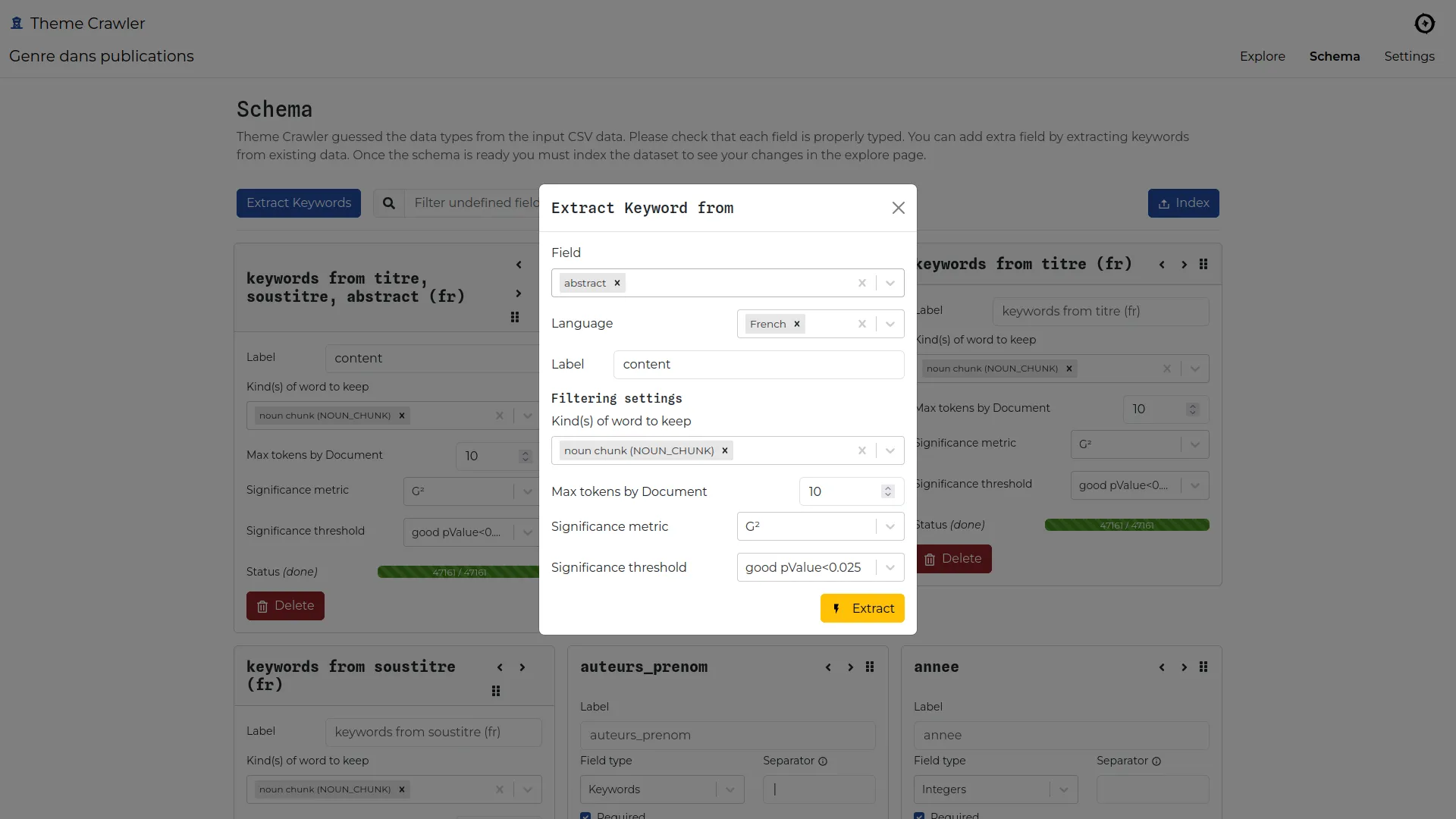
In the schema admin page, users can set up data column types and extract keywords from a text column.

3 / 4

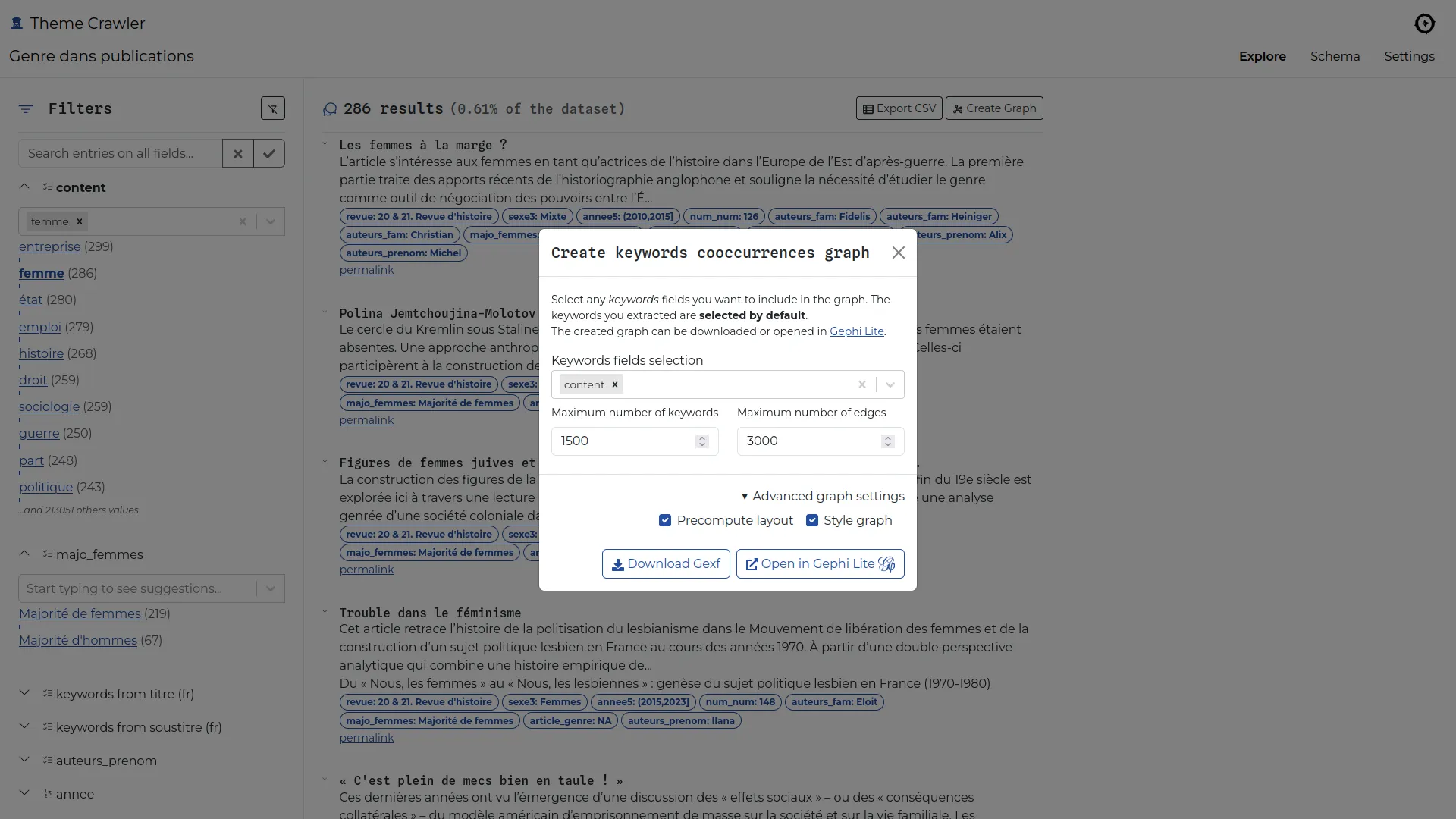
Cooccurrences network can be generated from any keyword column(s).

4 / 4

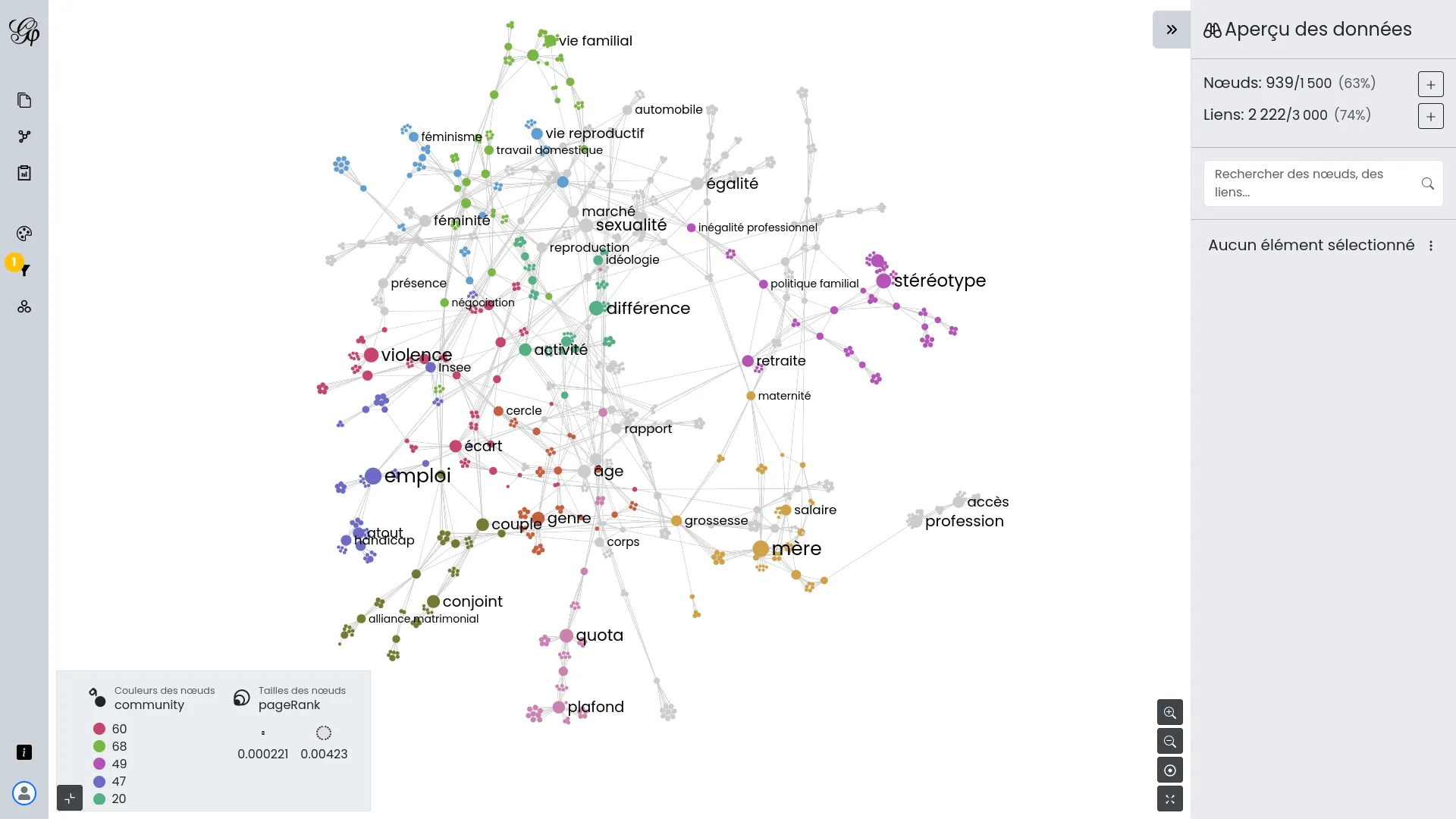
Once the network is ready, the application opens it in a new tab using Gephi Lite. Gephi Lite is controlled to show the right caption and use a default filter (largest connected component).

Sigma.js

Sigma.js
Event

Sigma.js v2.0 sprint

With the people from the Sciences-Po médialab, we are meeting for a few days in Nantes to finalize version 2.0 of sigma.js. We are also taking the opportunity to completely redo the website and the code examples.

Nantes, France

Release

Sigma.js v3.0

Includes a full rewrite of the programs system, and a reboot of the tooling.

Release

Sigma.js v2.0

The first sigma.js version based on Graphology.

OuestWare and Sciences-Po médialab

Release

React Sigma v1.0

The "official" library to use sigma.js within React based applications.

Benoit Simard

1 / 2

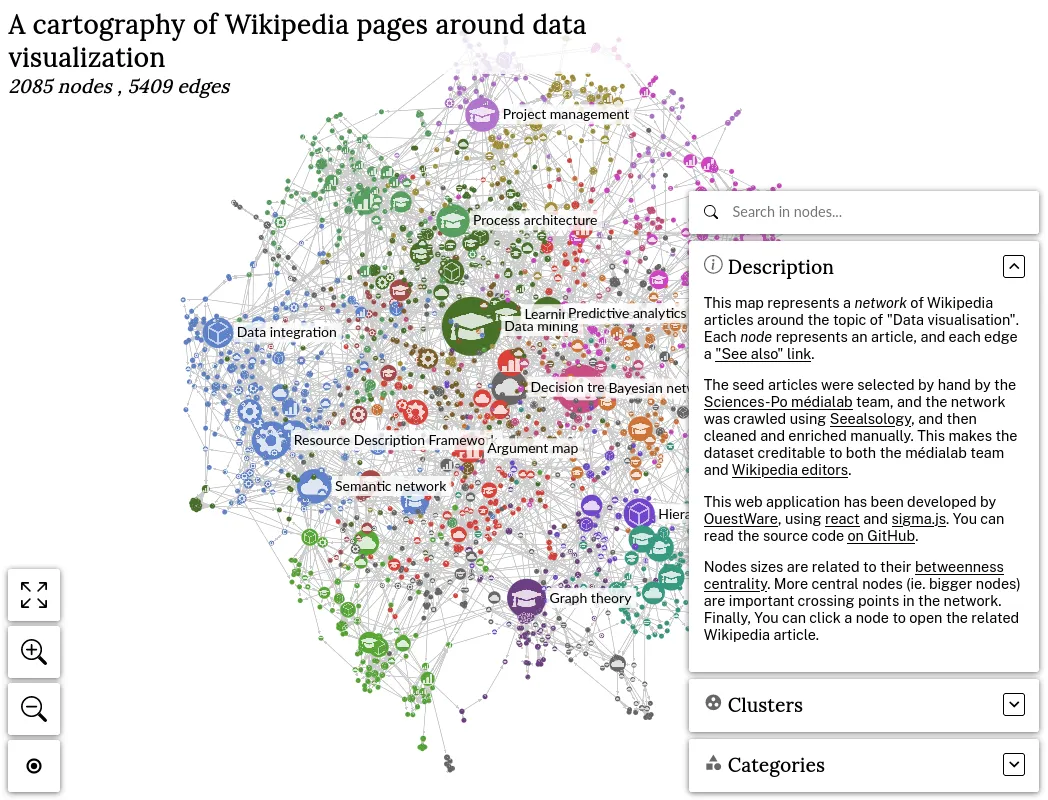
The demo application of the sigmajs.org website

2 / 2

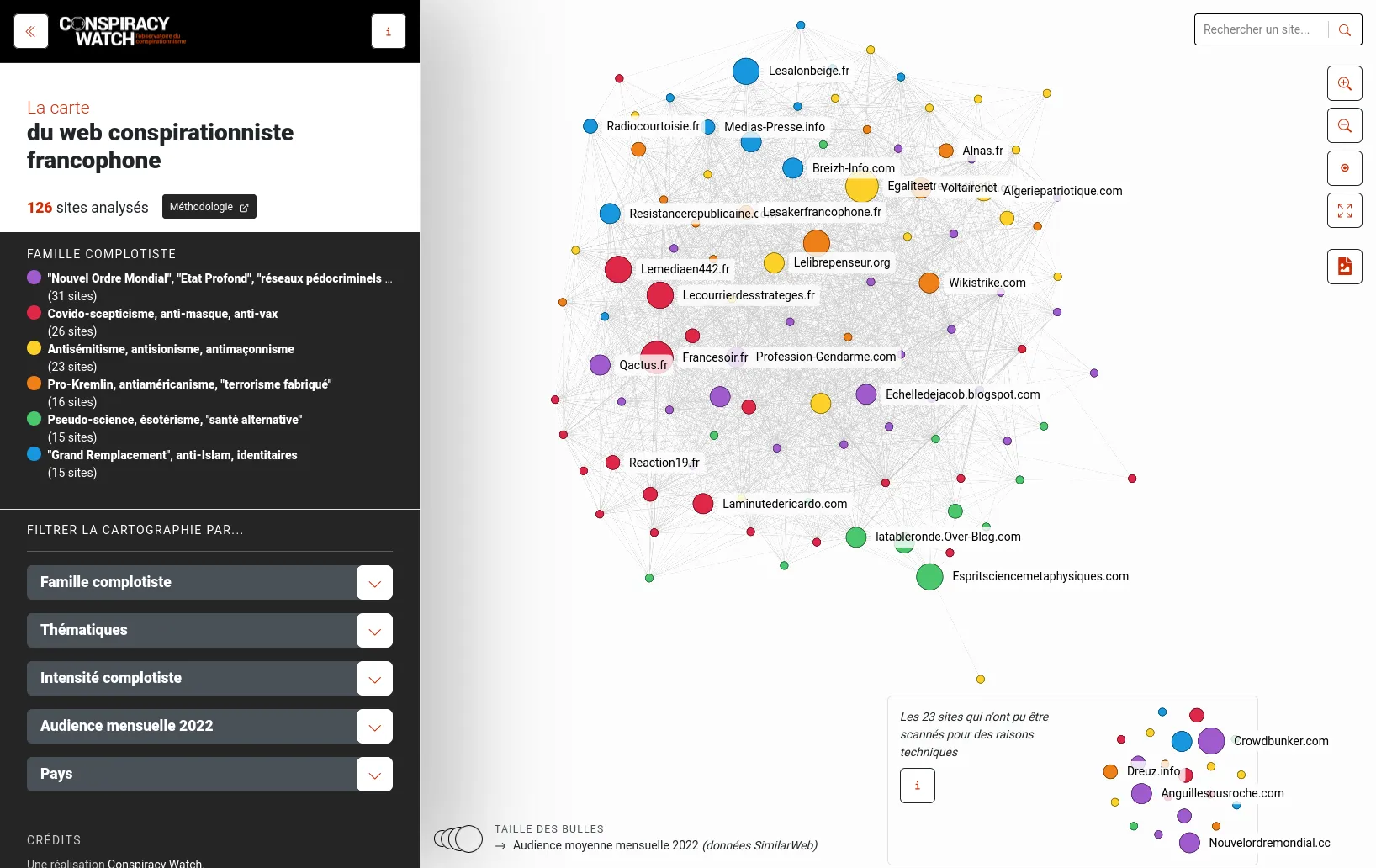
A business specific integration example for ConspiracyWatch

OSRD

SNCF Réseau
Event

OpenRail Day @Paris

The first public meeting of the OpenRail Association community, which includes the OSRD project.

Paris, France

Event

OSRD project launch

An internal SNCF event introduces the various OSRD business tools to the first users.

Paris, France

Event

OSRD#2

An event organized by the OSRD team to announce the first industrial users of the project.

Paris, France

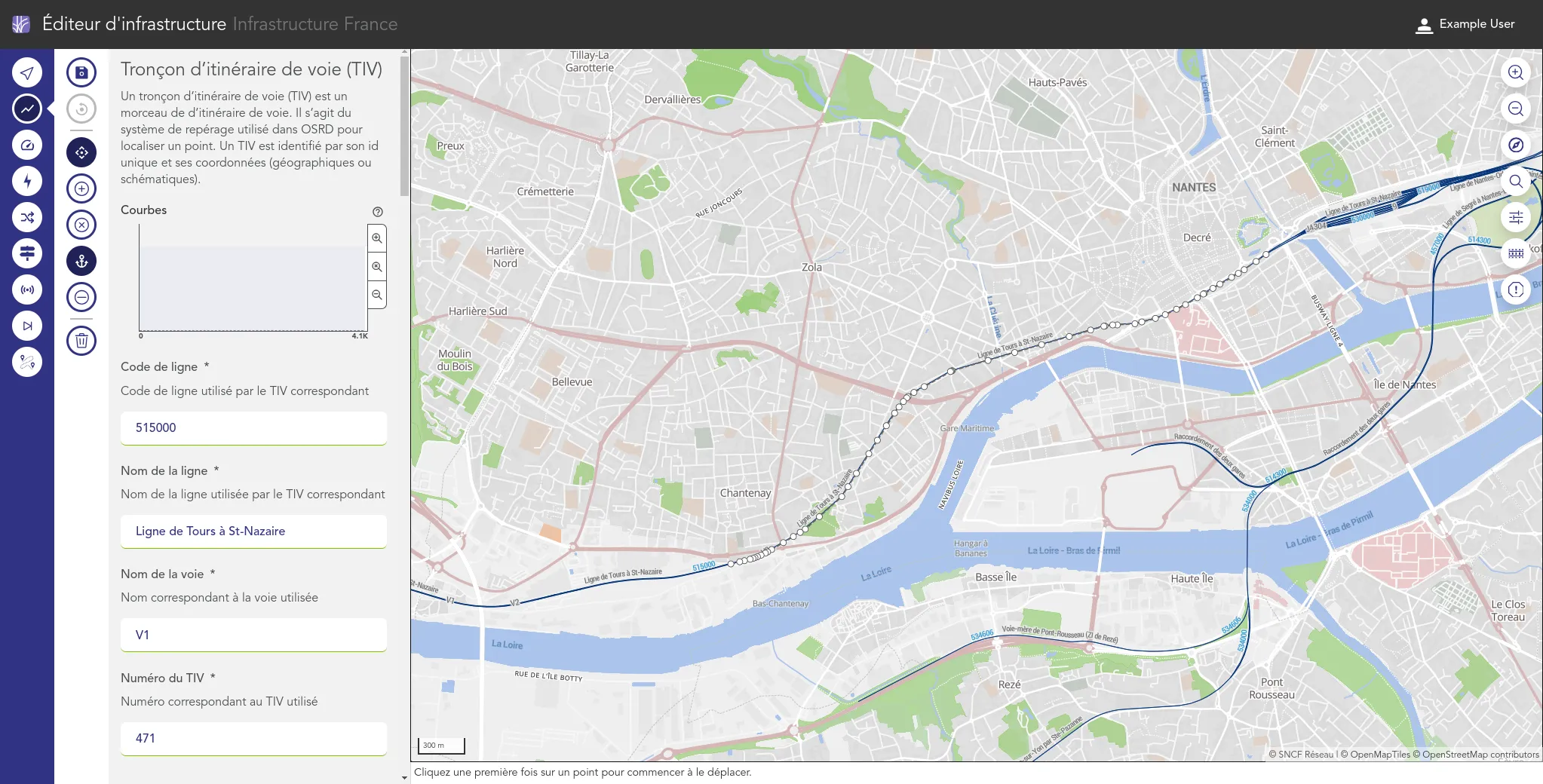
1 / 3

The editor allow to edit the metadata of many infrastructure elements (track sections, signals, switches...), or to review and correct data import errors.

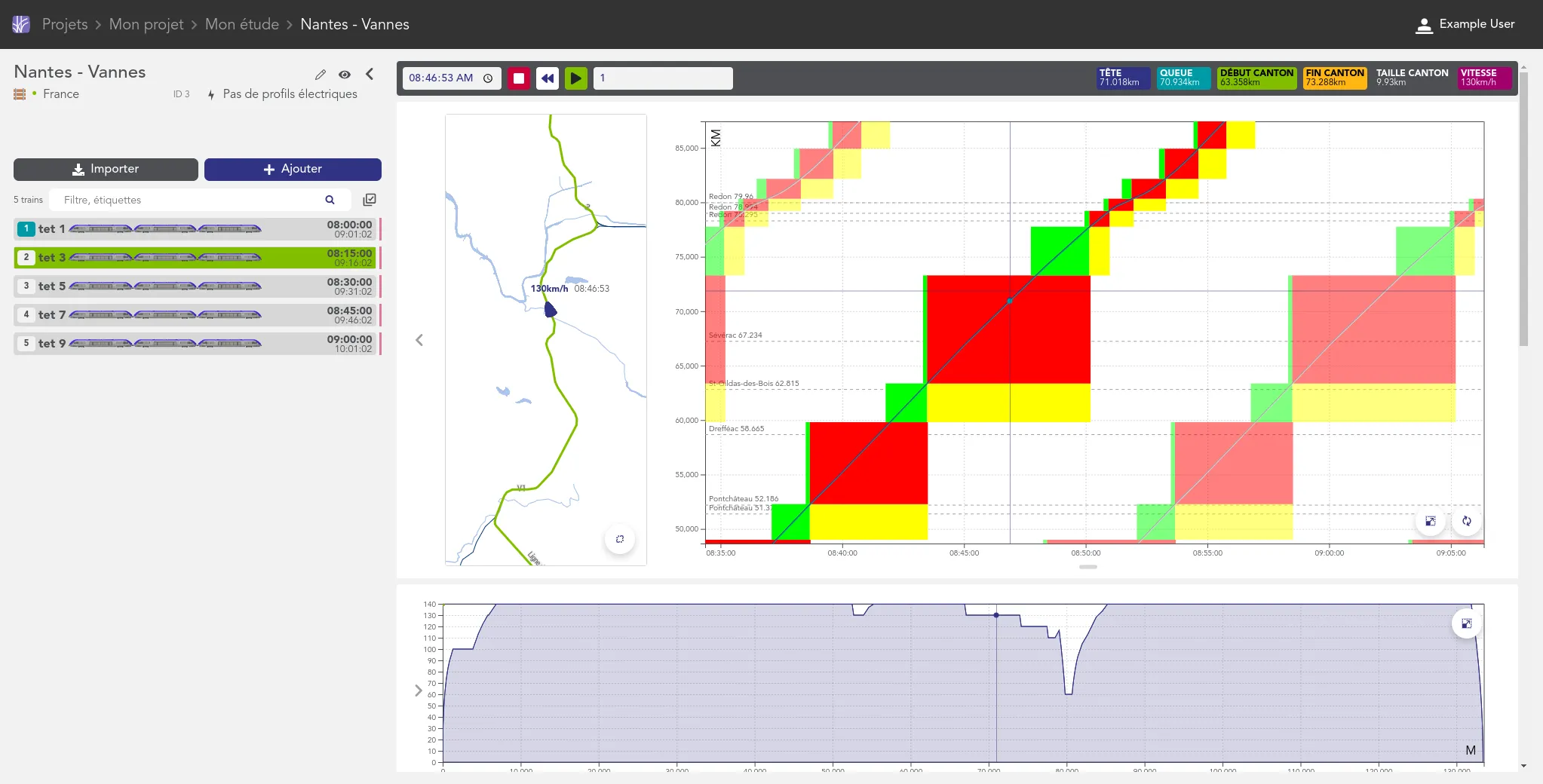
2 / 3

The "warped" view enhances the classical railway space-time diagram with exhaustive infrastructure data mapped on top of OpenStreetMap geographic layers.

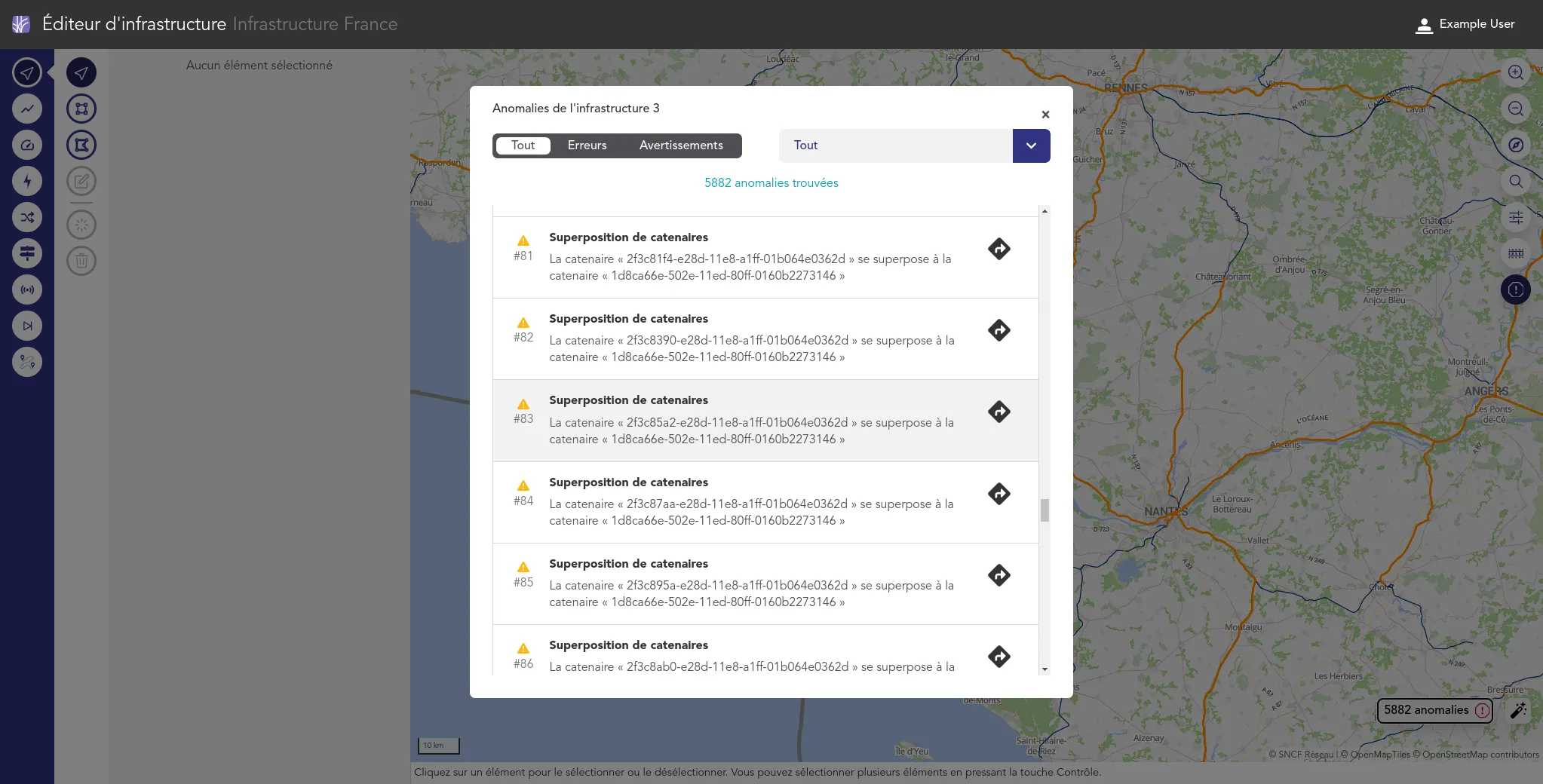
3 / 3

The editor reveals and allow to correct the infrastructure digital twin anomalies which block simulations to be run correctly. The application embed specific algorithms which can often ease those corrections.

Gephi Lite

Gephi
Event

Gephi Week 2022

We meet with the Gephi community. Benoit helps update the Neo4J connector, Alexis helps to develop a plugin for Retina export, and Paul helps to advance the specifications of the GEXF format. Also, we are starting to envision Gephi Lite.

Paris, France

Event

Gephi Week 2026

Paul and Benoît meet the Gephi core team in Prague, hosted by Charles University. On the agenda: finalizing Gephi Lite v1.1, improving the Gephi website, and discussing community management and project funding with the rest of the core team.

Prague, Czech Republic

Event

Gephi Week 2024

We meet with the Gephi developers. We integrate the connected-closeness metric in Gephi Lite. We plan altogether the Gephi website update, and we debug Gephi Lite.

Copenhagen, Denmark

Release

Gephi Lite v1.1

Graphs can now be displayed on a map background with MapLibre. Also, layout algorithms can be started directly from the graph and keep running in the background. Finally, color palettes have been greatly improved.

Release

Gephi Lite v1.0

The first stable release of Gephi Lite, a major milestone for the project. It brings a new visual identity, a redesigned navigation that makes features easier to find, and a new data table.

Release

Gephi Lite v0.4

It's mostly about maintenance, but it also allows displaying images in nodes.

Release

Gephi Lite v0.2

First "public" release, after a sprint dedicated to make things work.

Release

Gephi Lite v0.1

The first working prototype of Gephi Lite. The release was rather confidential.

1 / 3

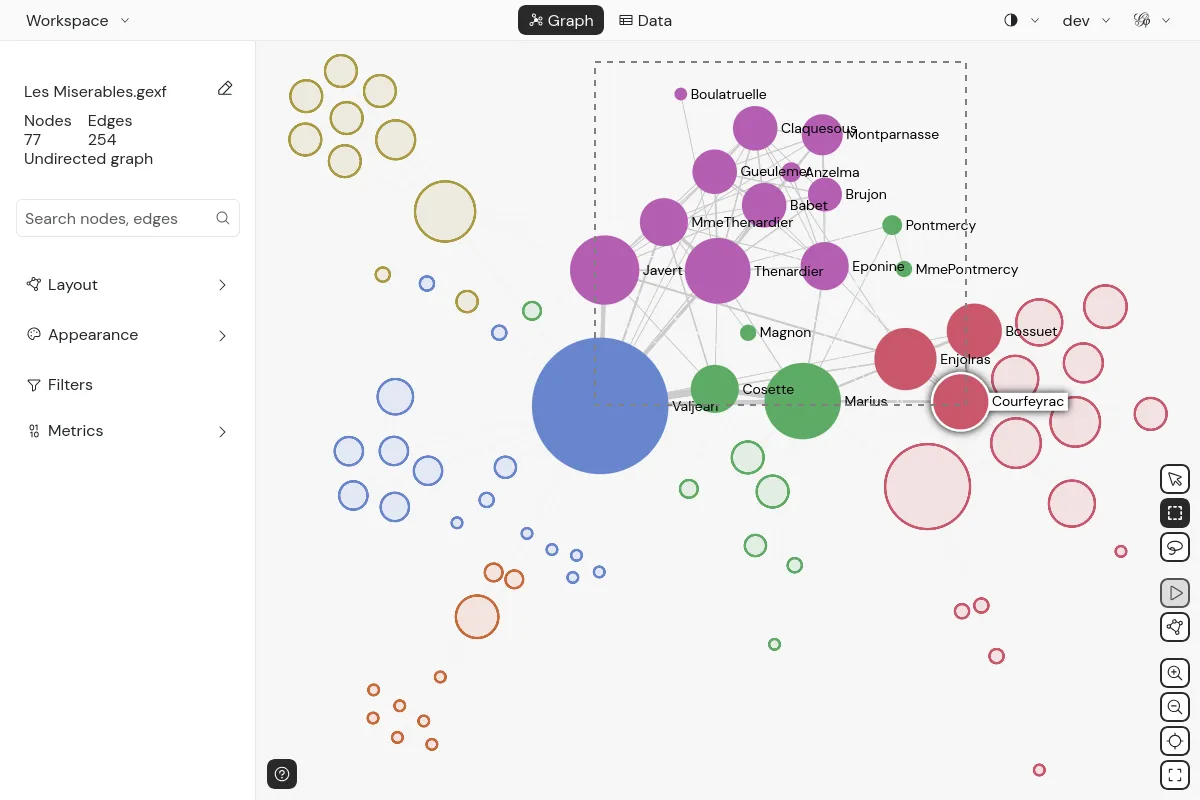
Marquee selection in a graph in Gephi Lite

2 / 3

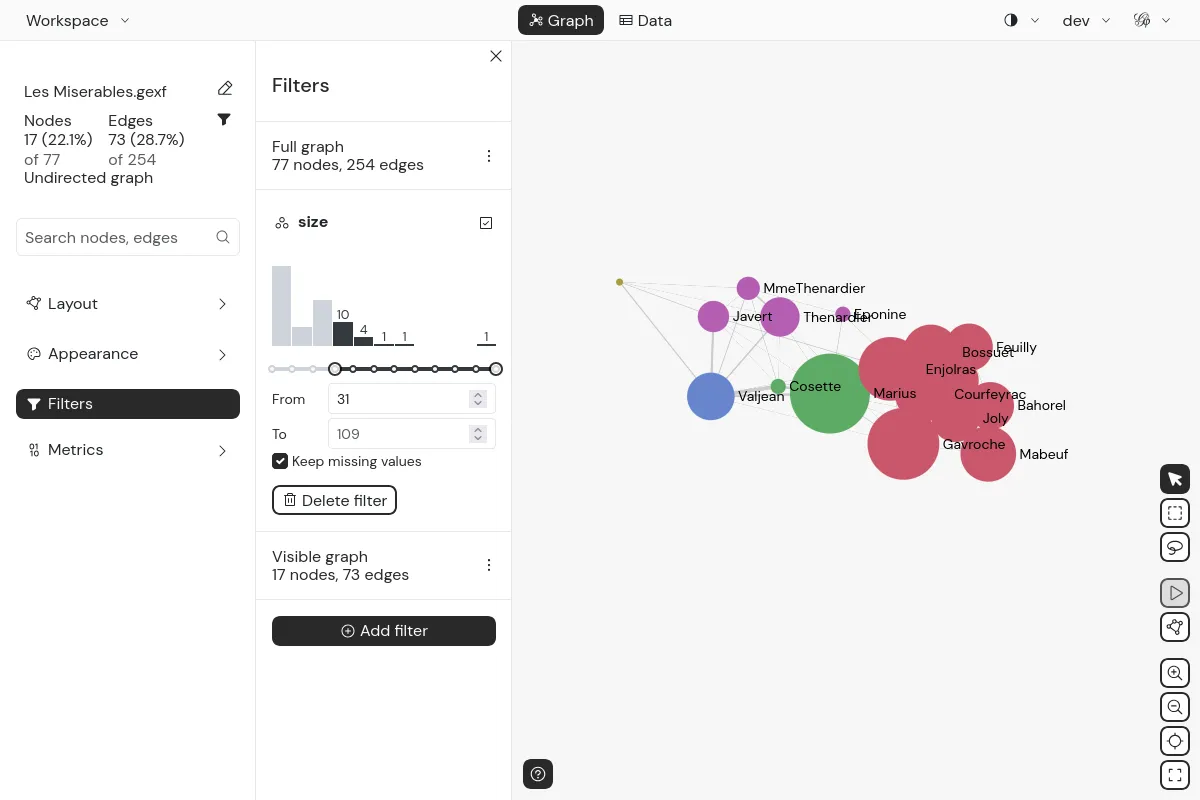
Filtering in a graph in Gephi Lite

3 / 3

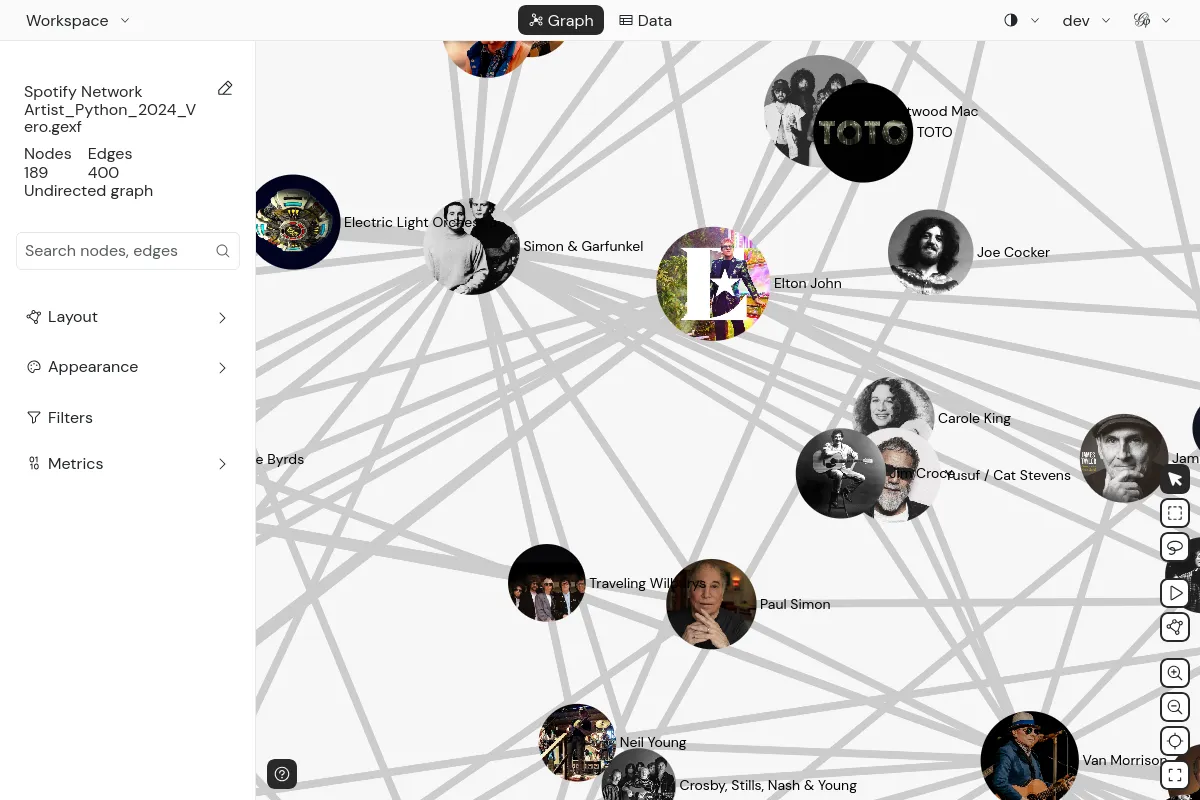
Rendering pictures in nodes in Gephi Lite

RICardo

Sciences Po Centre for History
1 / 3

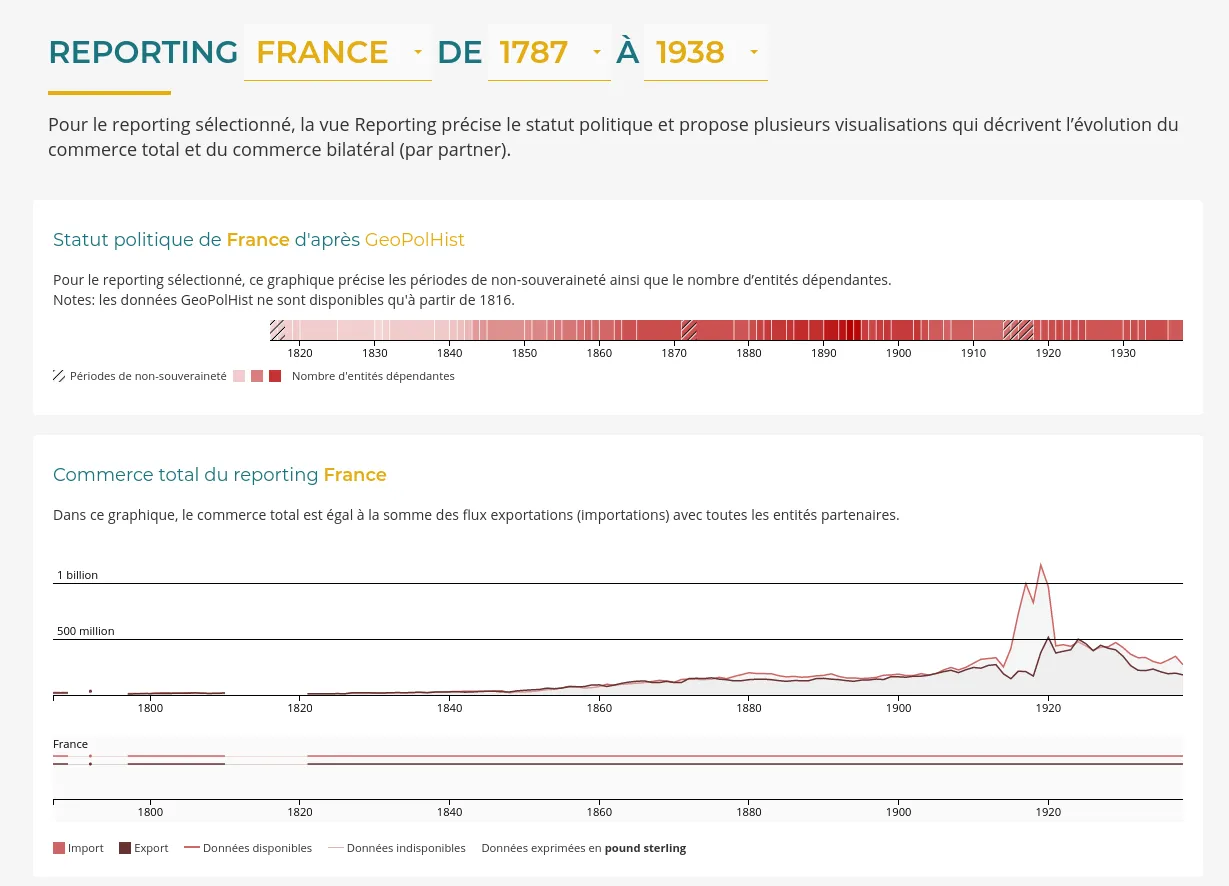
This additional timeline foster taking the political context into account when analysing historical trade

2 / 3

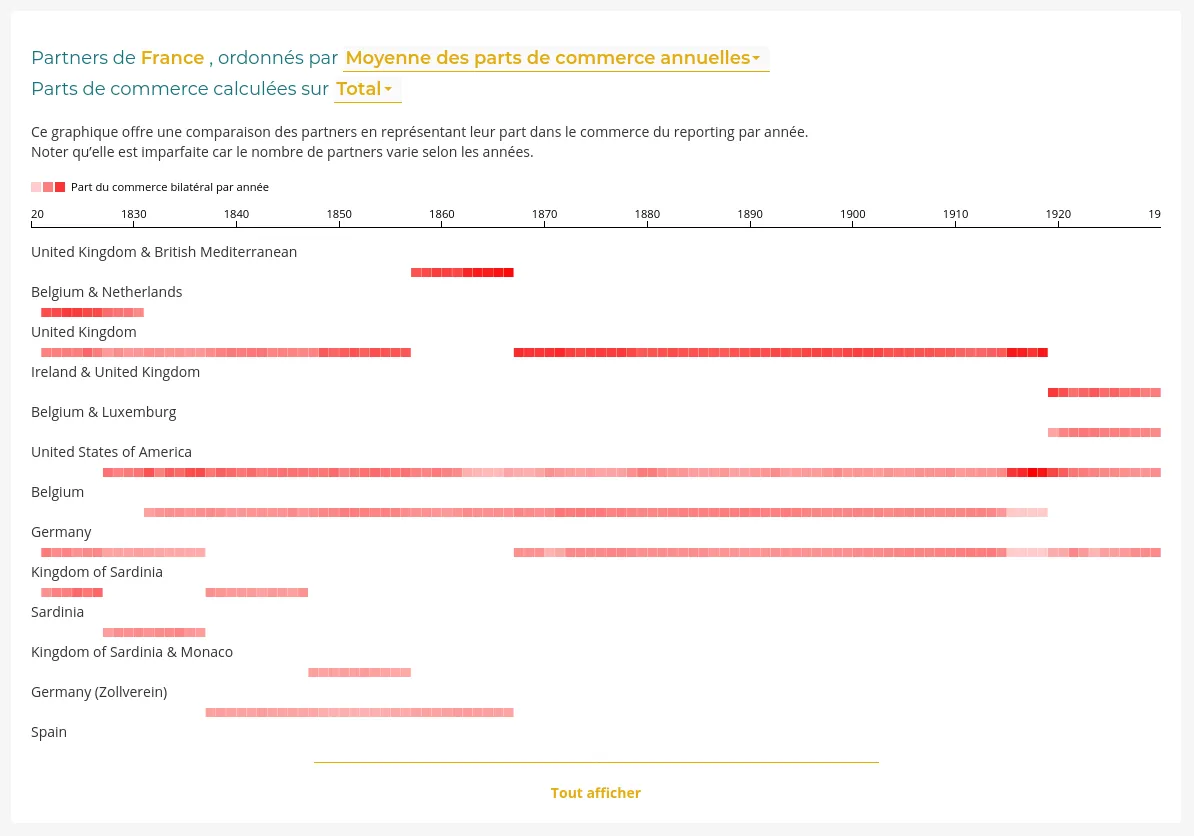
We created a heatmap to compare relative importance of trade partners

3 / 3

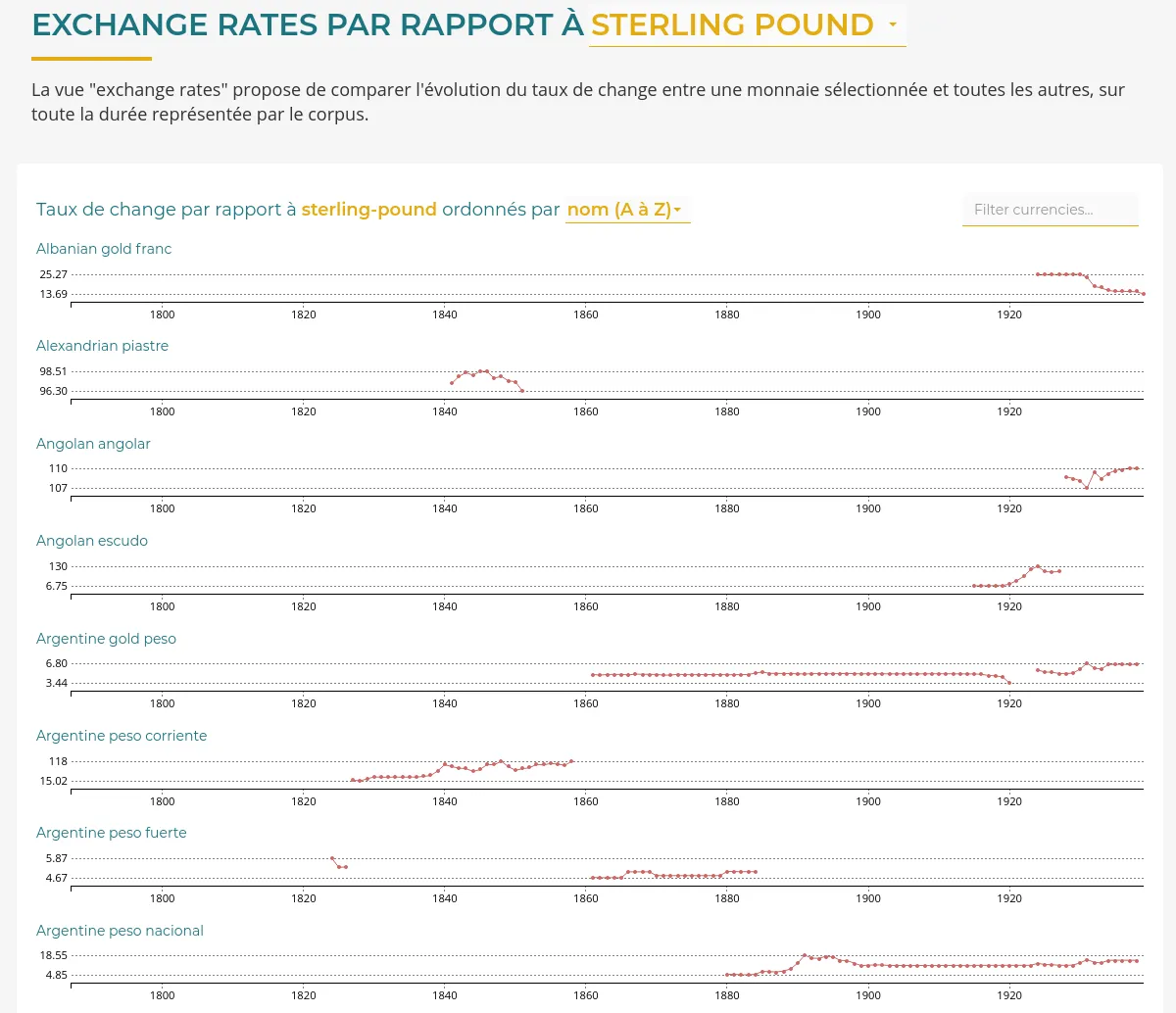
Exchange rates exploration through small-multiples

LETTERBOX

C²DH
Production

Letterbox

Tool deployed for the research team.

1 / 3

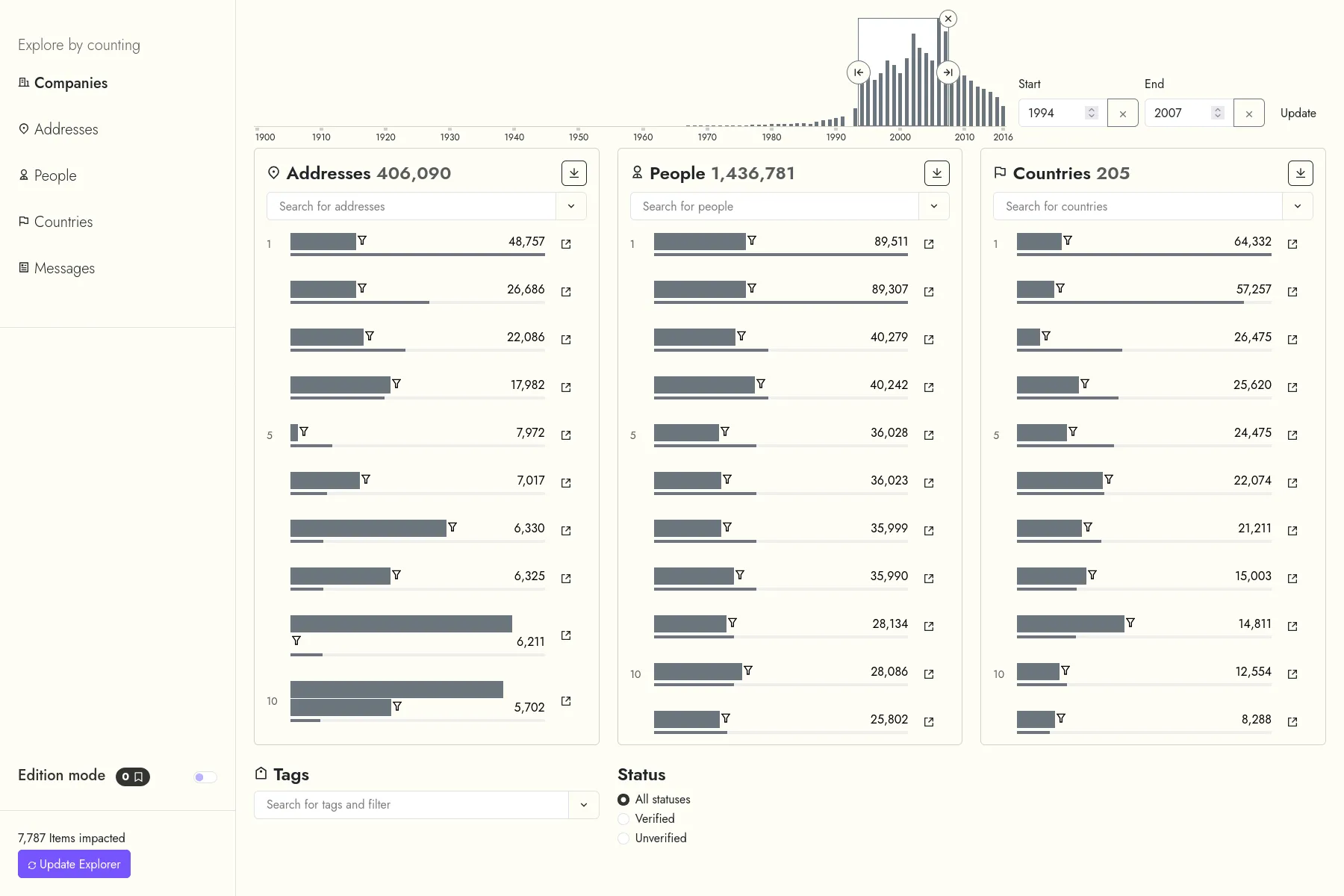
The main views of LETTERBOX are designed to quickly reveal, for a given data type and a query, the most linked entries from other types.

2 / 3

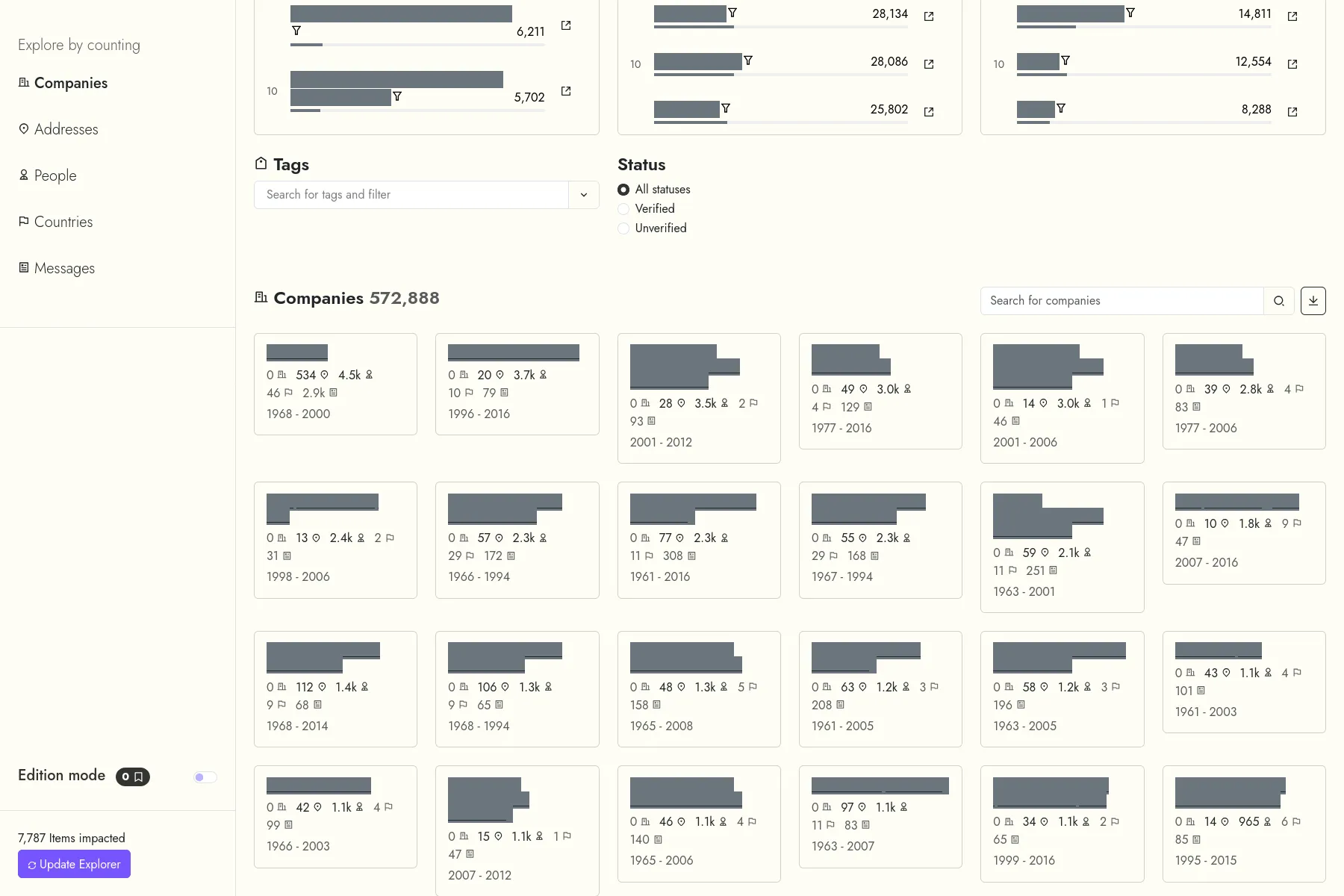
LETTERBOX also works as a simpler search index, where users can browser the entries for a given data type.

3 / 3

Short view of LETTERBOX's edition interface.

Grounding AI

TANTlab, Technical University of Denmark
Production

Grounding AI opening

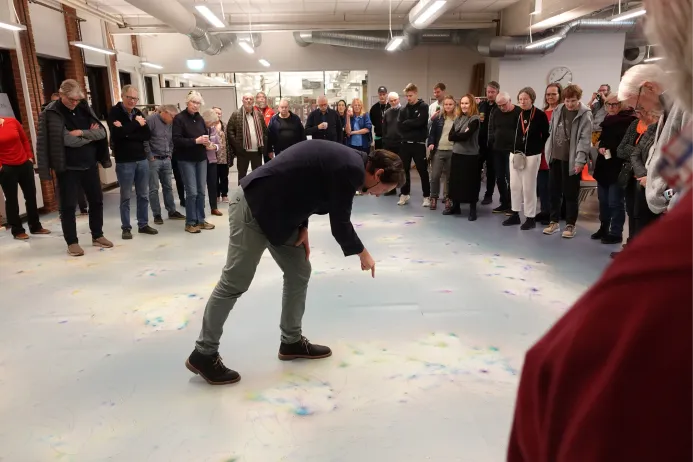
Opening of the Grounding AI exhibition at the Danmarks Teknisk Museum.

Helsingør, Danmark

1 / 4

The full map, printed on vinyle, lets visitors explore physically the dataset.

2 / 4

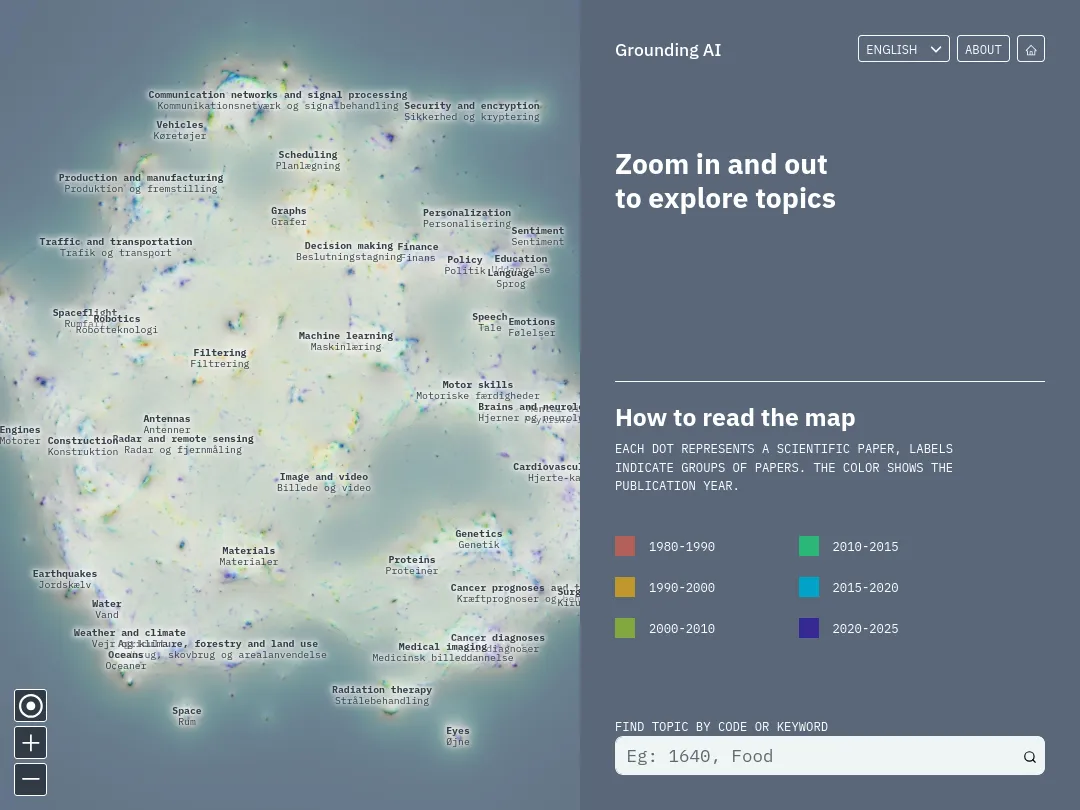
The application presents the map next to a panel, that shows the caption, or information about the selected topic.

3 / 4

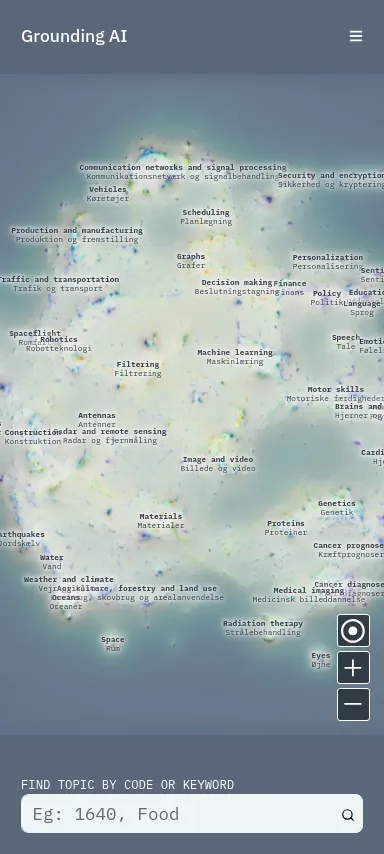
The application also works on mobile, to let visitors explore it while they walk on the physical map.

4 / 4

Visitors can consult negative and positive opinions on each topic, generated using an LLM fed with the full corpus.

TUT

Will & Agency, Technical University of Denmark, TANTlab, Agora
1 / 3

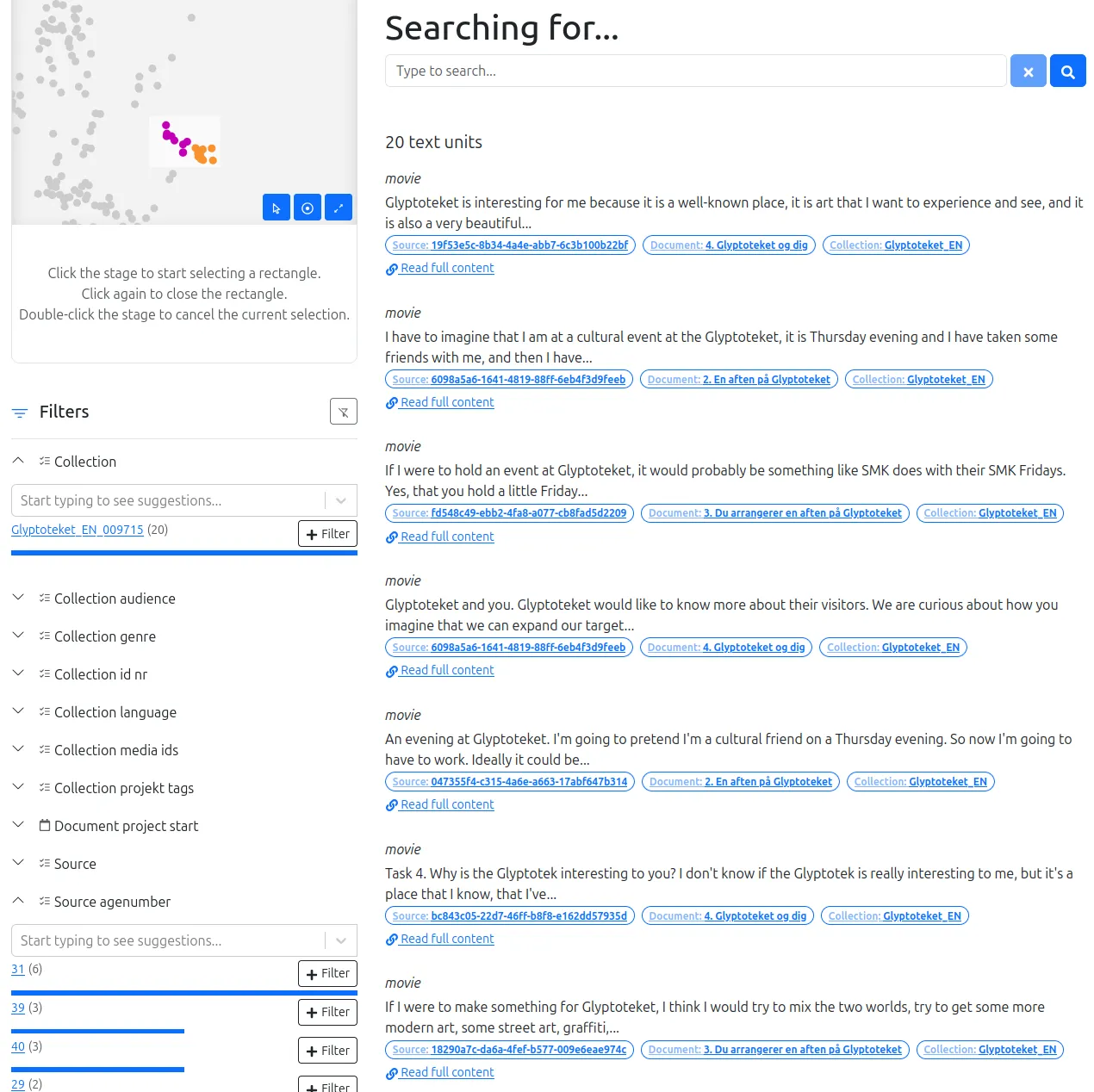
The search engine with filters on metadata and on the proximity map.

2 / 3

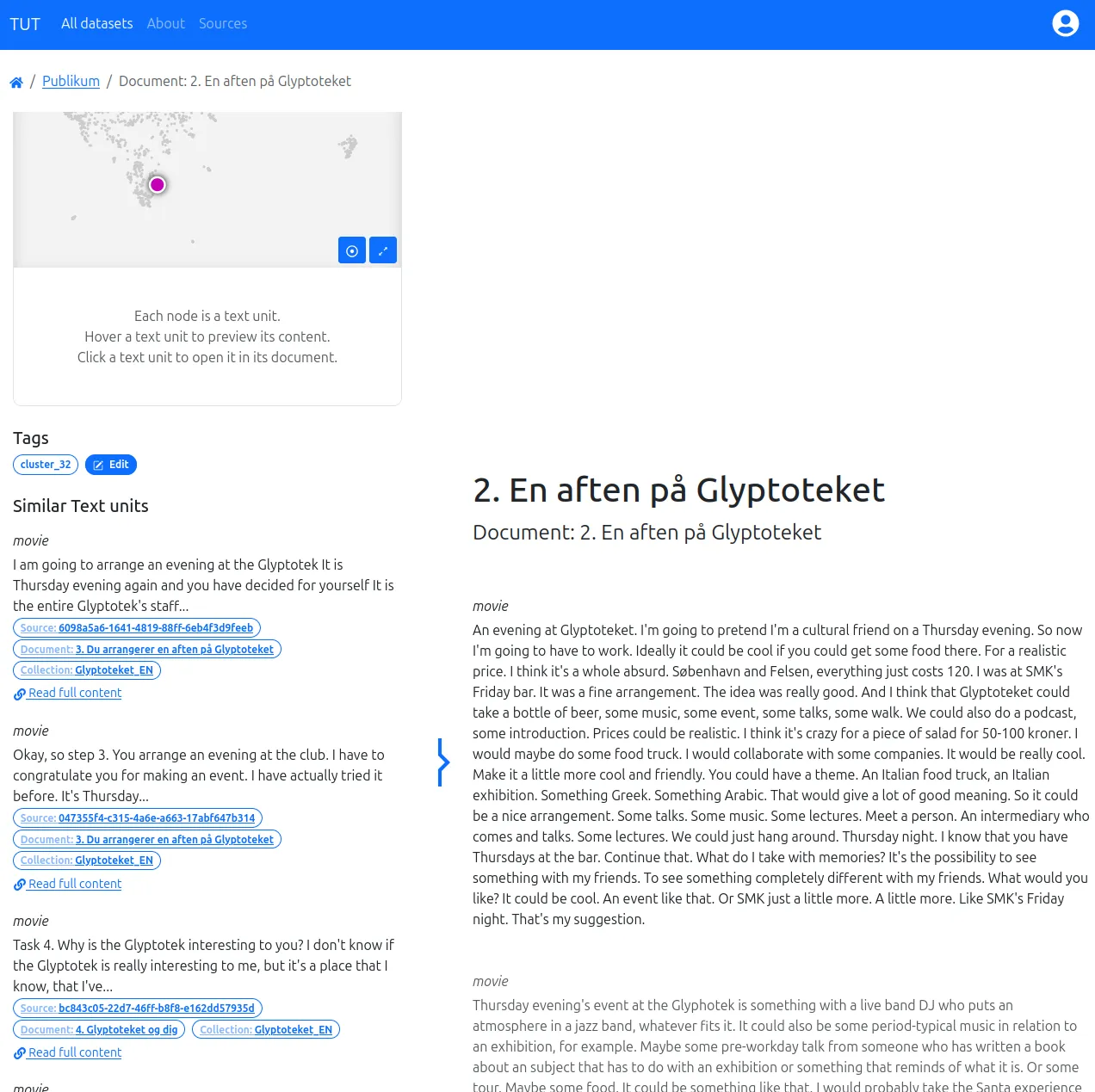
Texts are grouped by document. While reading texts in their document context, the interface shows the most similar other texts found in the corpus.

3 / 3

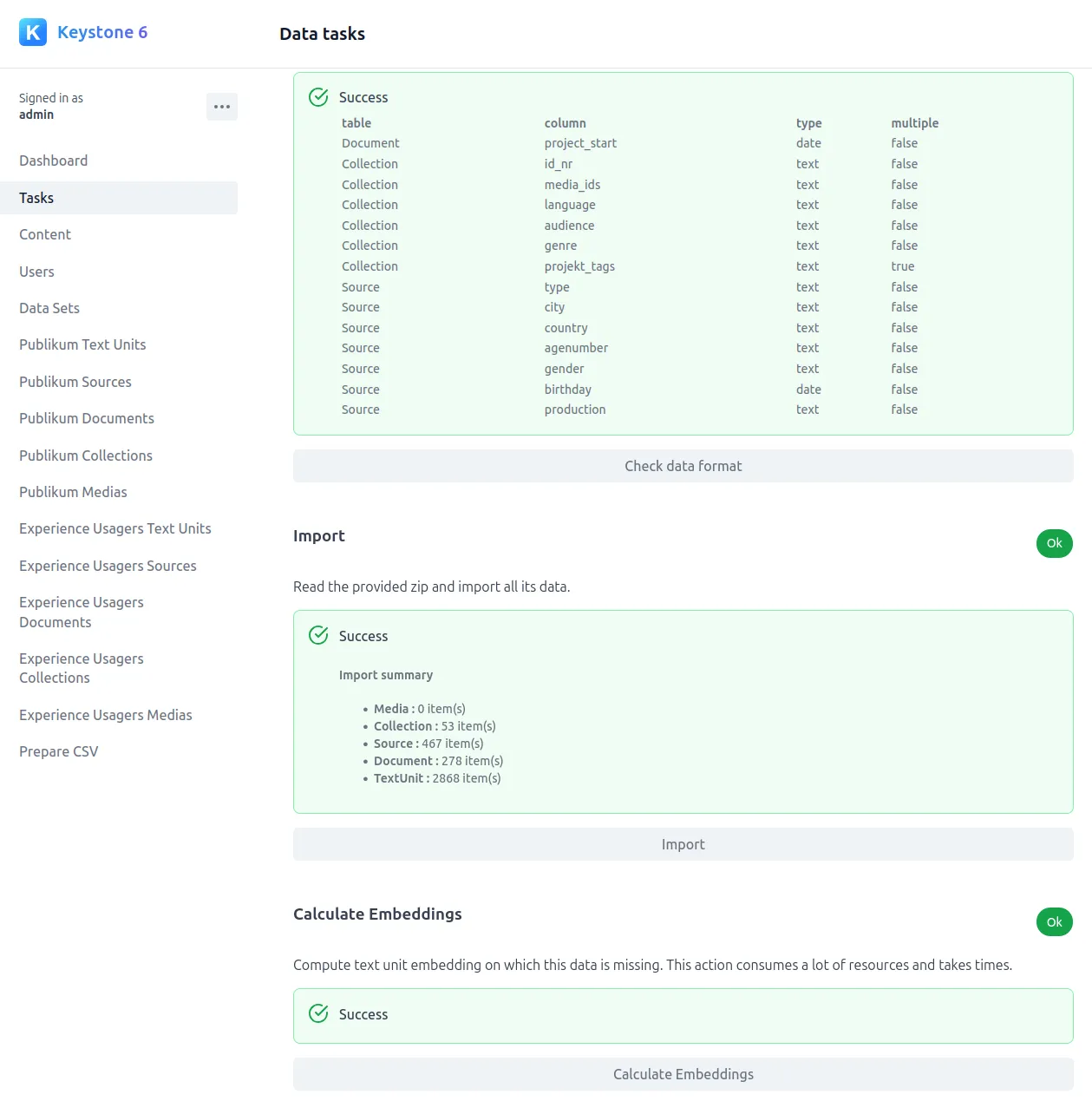
In the admin interface, one can easily create a dataset and then start the embeddings processing tasks.

REG⋅ARTS

Beaux-Arts de Paris, INHA, LIR3S, UBE
Production

Reg⋅Arts launch

Official launch of the Reg⋅Arts application

Palais des Beaux-Arts, Paris

1 / 4

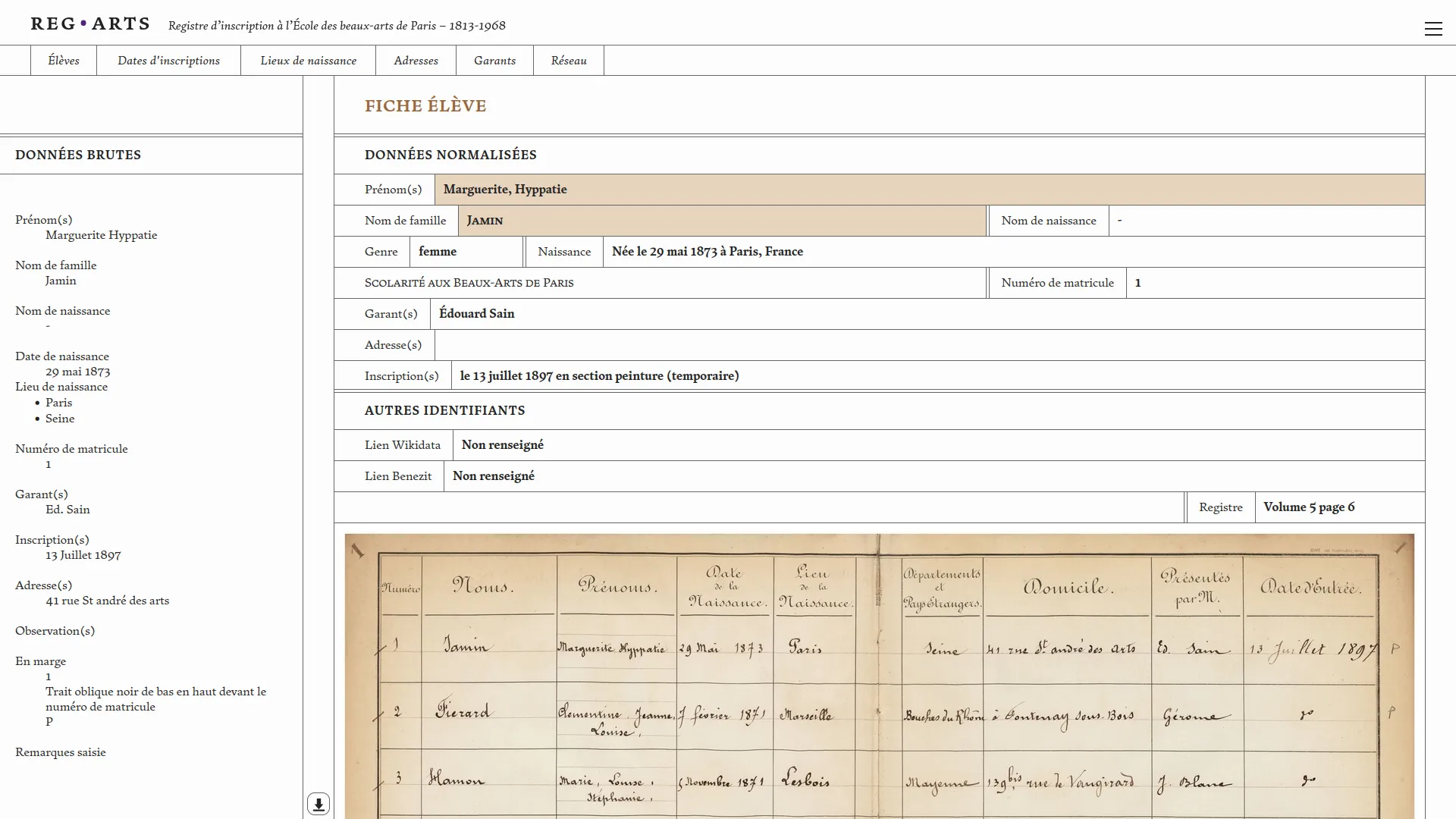
The student record sheet shows the standardized data, the raw data (as transcribed), and the scan of the register page from which the data was extracted.

2 / 4

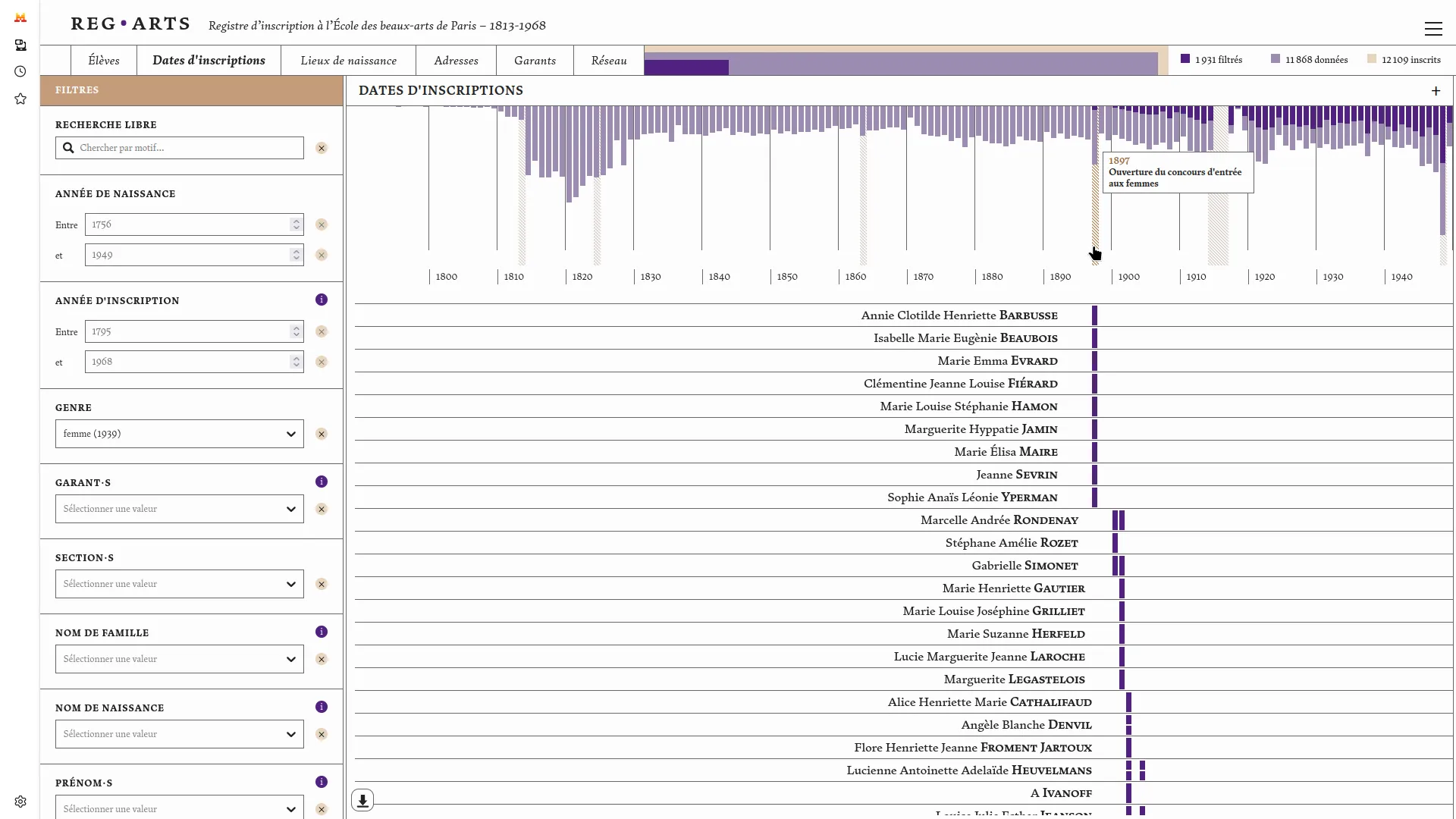
The 'Registration Dates' page shows the number of enrollments over time. By filtering for the gender 'female,' we observe that women were only admitted starting in the twentieth century. The annotation on the timeline confirms this information.

3 / 4

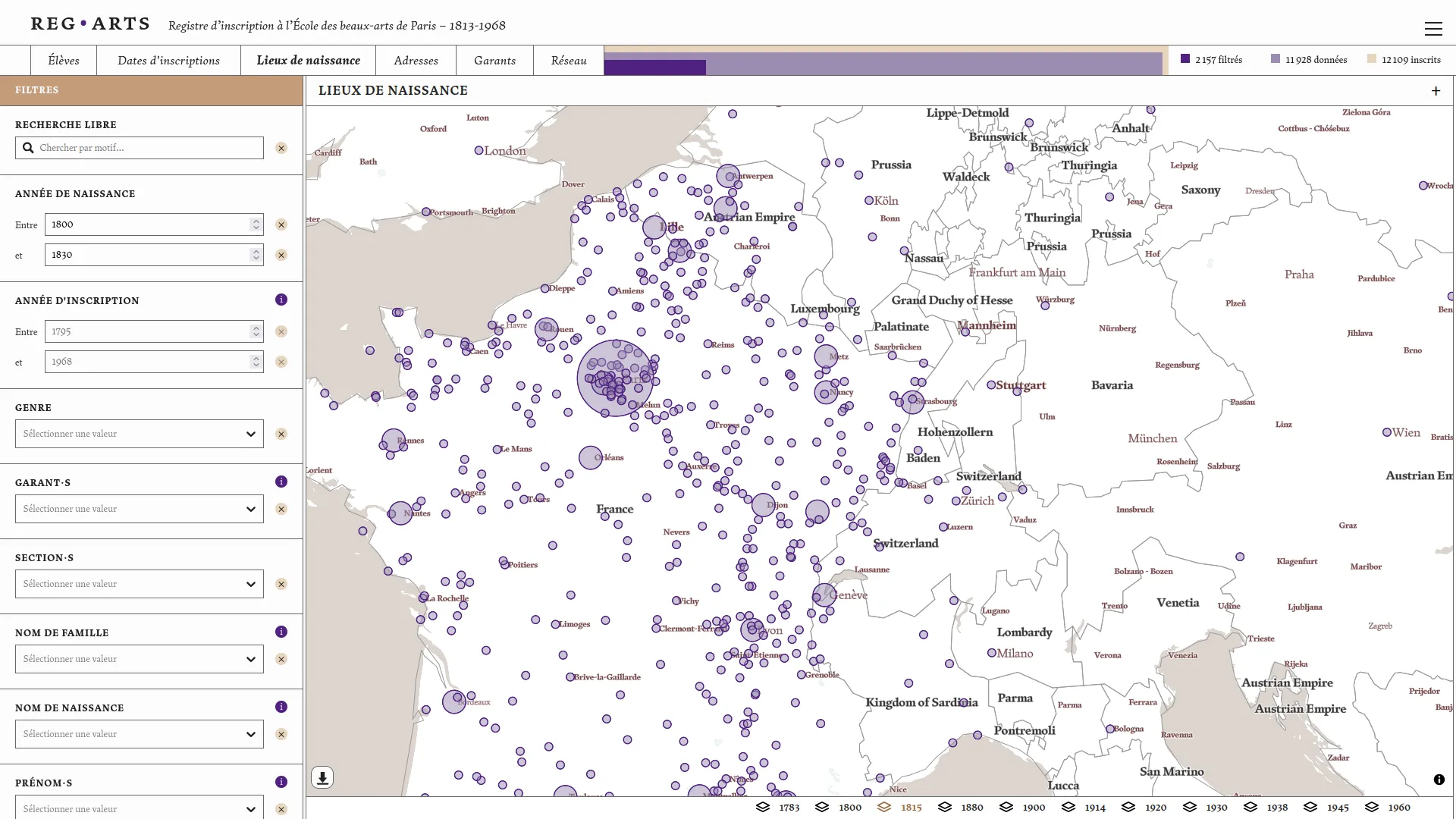
A map of the birthplaces of students born between 1800 and 1830, using the 1815 borders as the base map.

4 / 4

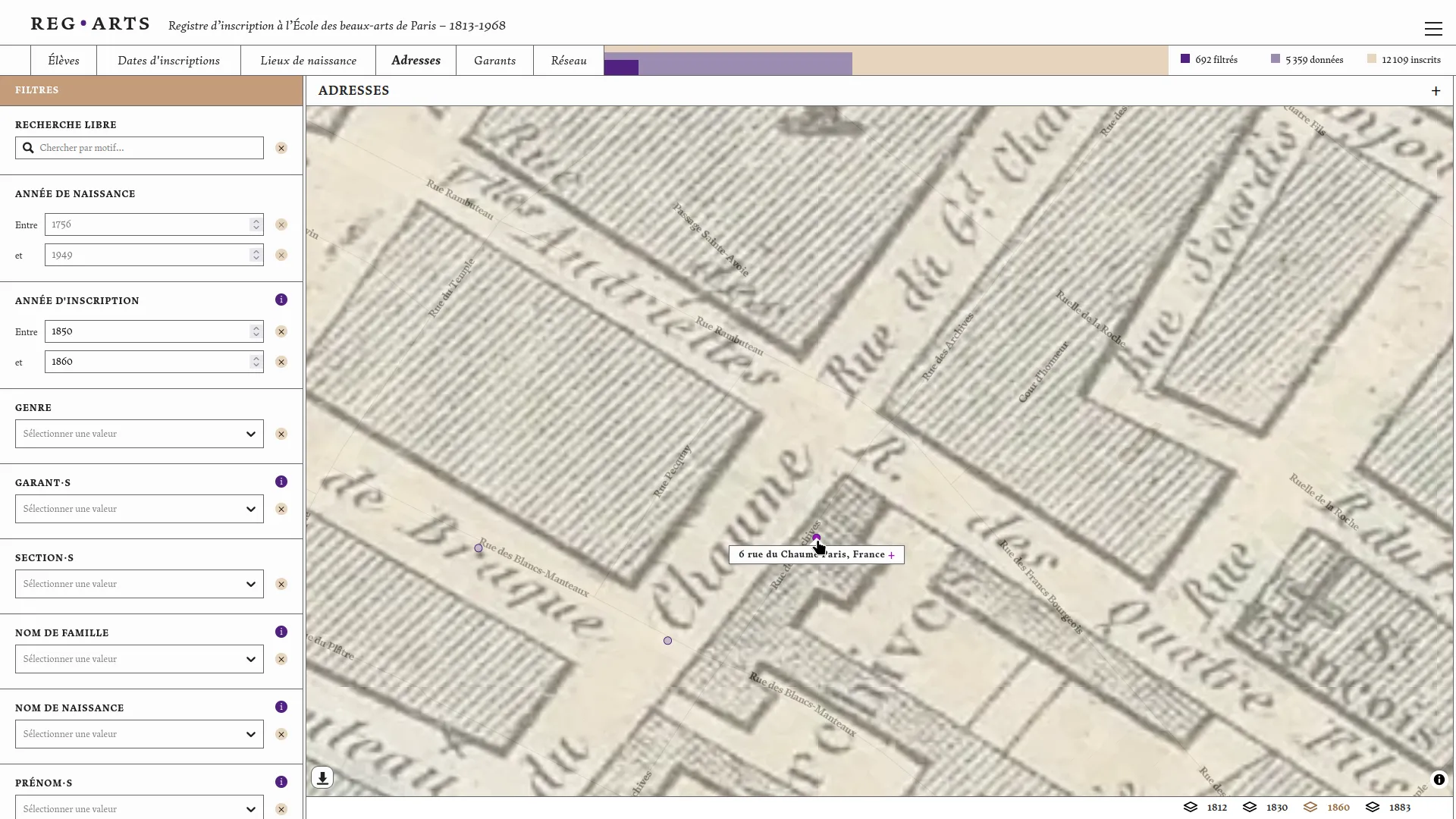
Historical maps of the city of Paris (provided by Paris Time Machine) make it possible to verify changes in street names when researching students' addresses. In this example, Rue de Chaume is now called Rue des Archives.

The Chromobase

Sorbonne Université, CNAM
Production

Colour matters

Public launch of the chromobase at the Colour matters colloquium.

Production

Chromobase new version

Colour wheel new lightness layers and creation of the glossary.

1 / 6

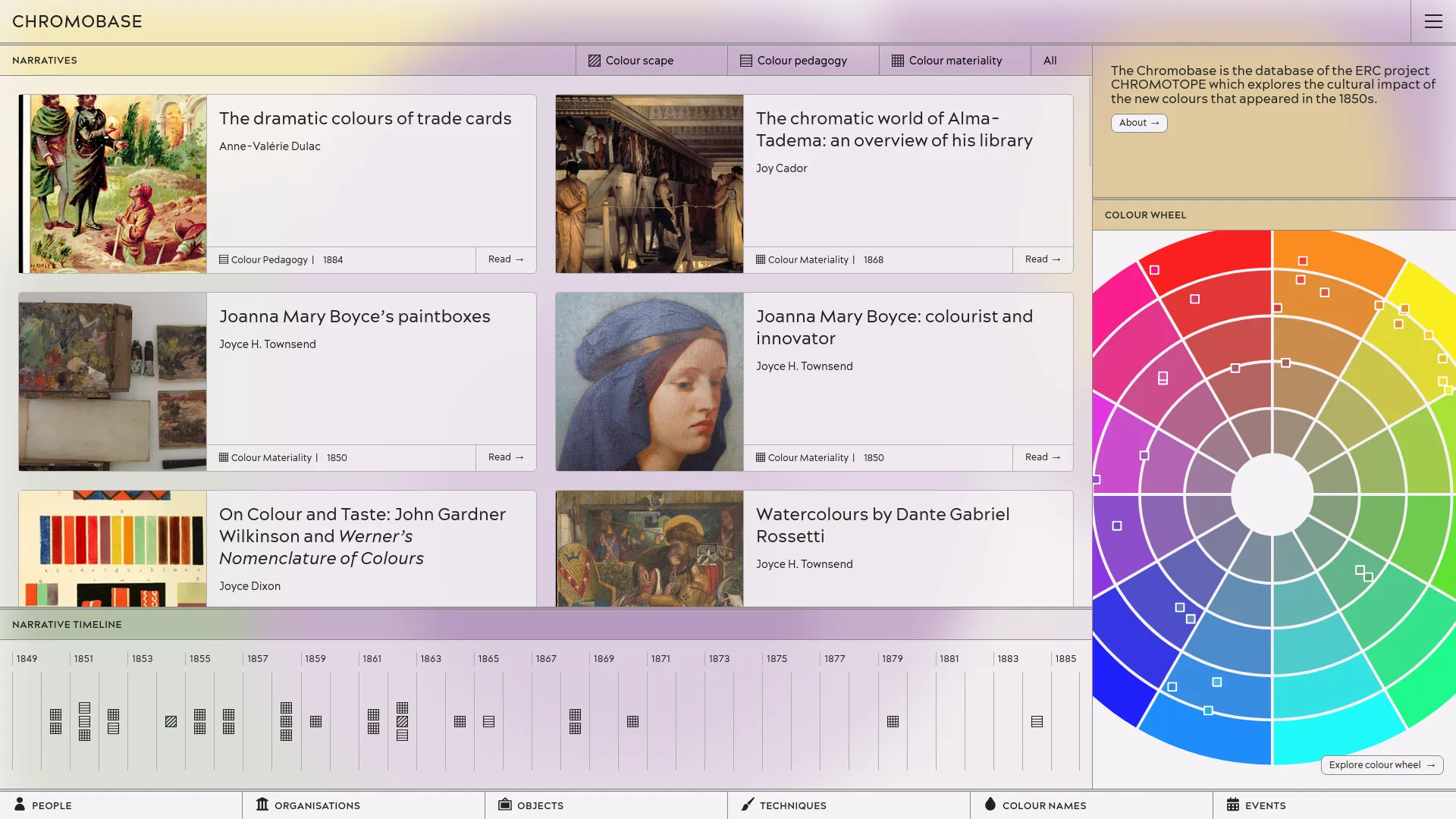
Chromobase home page showing narratives as a list and a timeline and one colour wheel.

2 / 6

The “Persoz, the birth of heritage sciences and medieval colours” narrative page with “Jean-François Persoz” marker and notice link highlighted.

3 / 6

The object "Register of samples and correspondence, 1850-1930: letter from Camille Koechlin to Horace Koechlin, 4 August 1861" in the colour wheel page.

5 / 6

A narrative in the editor tool. One link-to-person edition select box is opened and shows existing people in the database ready to be attached.

6 / 6

Dedicated page to create notice by importing entities from Wikidata.

Sigma.js consulting pour G.V()

gdotv

The LASSO platform

UMRAE, ETIS
Production

Lasso

The first version already has almost all of the functionalities.

Production

Lasso

A new version that adds sound and image management to the exploration tool.

1 / 3

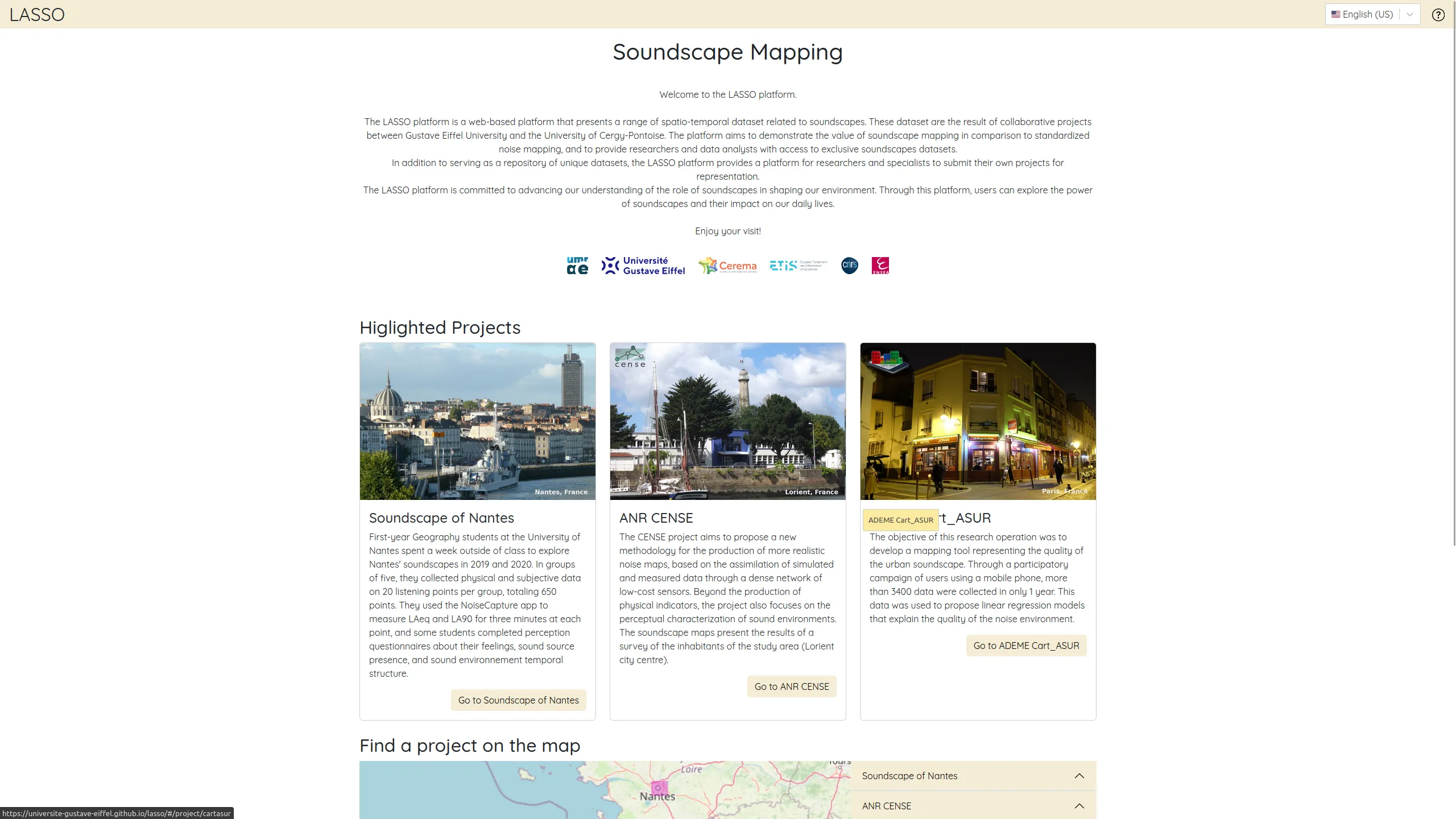
The LASSO platform proposes to explore different soundscapes created by the research team

2 / 3

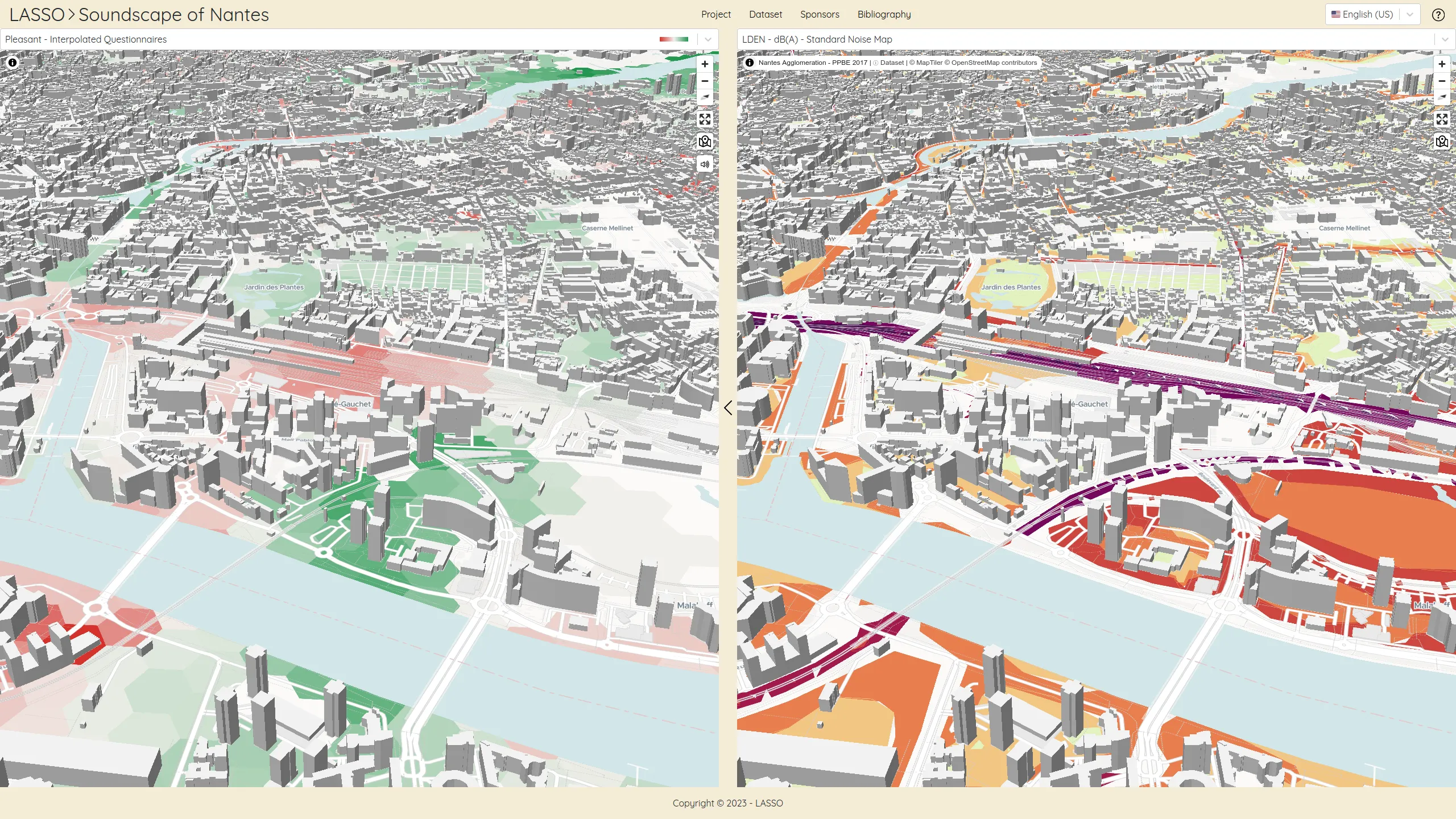
Two maps are synchronised to ease to compare variables: 'pleasant' on the left, standard noise levels on the right.

3 / 3

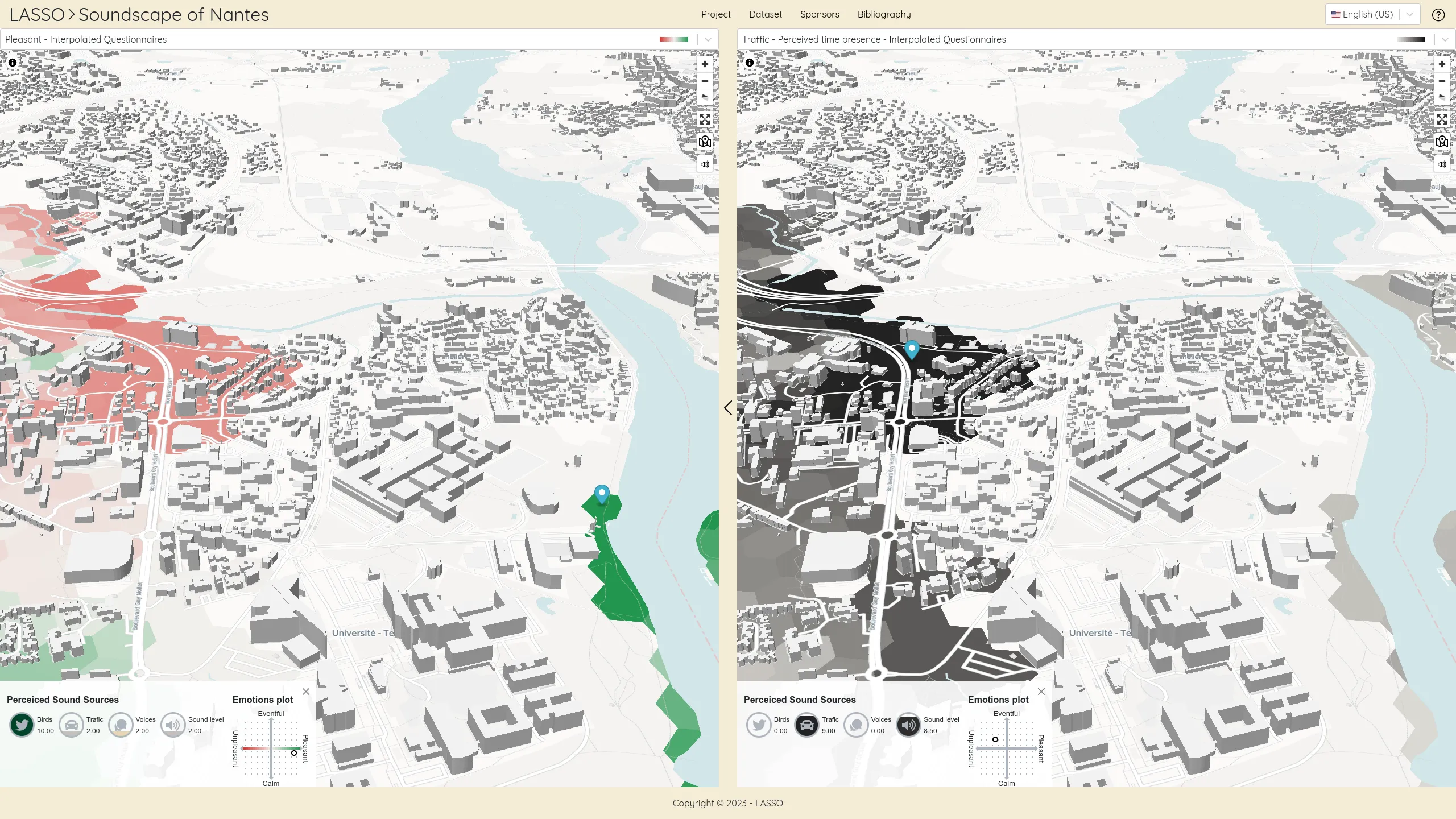
On each data point are listed the soundscapes variables values: frequency of sound sources from birds, traffic, voices, the sound level as well as the two emotional variables pleasant and liveliness.

Discover jobs diversity in for the MEL

Métropole Européenne de Lille, Datactivist
1 / 4


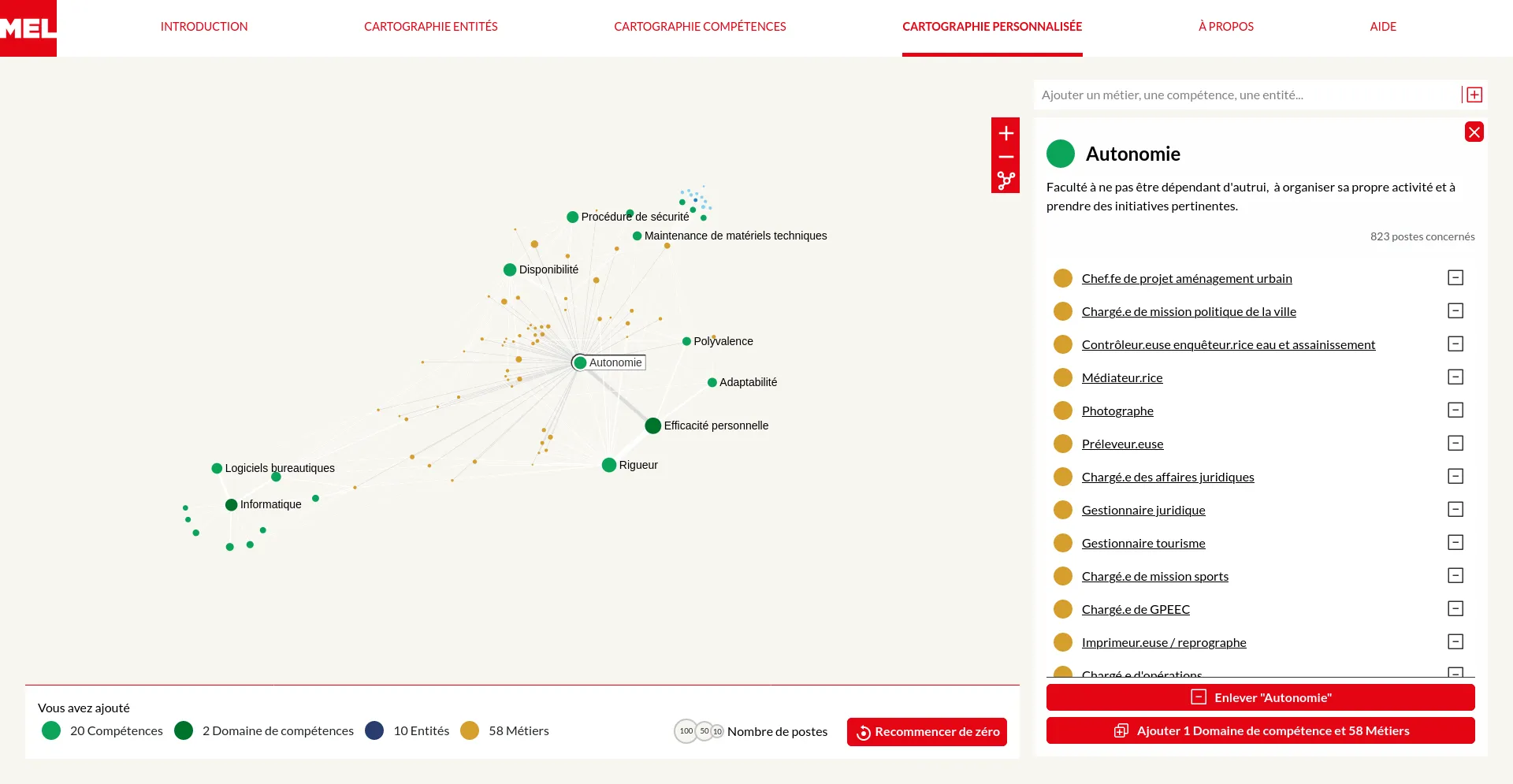
On the homepage, an animation depicts MEL's officers community grouping them by major departments and occupations.

2 / 4

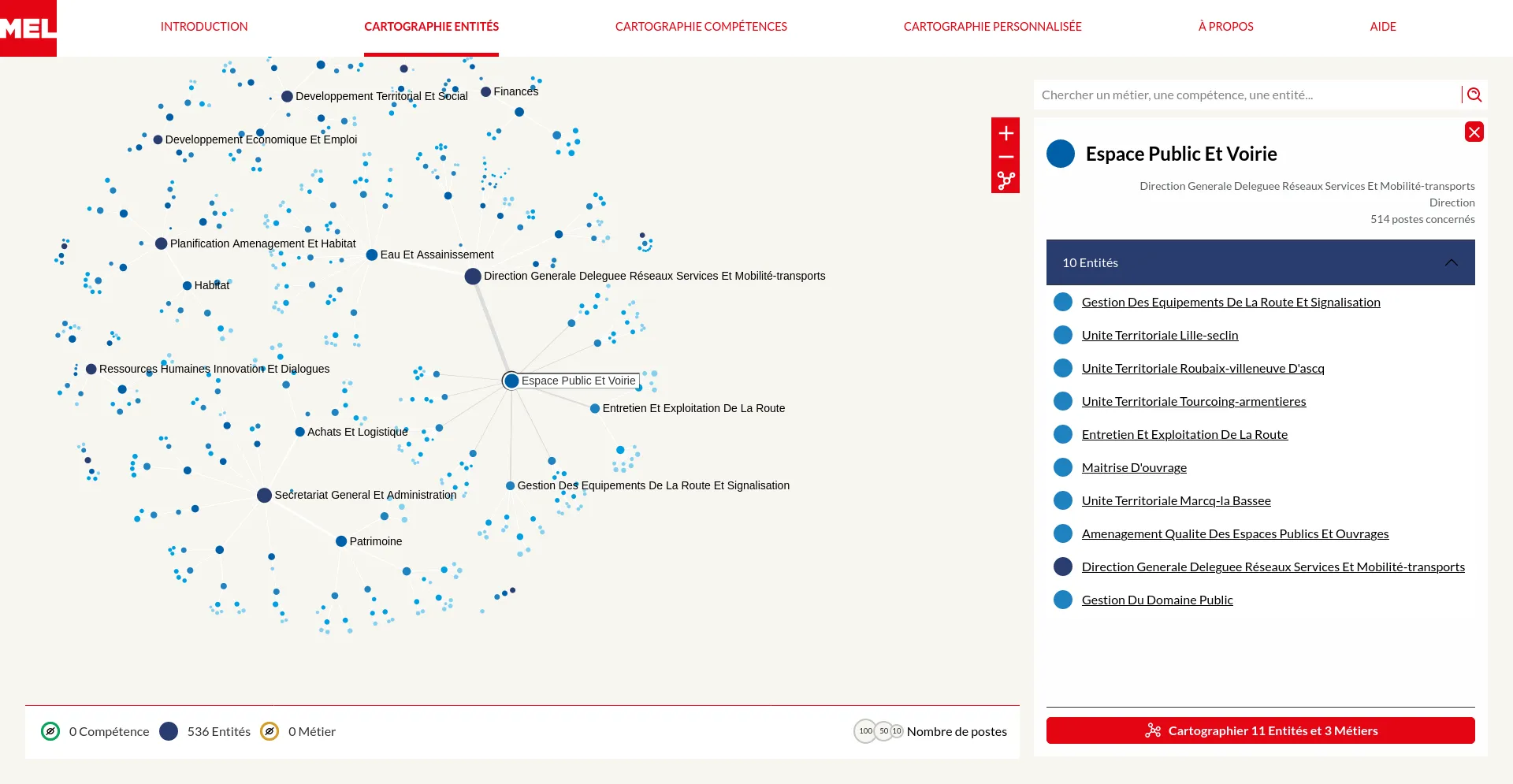
The departments map reveals the metropolis internal administrative organisation by departments, services, team... When an entity is selected a panel displays the list of linked departments and proposes to create a custom map starting from it.

3 / 4

In the custom map one can create a network by adding point of interests (entities, skills or occupations) one by one. New elements can be added either by searching or by picking them from the neighborhood of current nodes.


4 / 4

An interactive guided tour shows the possible interactions. Not only buttons are highlighted but some actions are automatically triggered to better illustrate their consequences.

A new GraphCommons version

Graph Commons
Production

GraphCommons

This entirely revamped beta version of GraphCommons took more than a year to develop.

Production

GraphCommons

A new version with server-side rendering, which improves, among other things, search engine optimization.

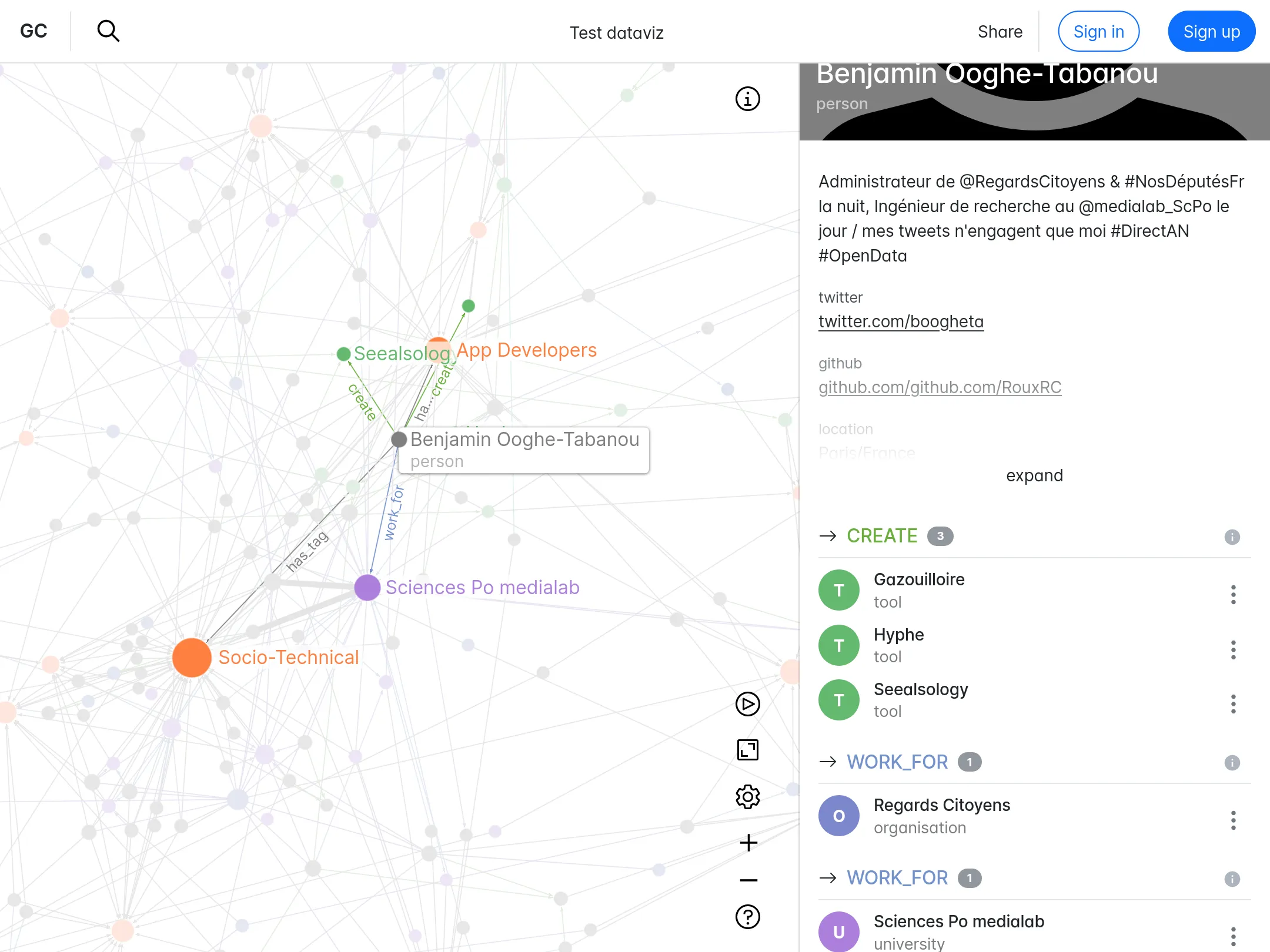
1 / 3

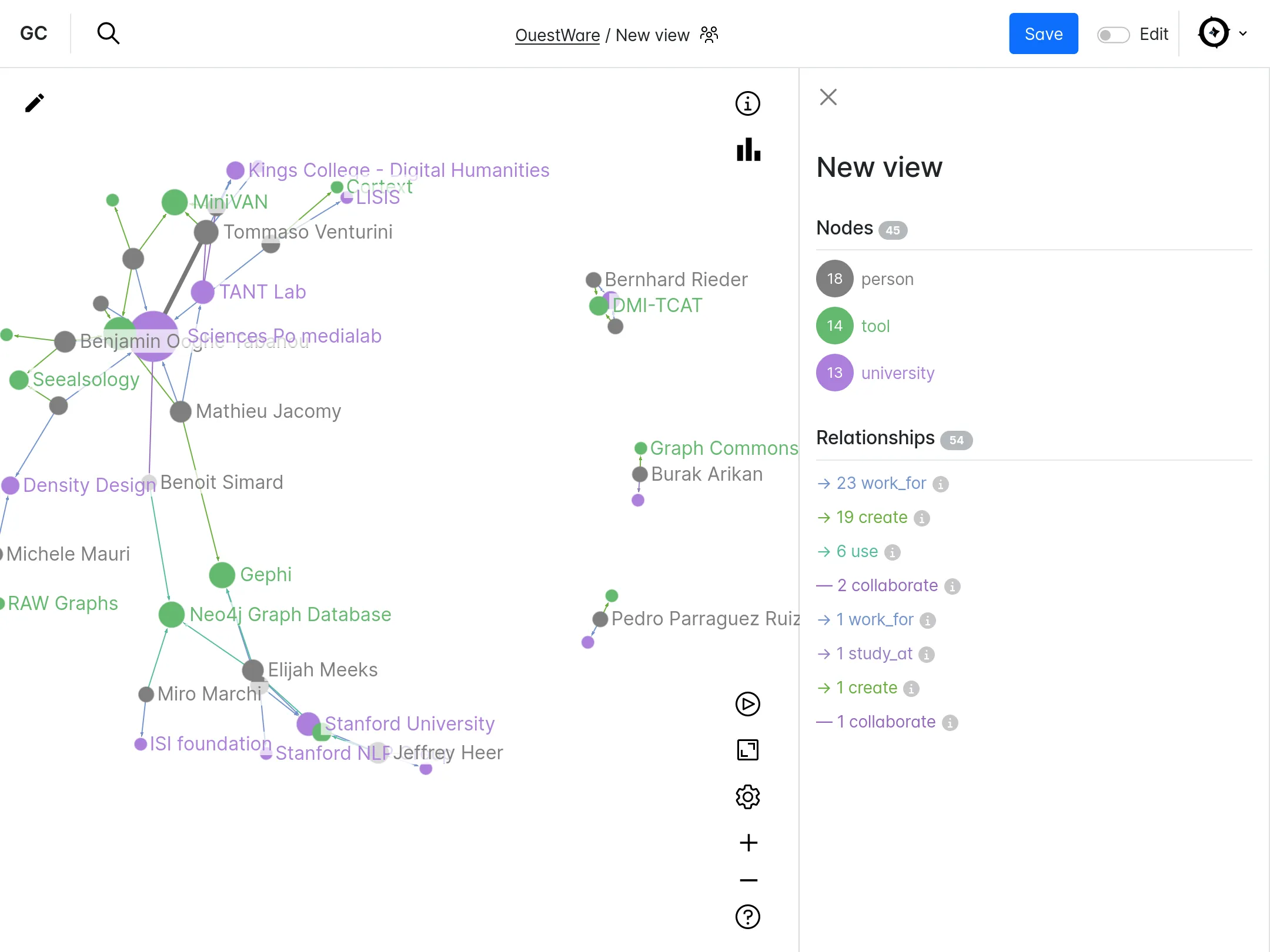
In a large graph about 'dataviz', the node 'Benjamin Ooghe-Tabanou' is selected. Its neighbors are highlighted both on the graph and in the panel on the right which also displays the node's attributes.

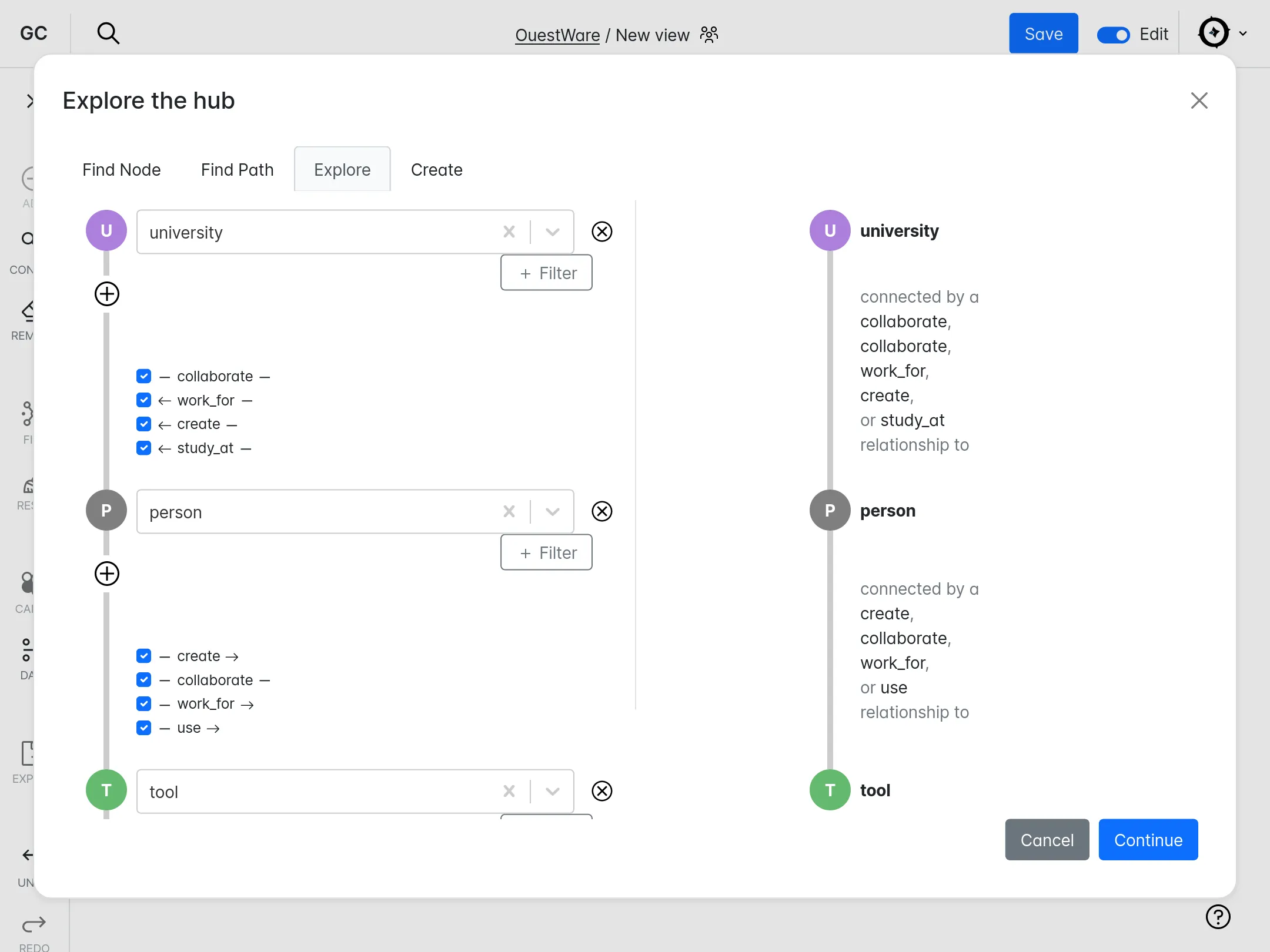
2 / 3

The 'Hub' paid feature allow to create many views on one common knowledge graph. On this screen, we create a view by aggregating all paths from universities to tools passing through people.

3 / 3

A view allow to isolate a part of a larger knowledge graph hosted in a Hub. The right panel shows on this screen the caption revealing the data model of the graph.

Configuration management database

1 / 3

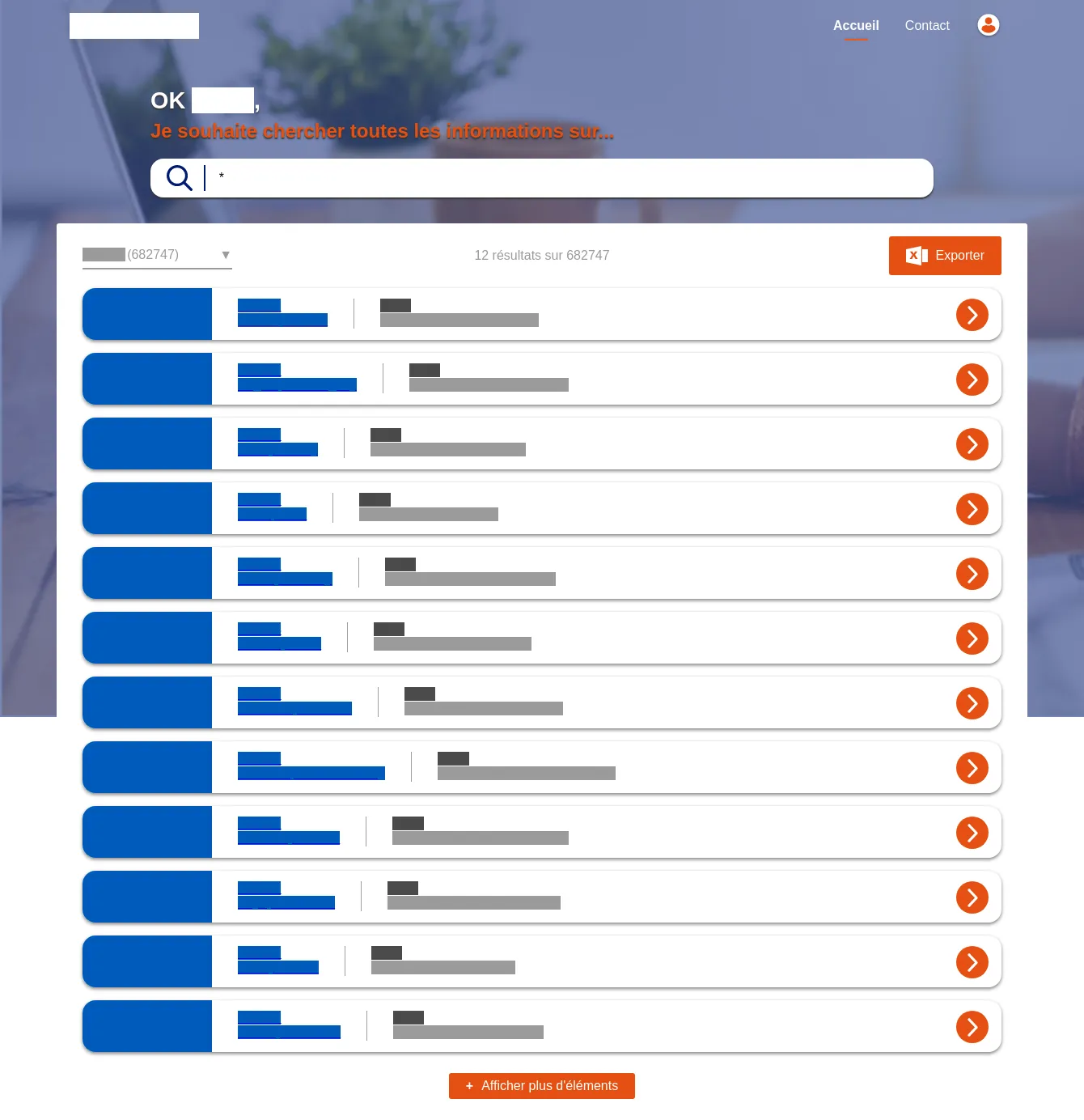
Search page, through the different node types

2 / 3

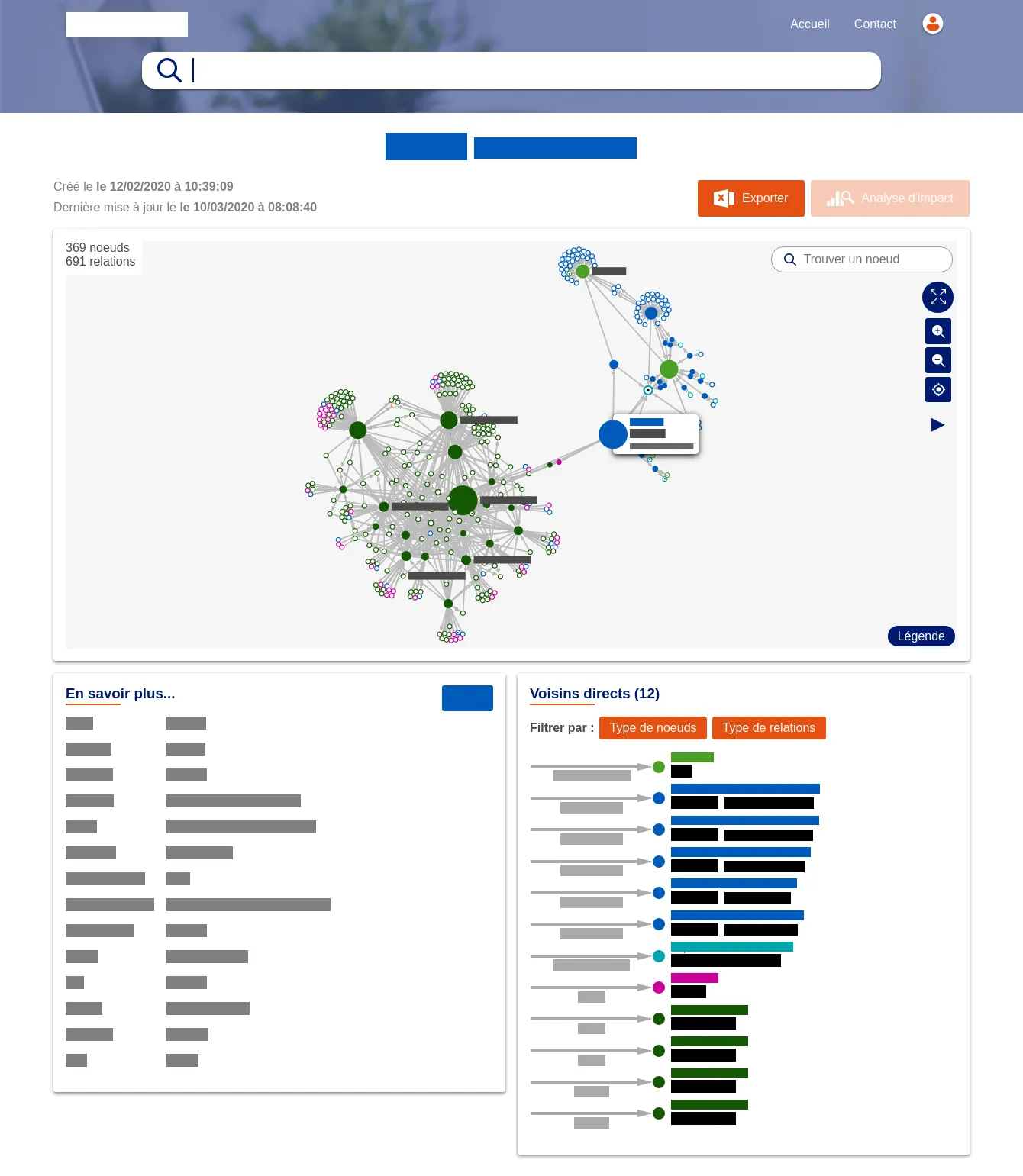
Node page, with its ego-centered network, the list of its direct neighbors and its metadata

3 / 3

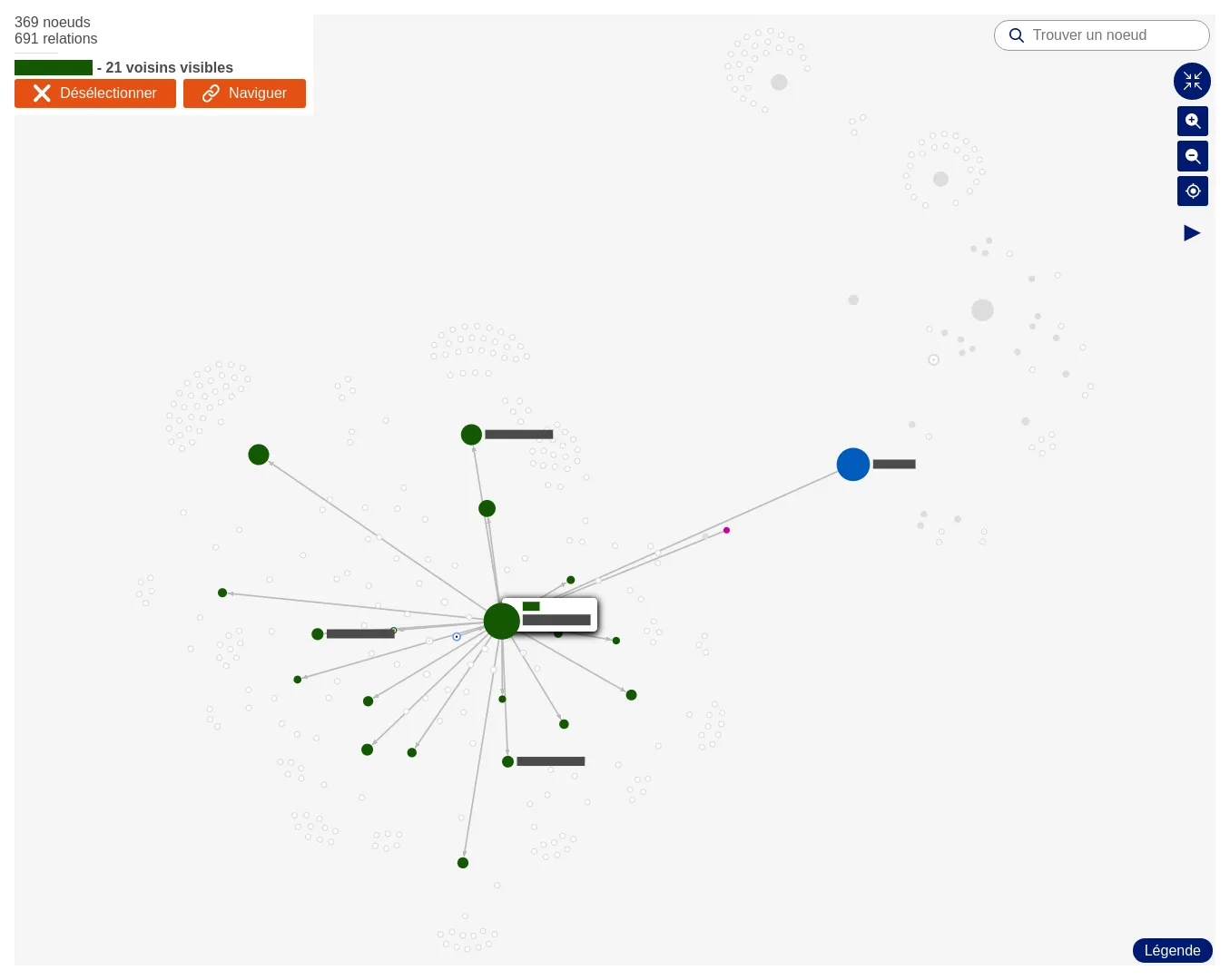
Fullscreen network exploration

Archelec

Sciences Po
Production

Archelec

The first version includes the search engine as well as the "professions of faith" pages.

Production

Archelec

This new version brings the data visualizations page and various fine tunings.

1 / 4

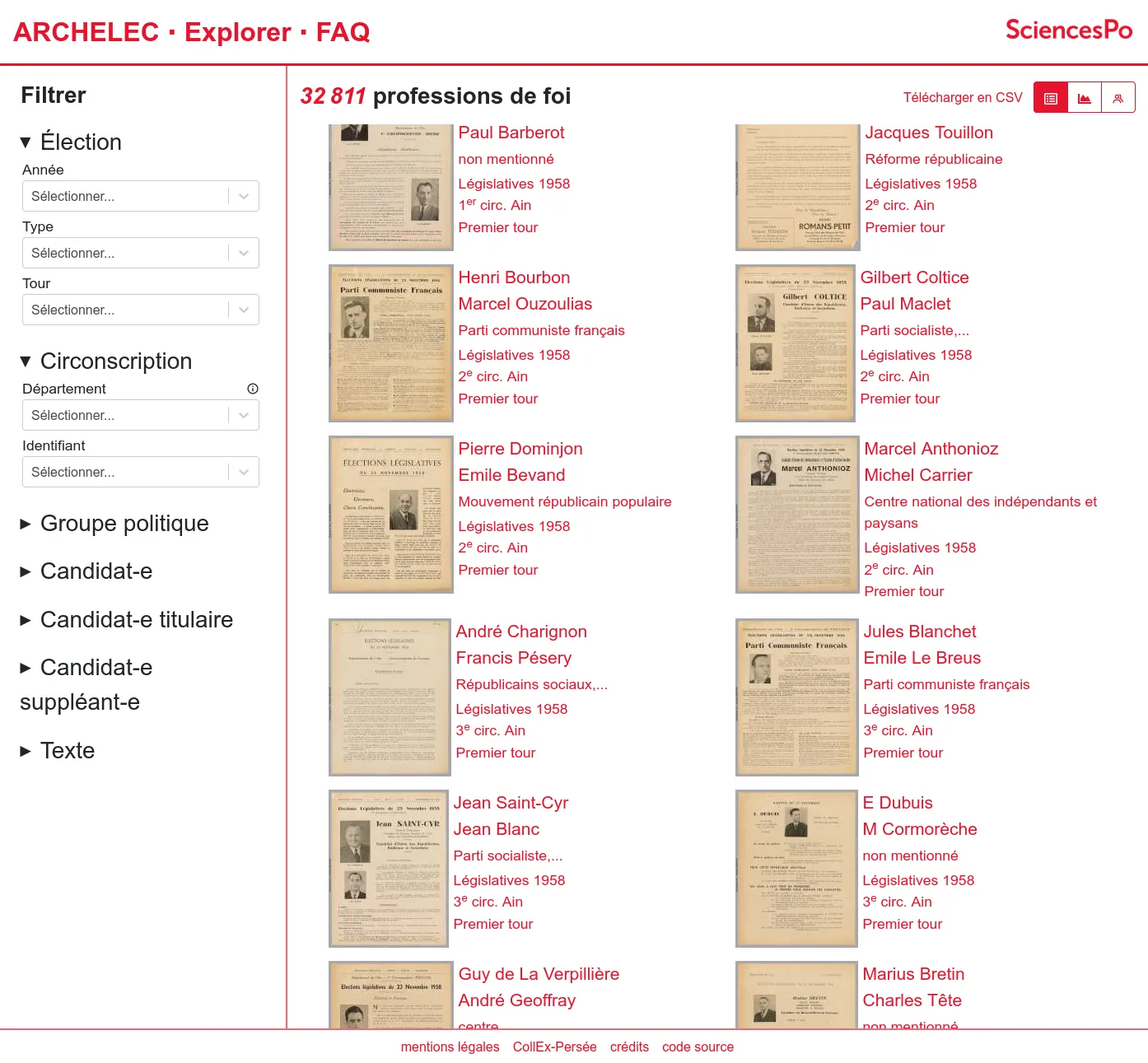
A faceted search engine on legislative elections' candidates' professions of faith.

2 / 4

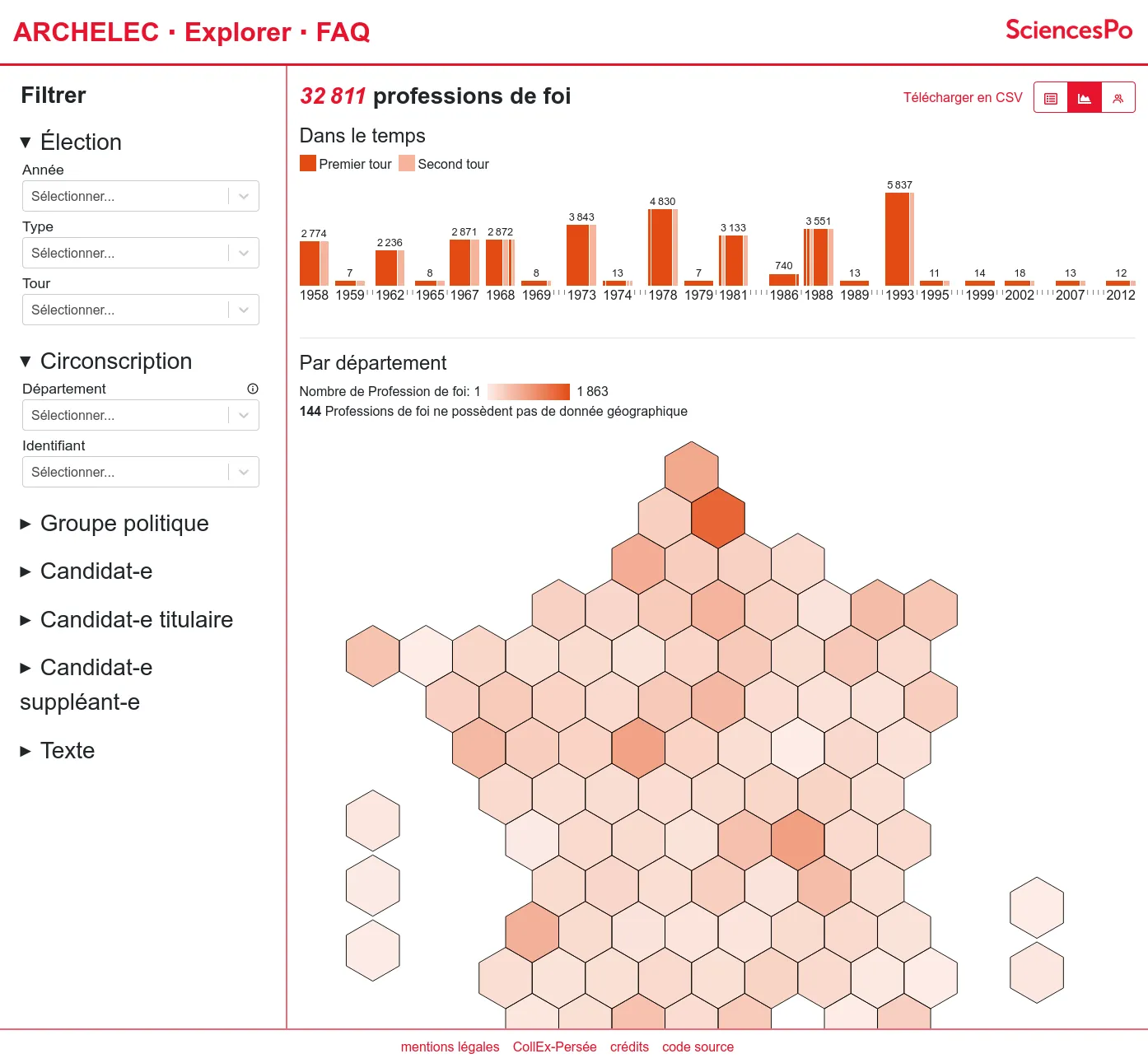
Visualisation of the selected document in time and in the french territory.

3 / 4

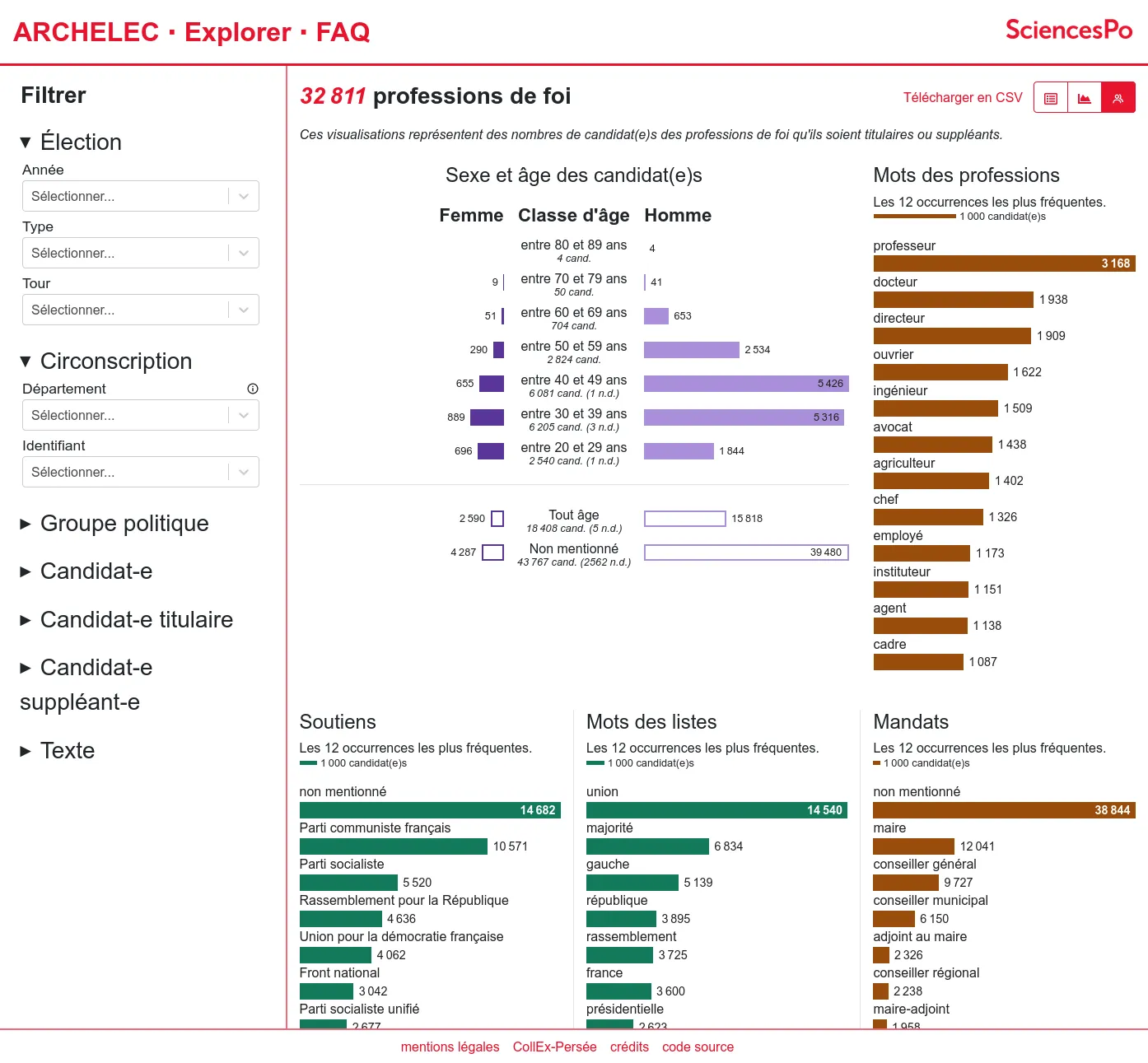
Candidates' profils: gender and age, professions, political support...

4 / 4

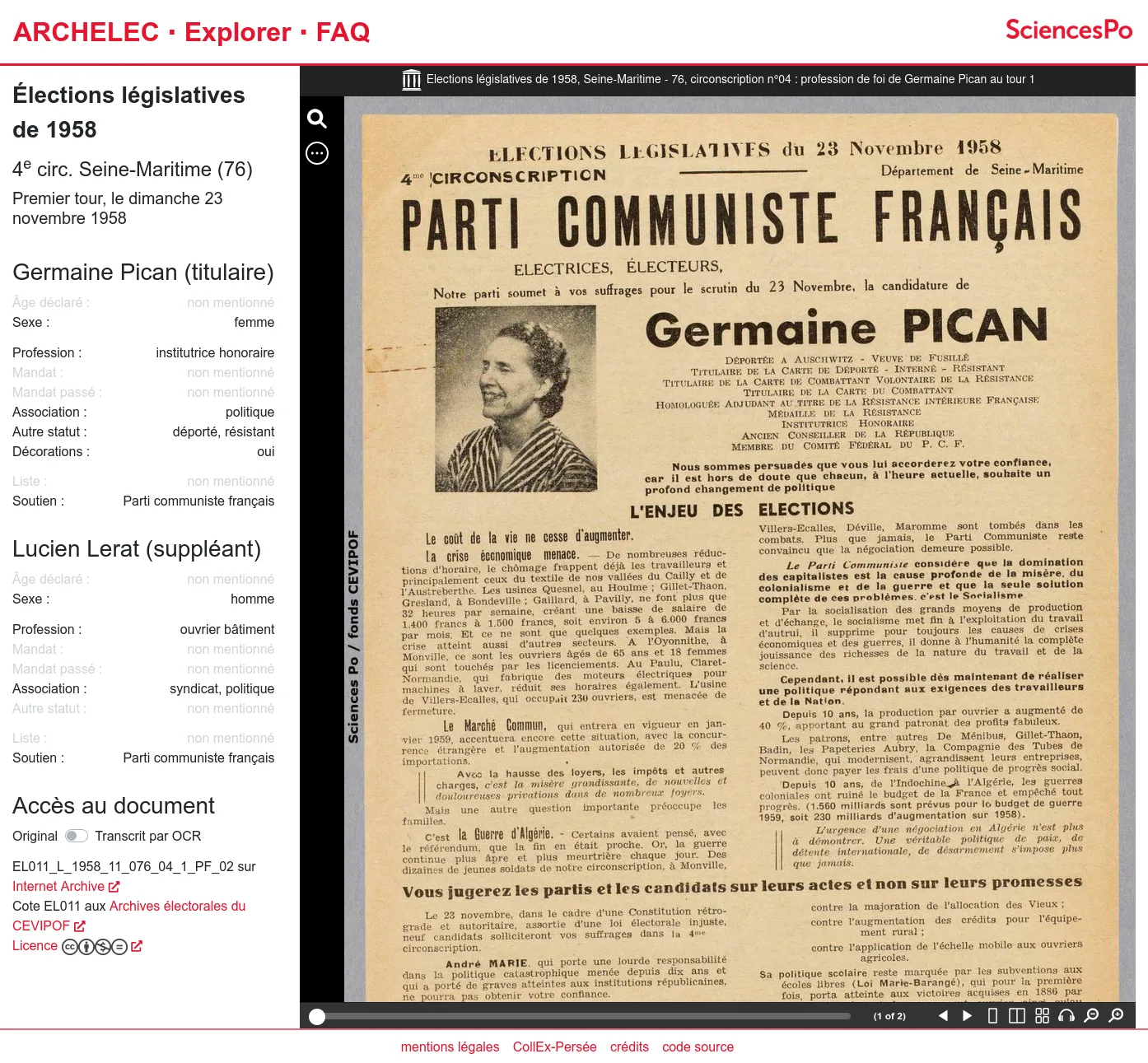
For one document, metadata and original scan can be read side by side.

Retina

CIS - CNRS
1 / 4

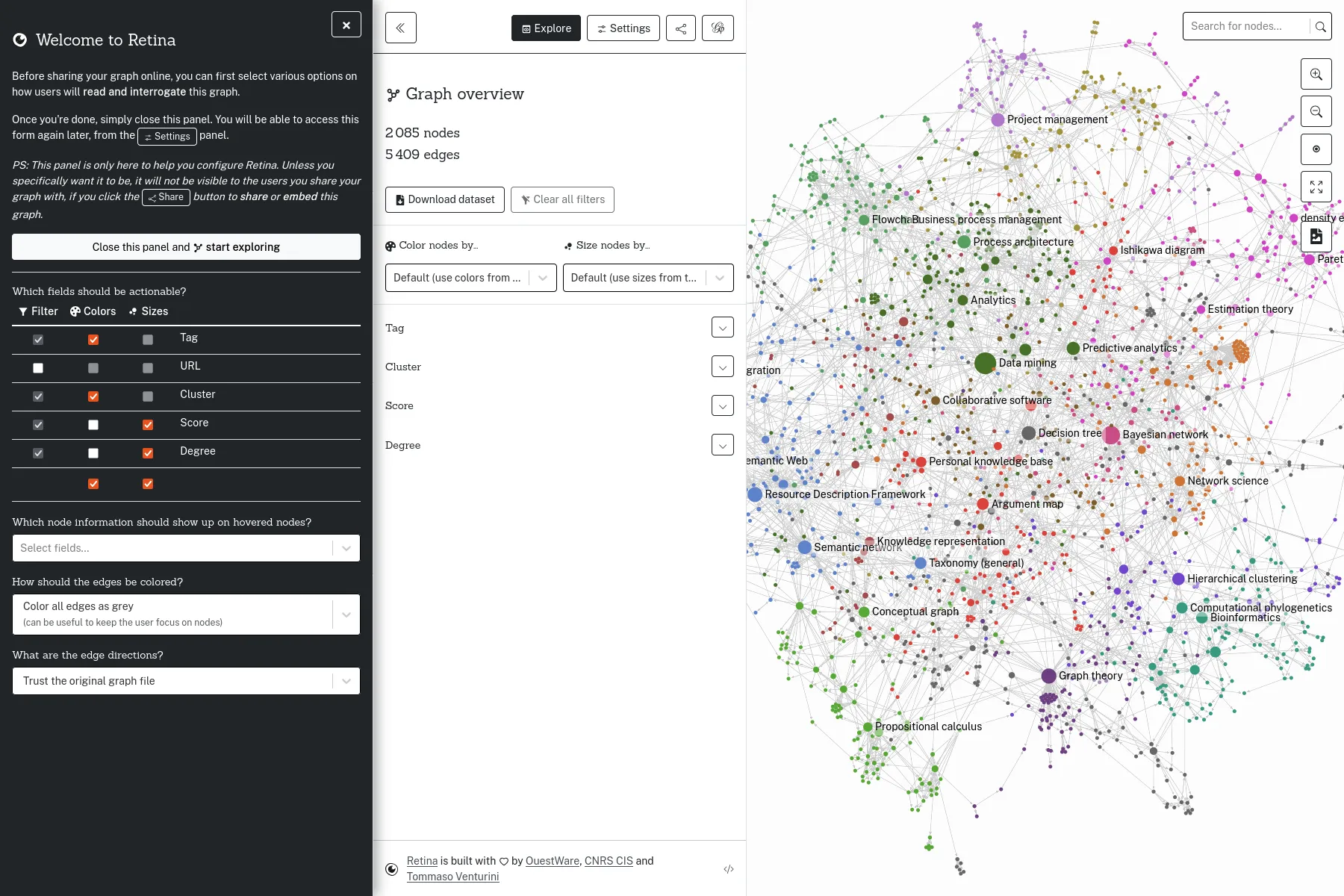
First step: configure Retina for the graph to share.

2 / 4

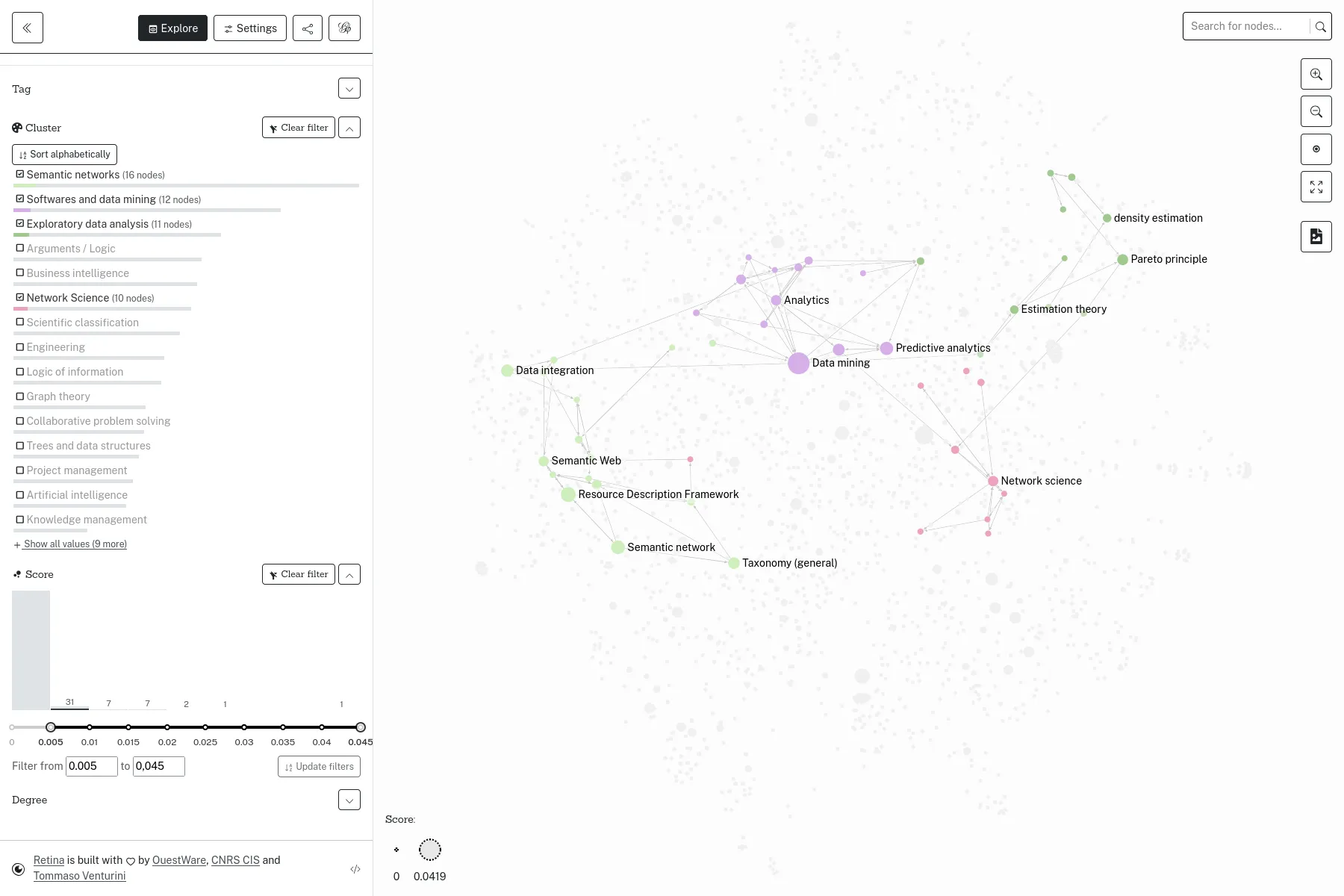
Retina allows filtering on various fields, and changing nodes colors and sizes.

3 / 4

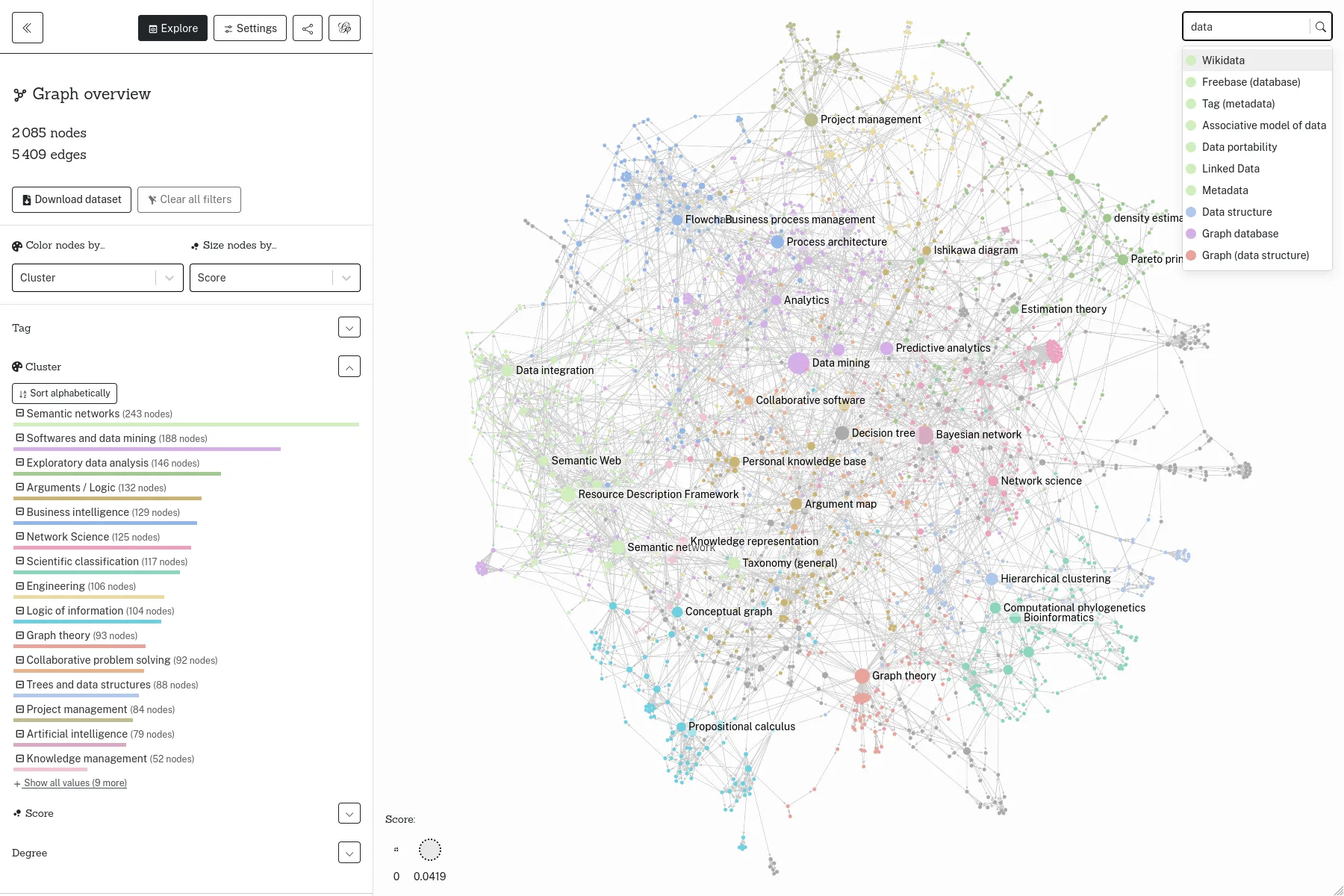
The search field allows searching for nodes, on their labels or other attributes.

4 / 4

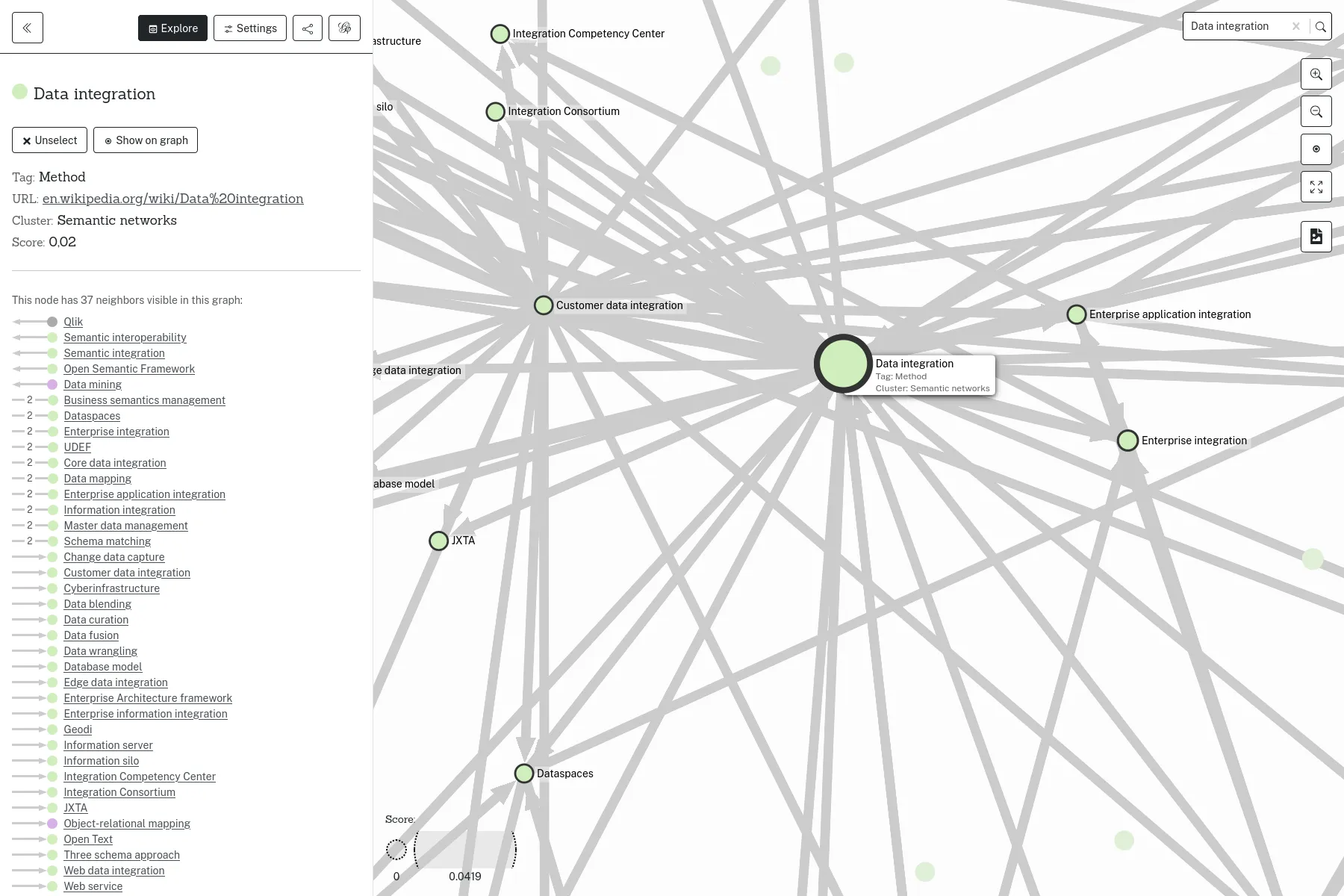
Selecting a node allows displaying its attributs and connections.

HOPPE-Droit

Cujas Library
Production

HOPPE-Droit

This first version already contains the essentials of the application.

Production

HOPPE-Droit

This version, as part of our maintenance contract, adds the management of collections and updates the code dependencies.

1 / 3

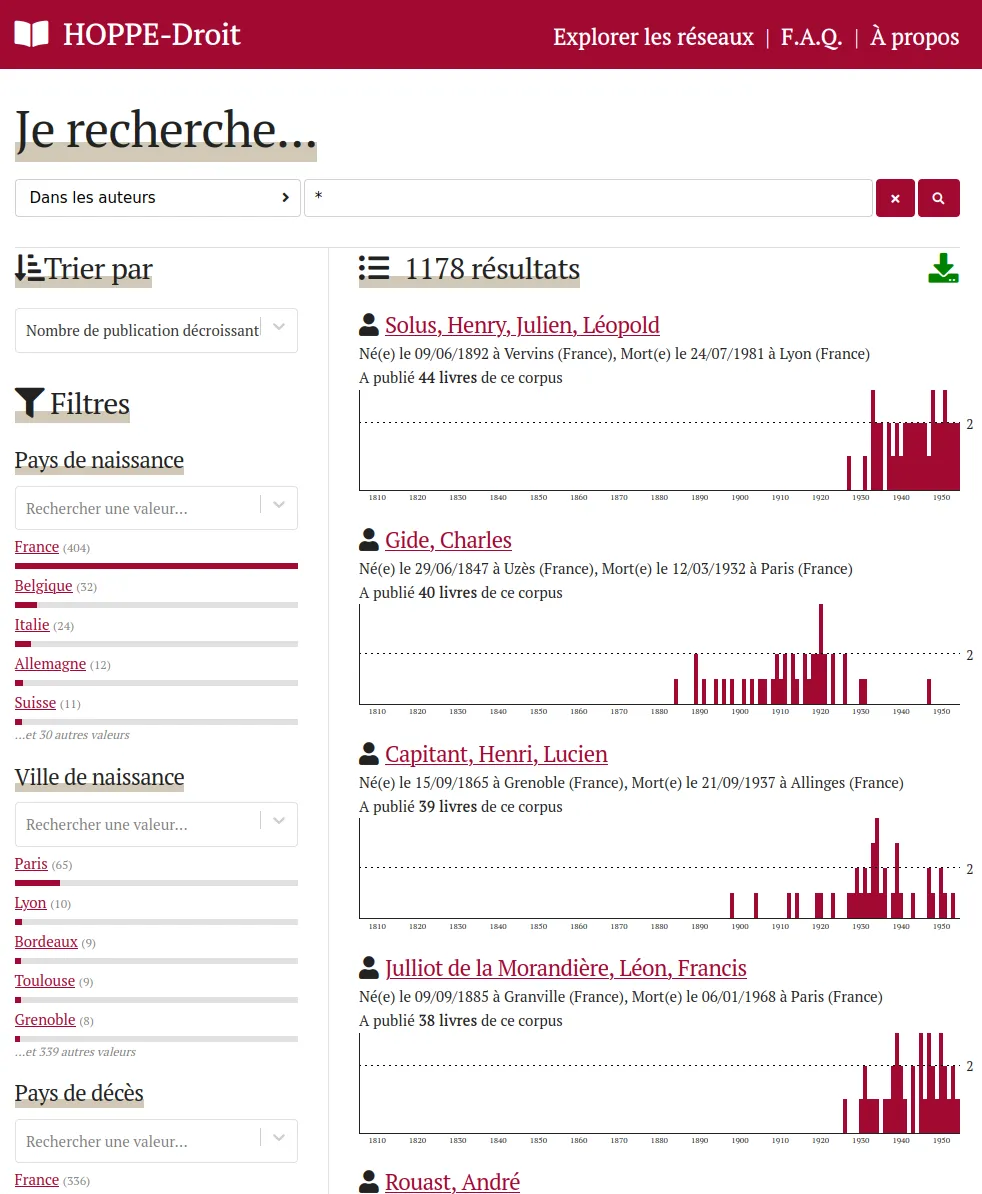
Faceted search on the collection authors

2 / 3

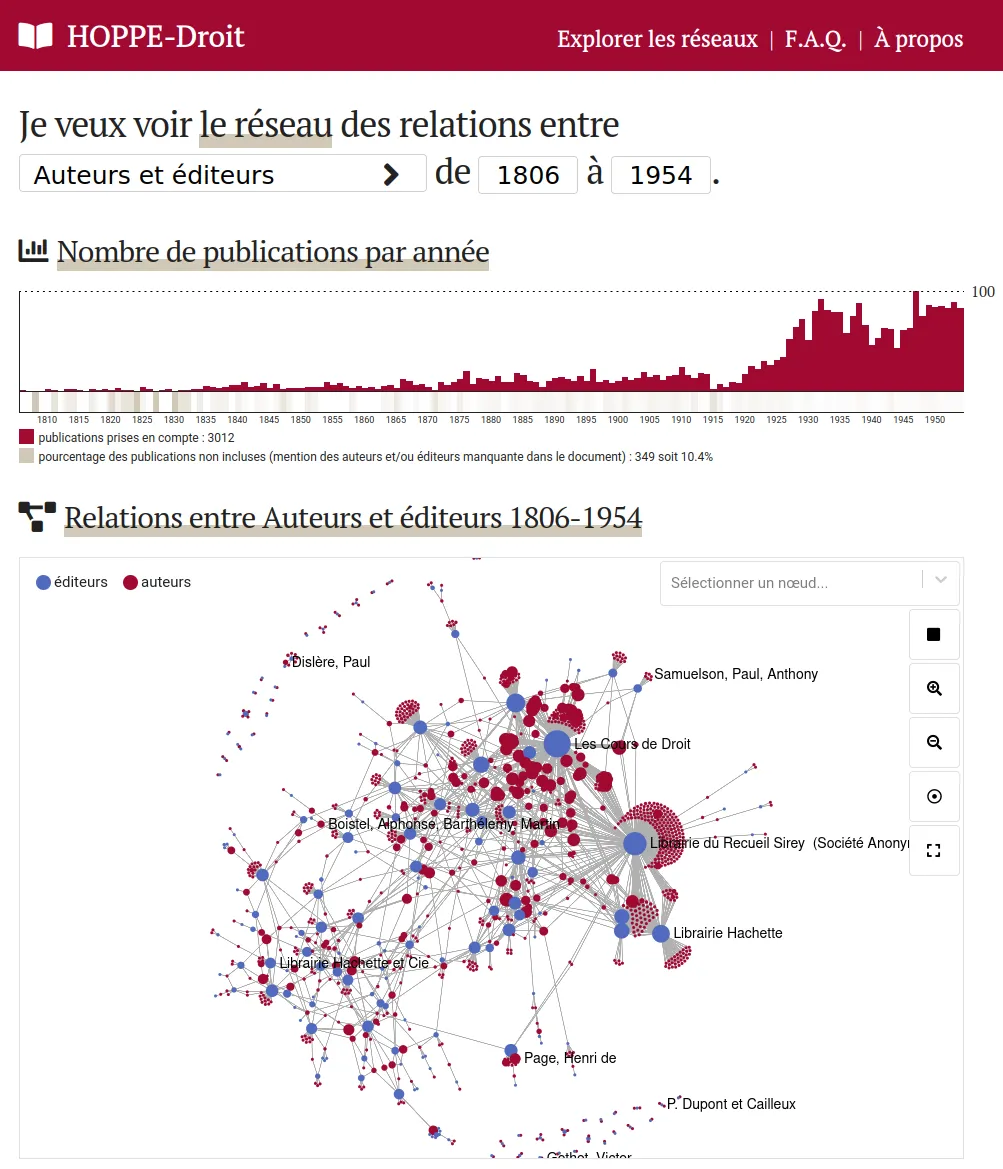
Network of authors-editors linked by educational works

3 / 3

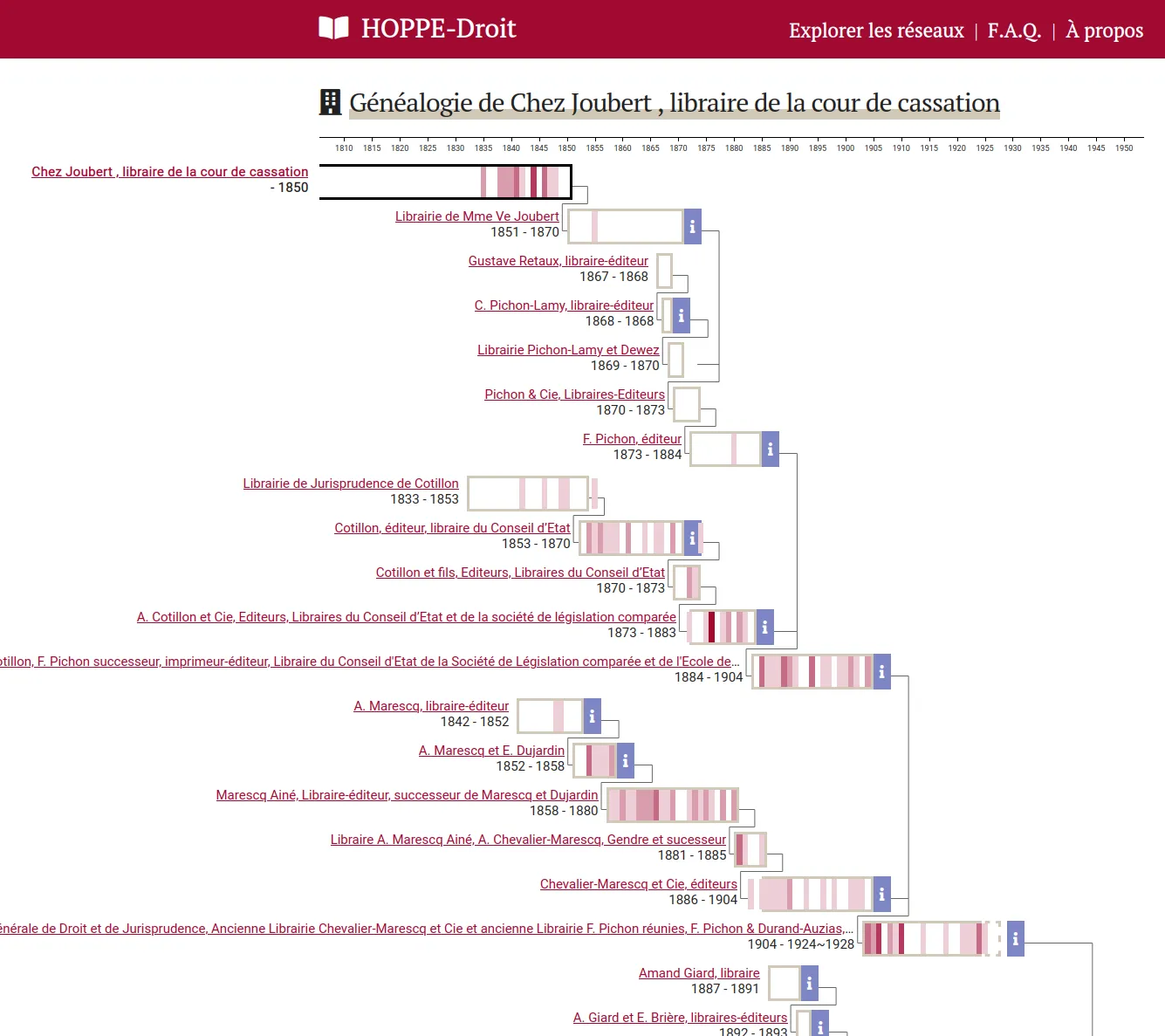
Editor's genealogy page summing up association, acquisition...

Tremulator 2.0

Florida State University
1 / 6

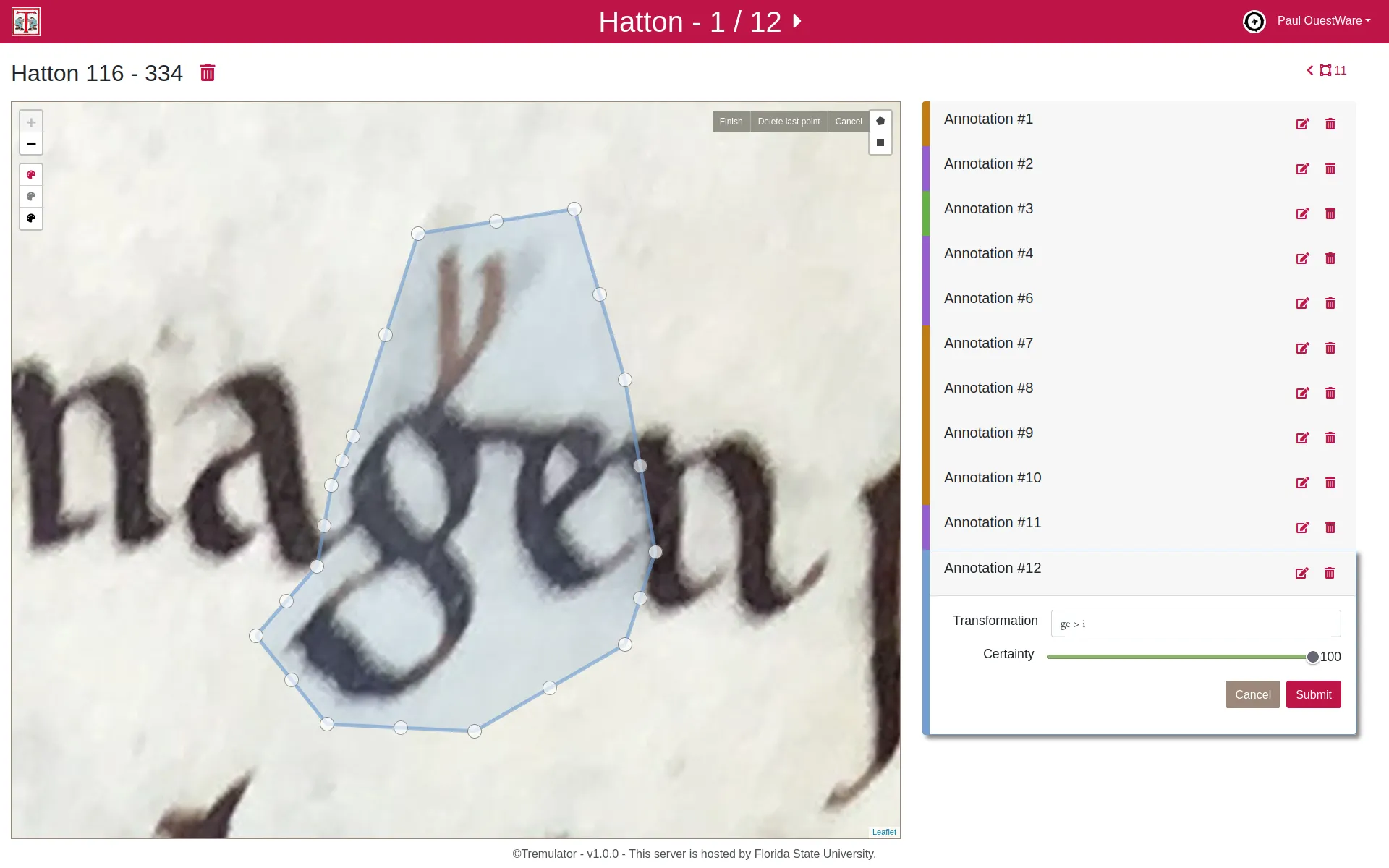
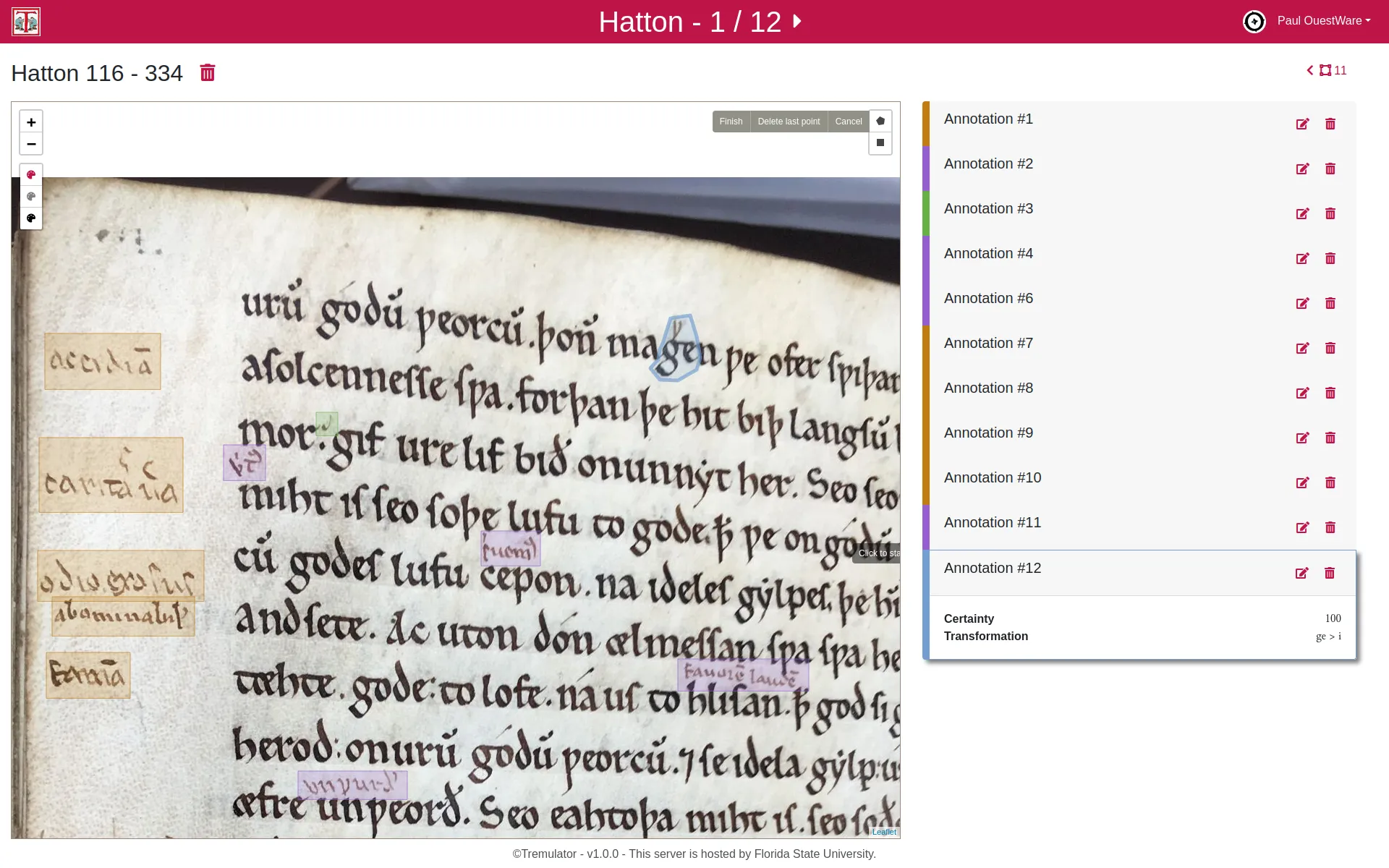
On annotation being edited: a complex geometry covers the sign on the high-definition picture, a form asks for data inputs (here: transformation transcription and level of certainty).

2 / 6

Hatton manuscript page 334 containing 12 annotations. Colours indicate the four annotations types.

3 / 6

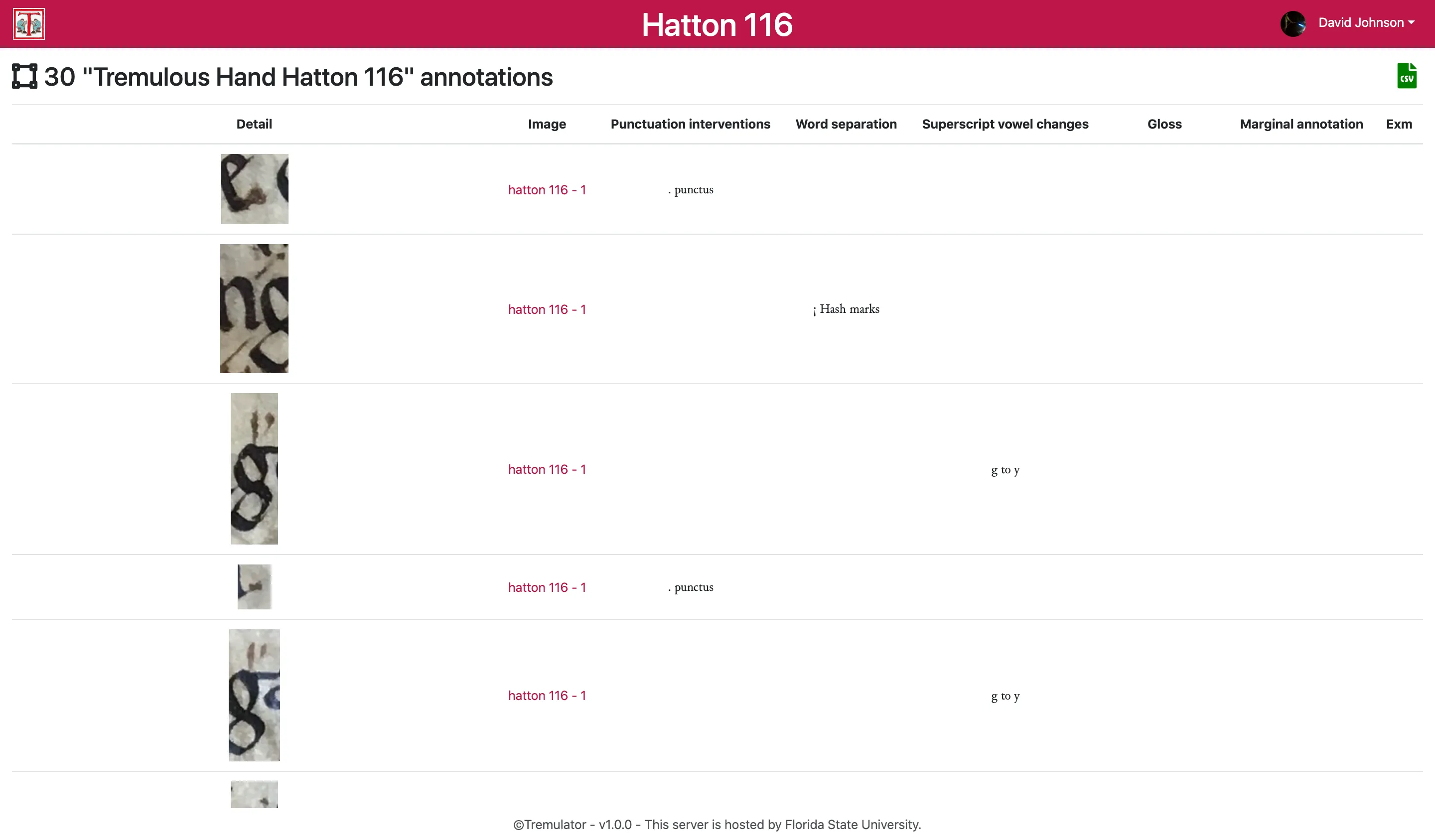
In the annotations list one can browse annotations pictures and associated data.

4 / 6

Creation of the annotation type Marginal Gloss. A form is edited to create a dedicated set of input fields to associate with the annotation.

5 / 6

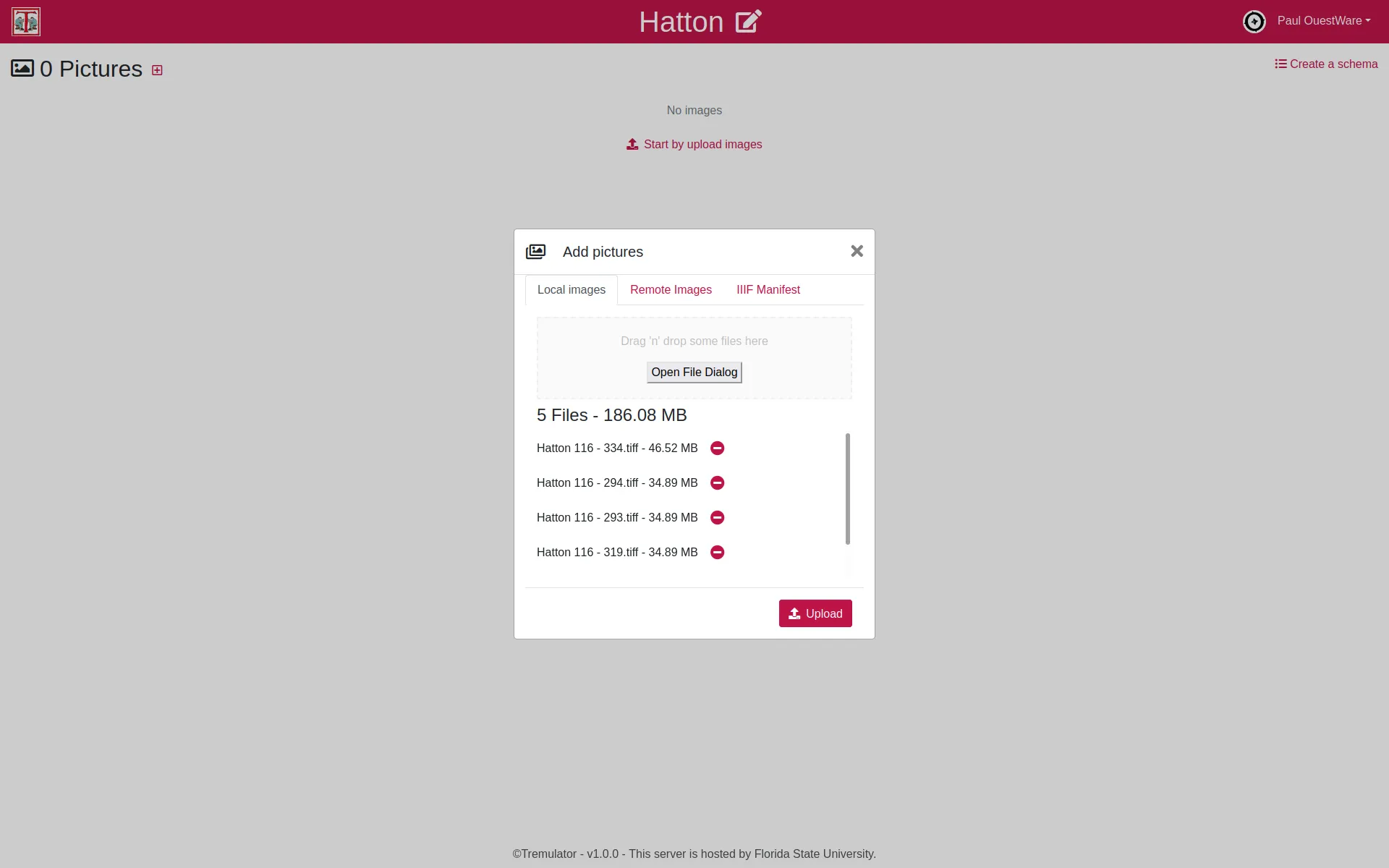
Digitized manuscript pages can be added to a collection by uploading local files or loading distant files or by loading a distant IIIF manifest.

6 / 6

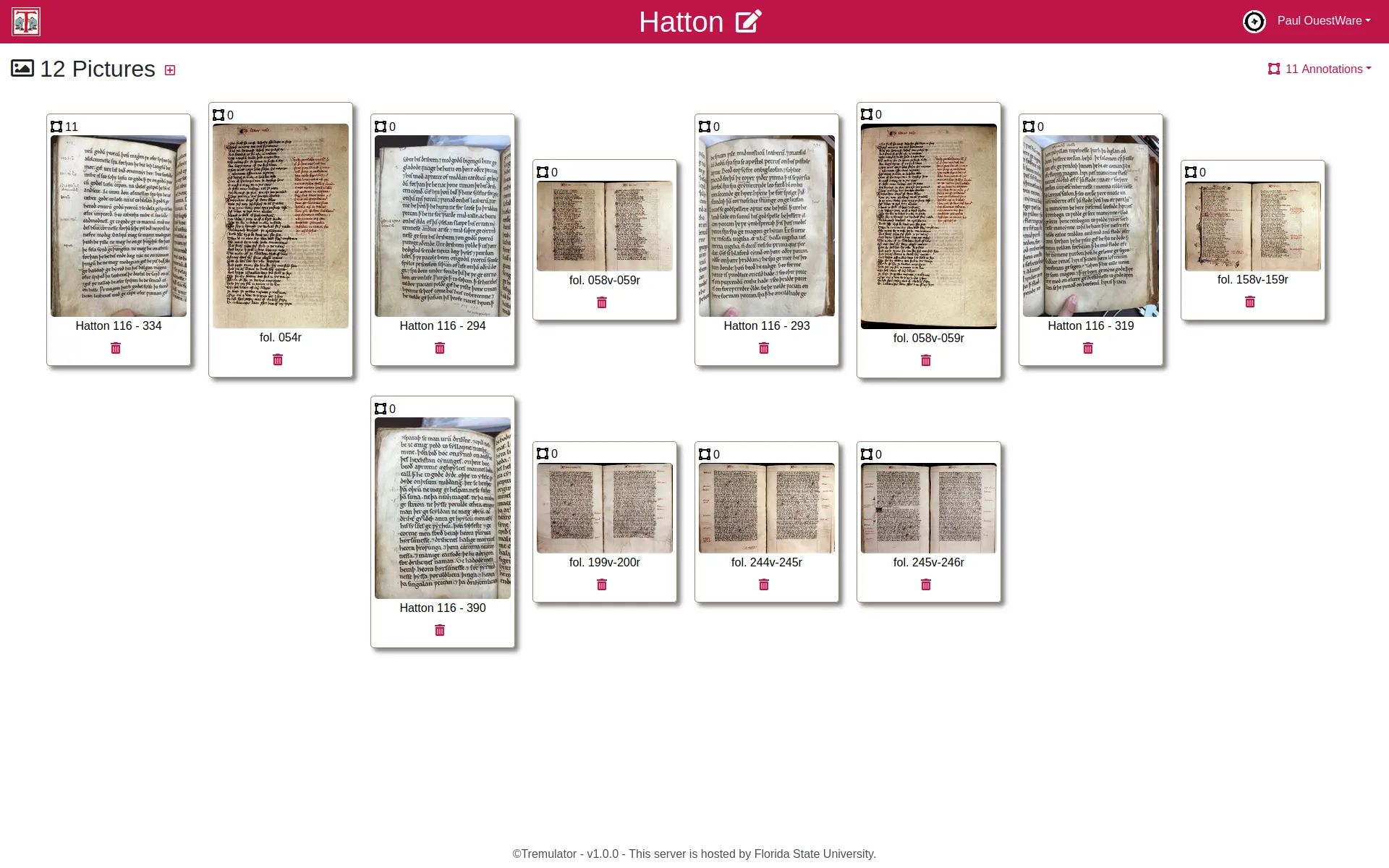
Tremulator's collections are set of pictures to be annotated. For each picture the total number of annotations is indicated.

Digitization of Everyday Life

TANTlab
1 / 3

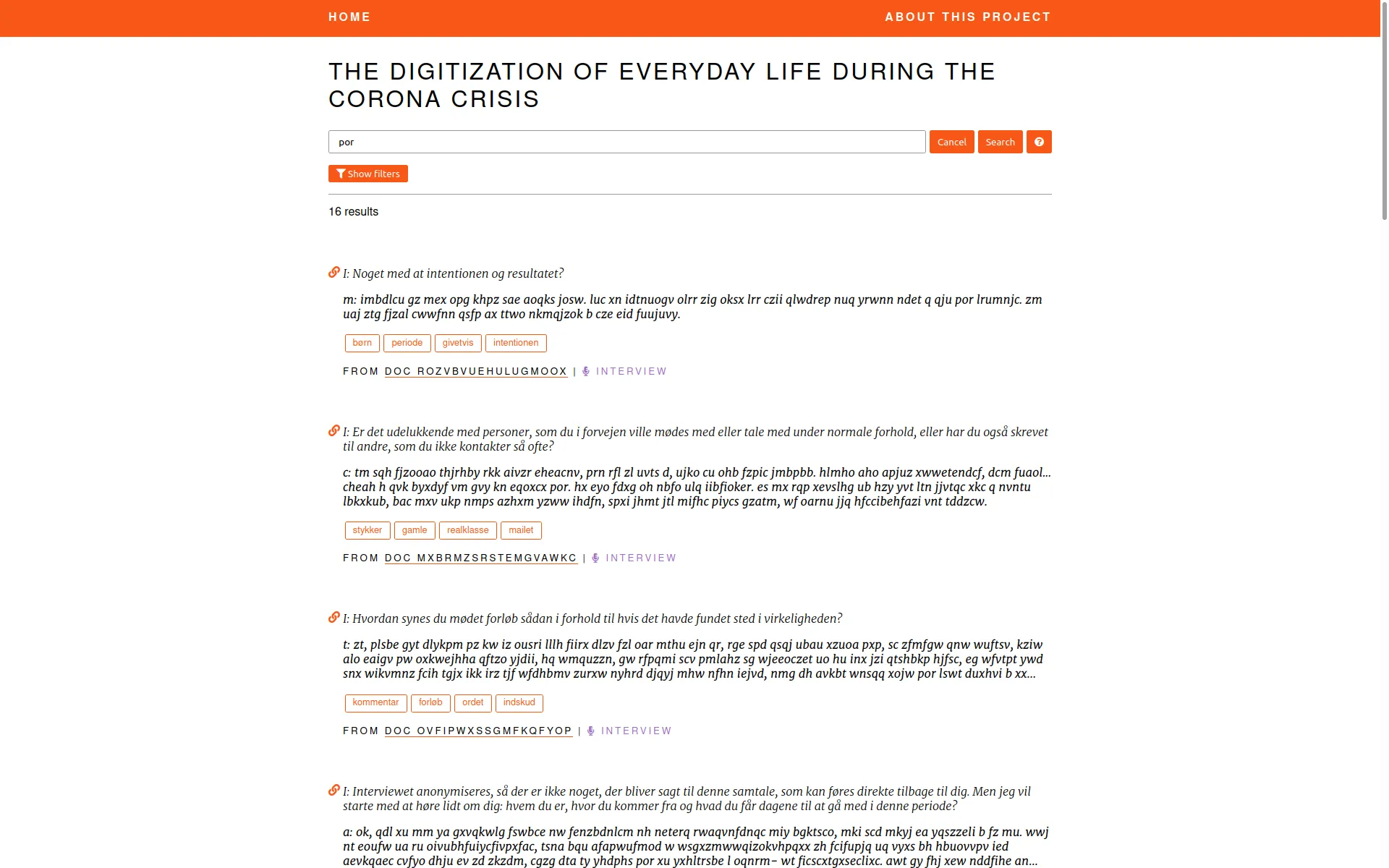
A search engine on interviews and field observations segments

2 / 3

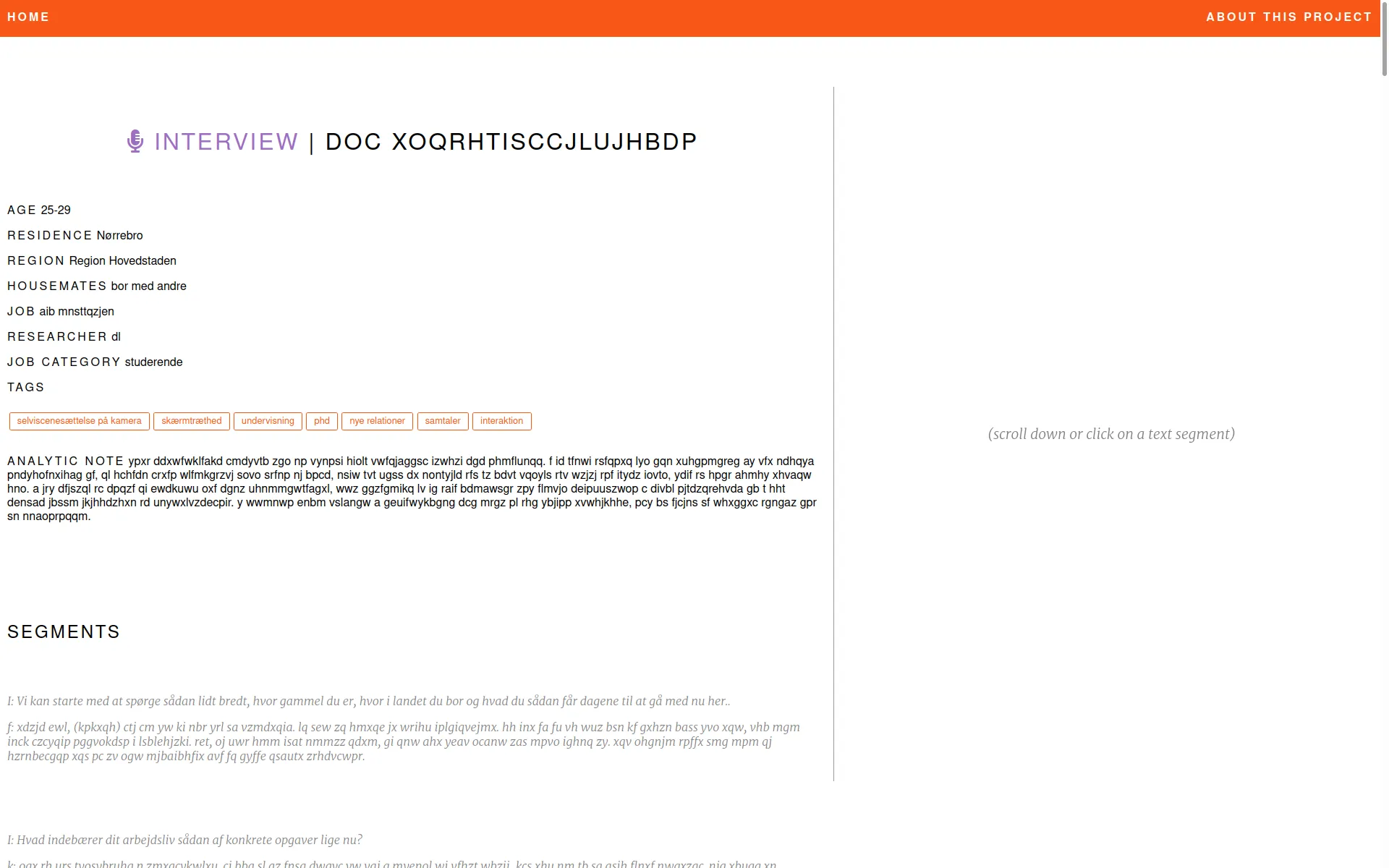
Each data-set document has its own web page.

3 / 3

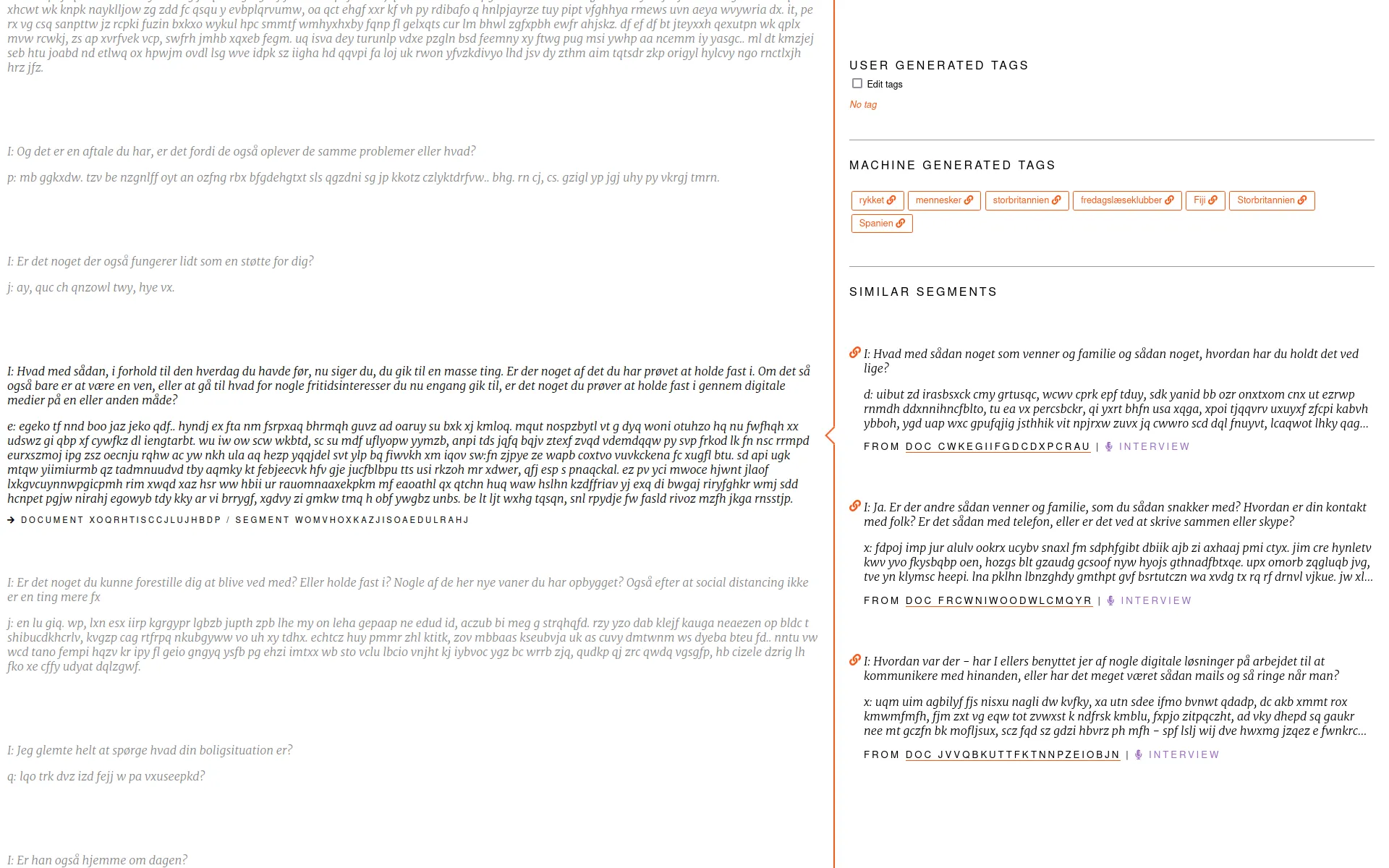
Each document has been segmented. Segments can be referenced by their URL and qualified by inputing tags.

TOFLIT18

LEDA, Paris Dauphine, PSL
1 / 3

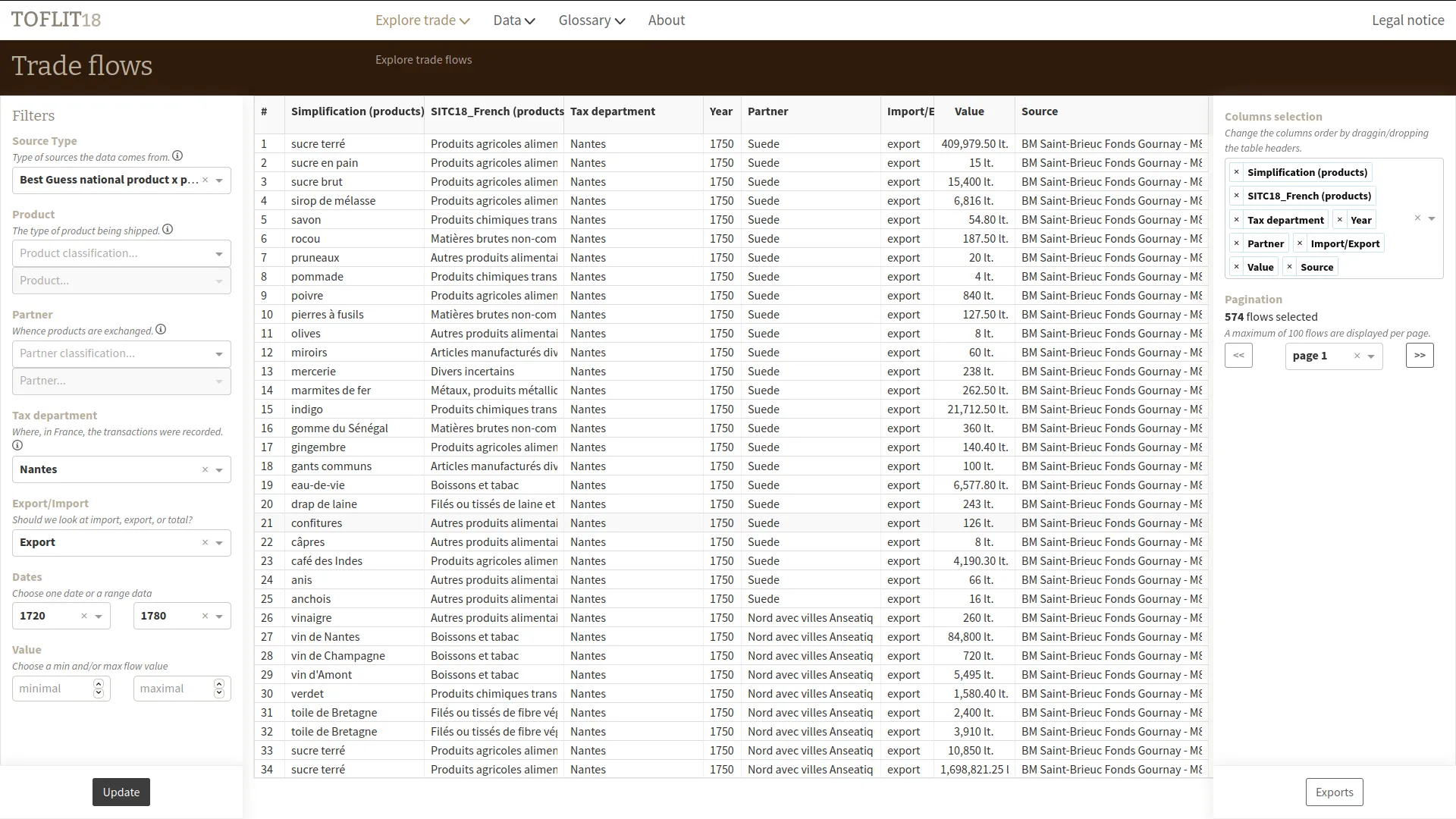
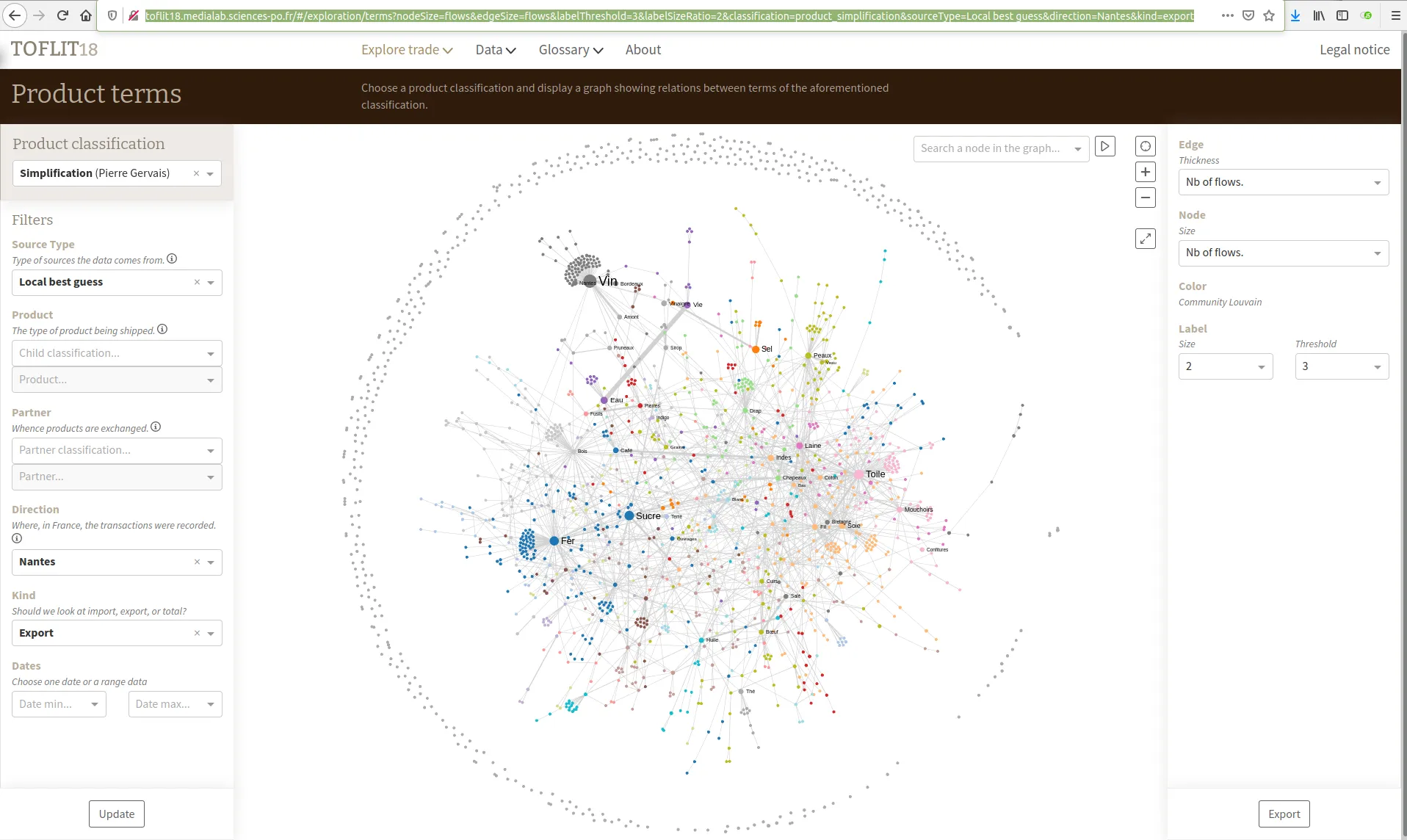
Nantes exports trade flows from 1720 to 1780

2 / 3

Classifications coverage ratio pptimization

3 / 3

Permalink of 18th century Nantes exports terms networks

Bibliograph

CIS - CNRS
Production

Bibliograph

This tool, with a well-defined scope, is published after an initial sprint with the client, followed by a few rapid iterations.

1 / 3

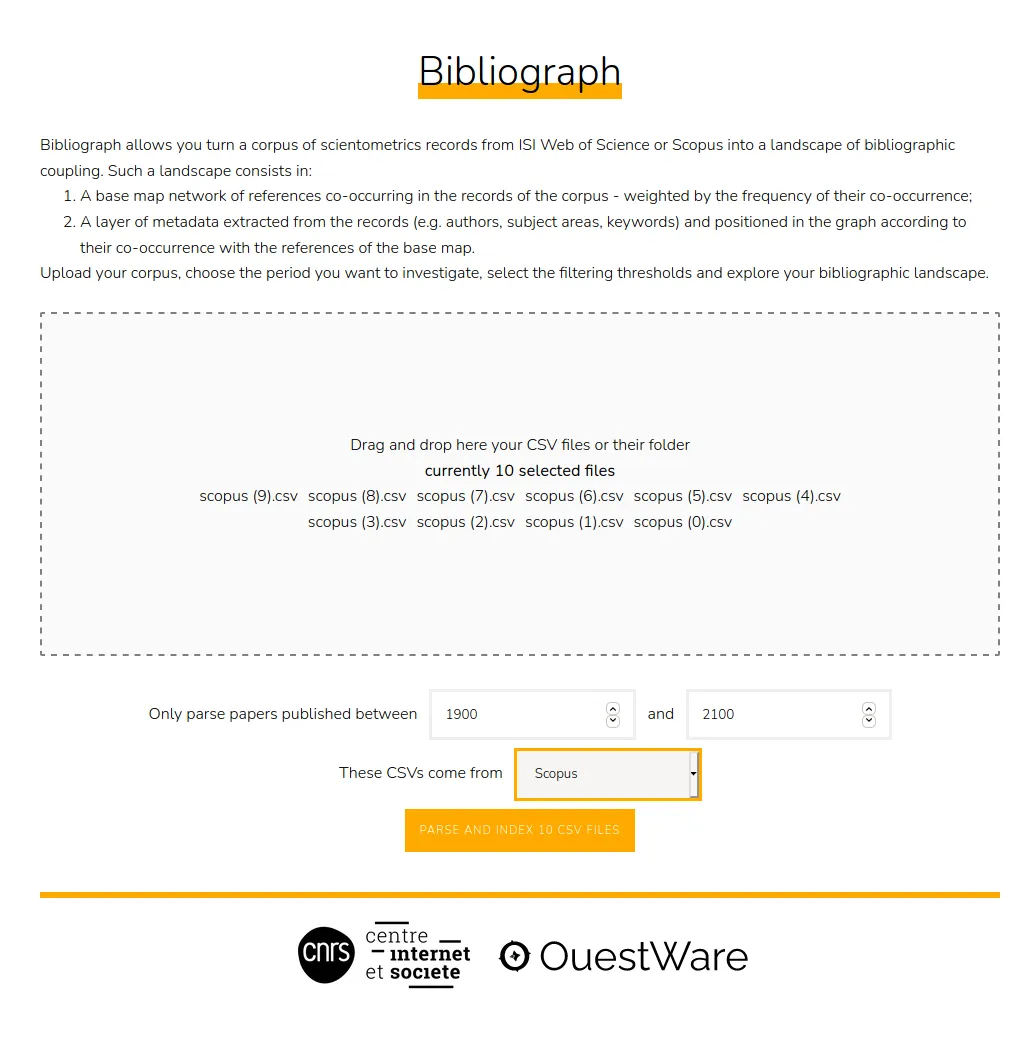
First step: import CSV files data-set.

2 / 3

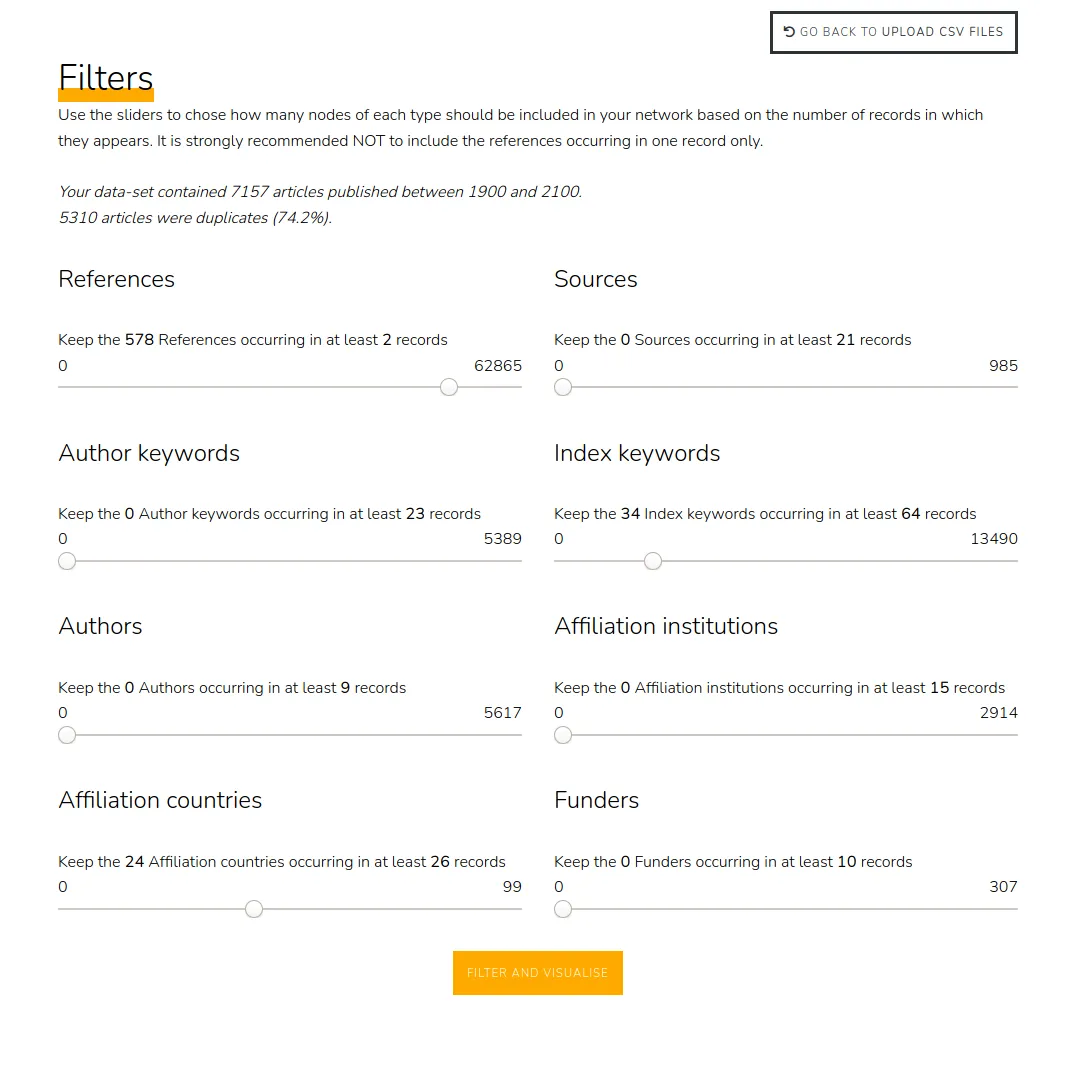
After parsing and indexation: filters settings.

3 / 3

Finally, the co-reference network with metadata nodes visualized.

Hyphe

Sciences Po médialab
1 / 3

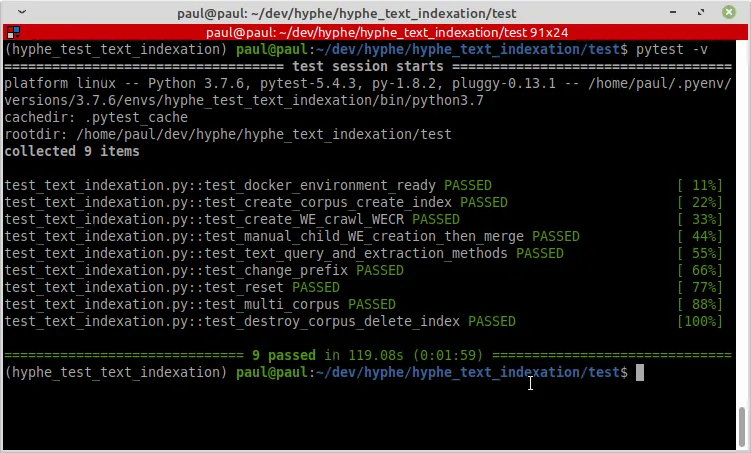
Functional tests of indexation processus

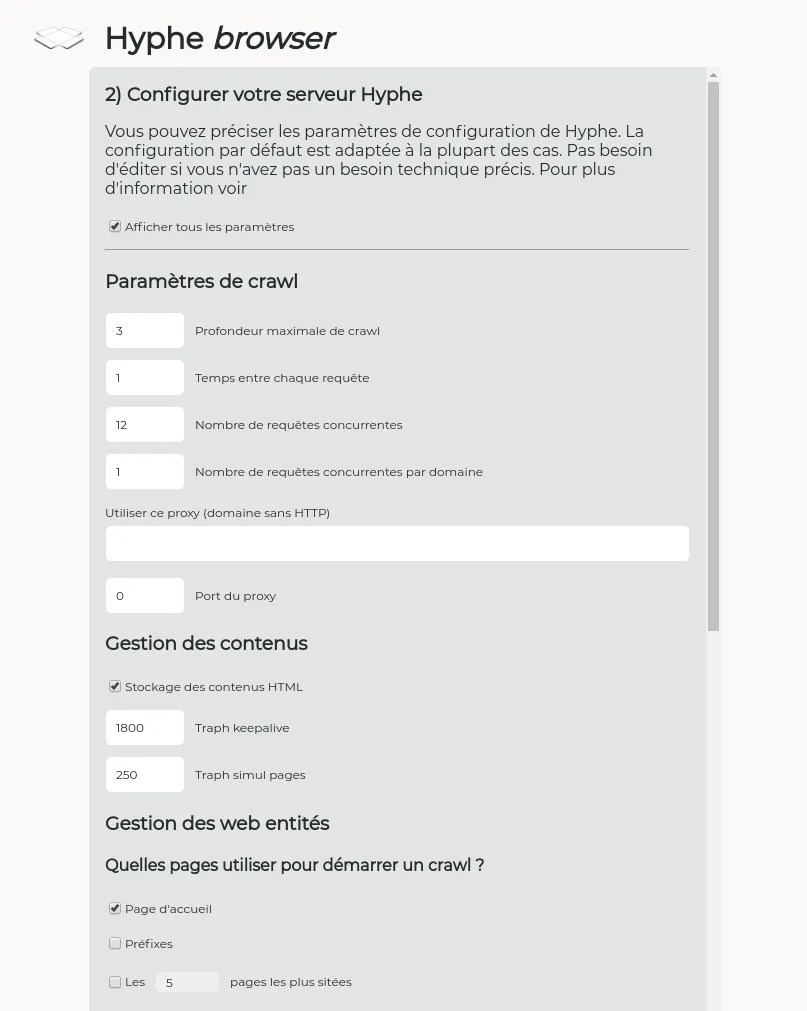
2 / 3

Hyphe server to be deployed configuration (Hyphe Browser)

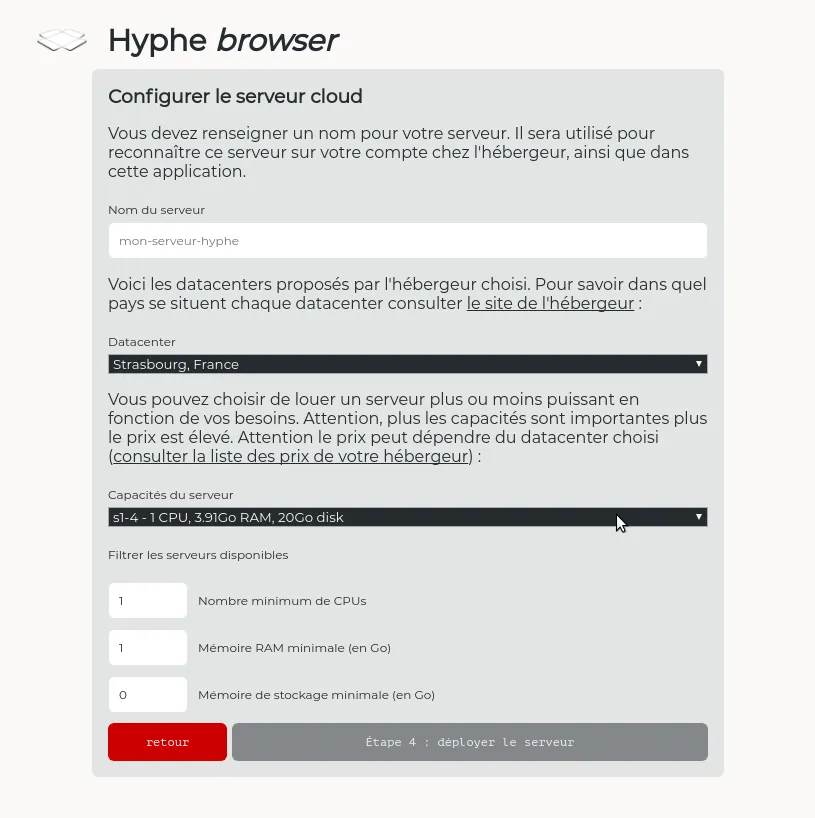
3 / 3

Cloud server to be deployed specifications (Hyphe Browser)

RadioPolice

WeDoData
1 / 3

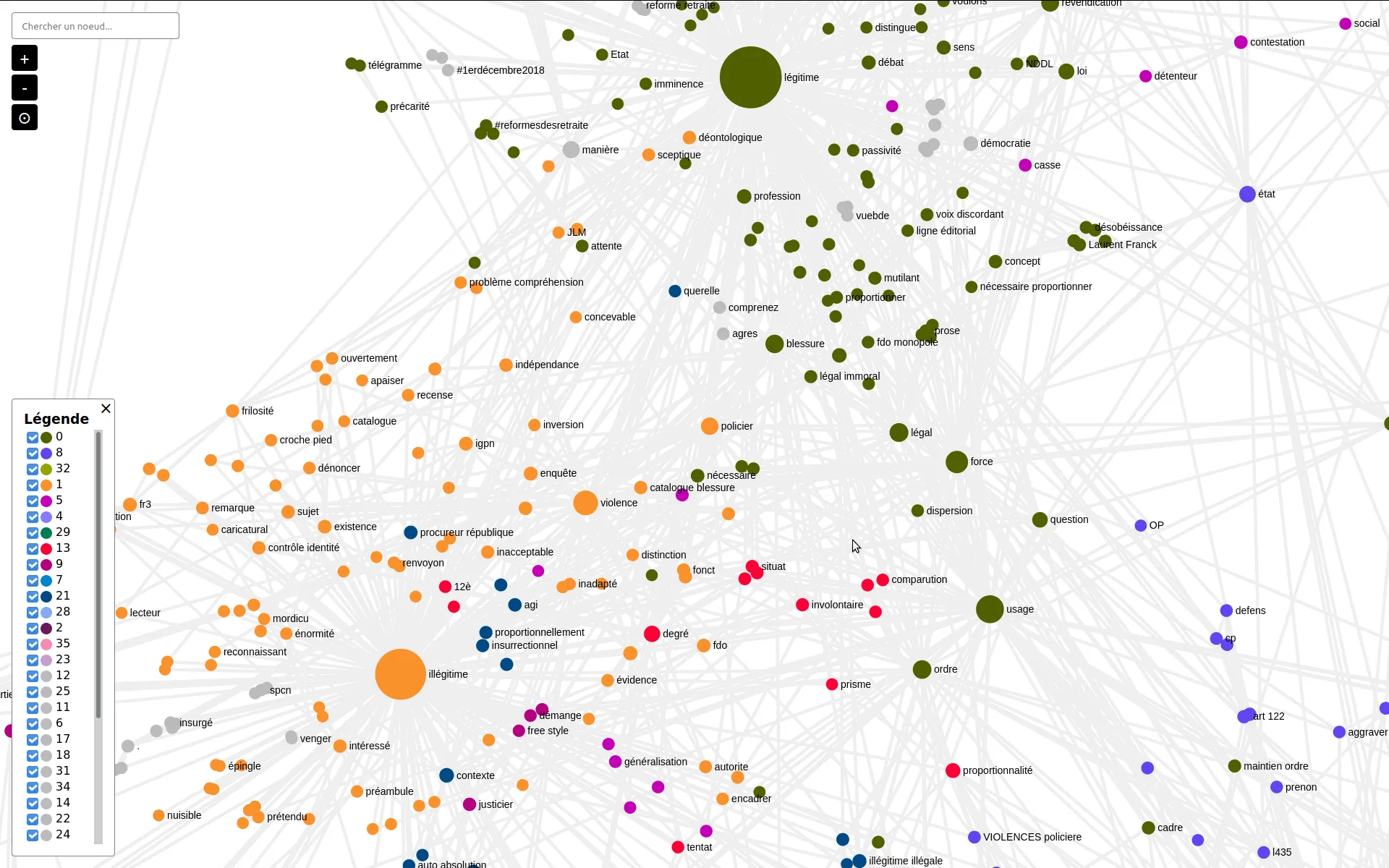
Co-occurrences network of terms from the "(il)légitimité" theme

2 / 3

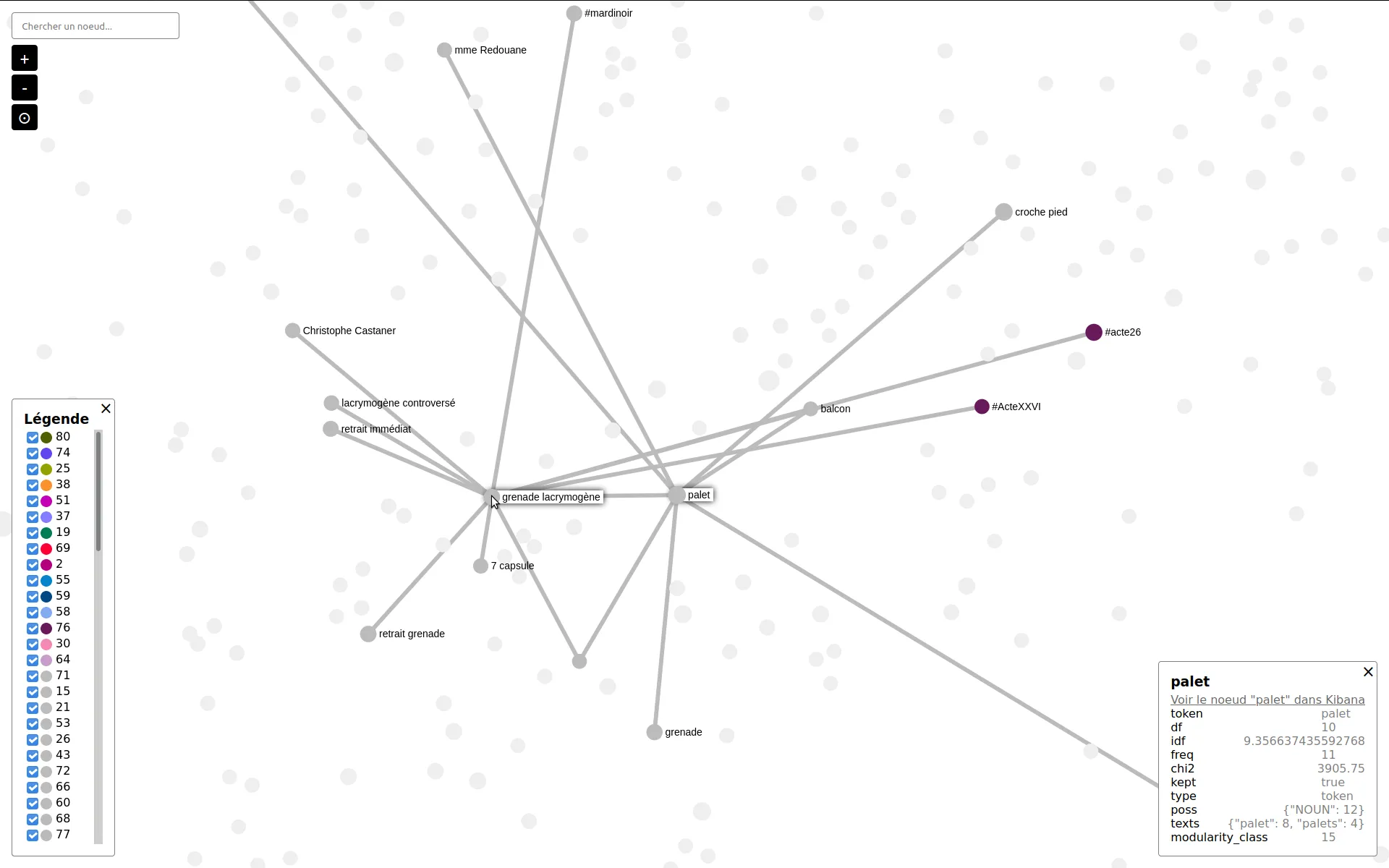
"palet" neighbors in the co-occurrence network of significant terms

3 / 3

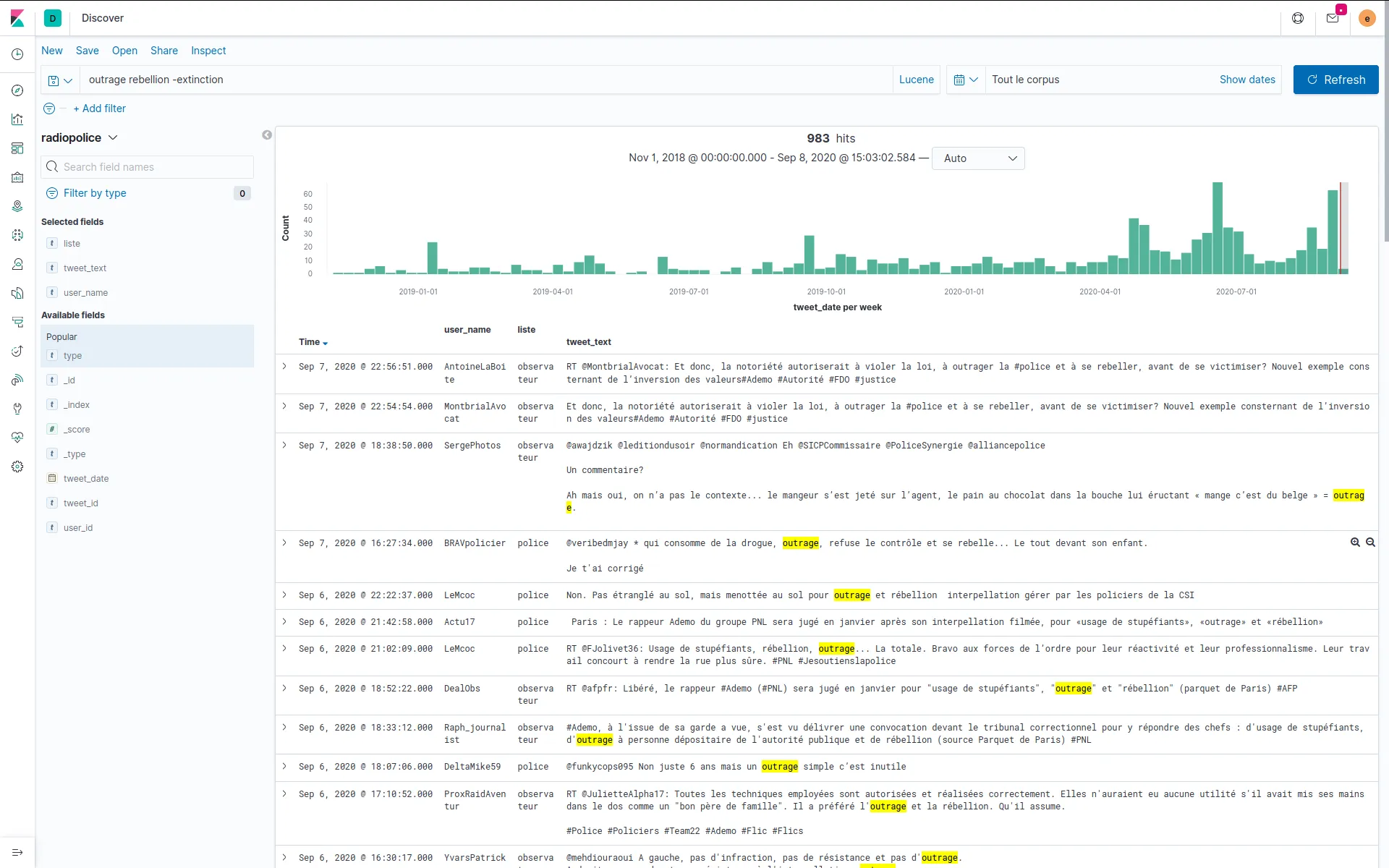
Building the theme "outrage" as a search query in Kibana

Exhibition-test

EnsadLab
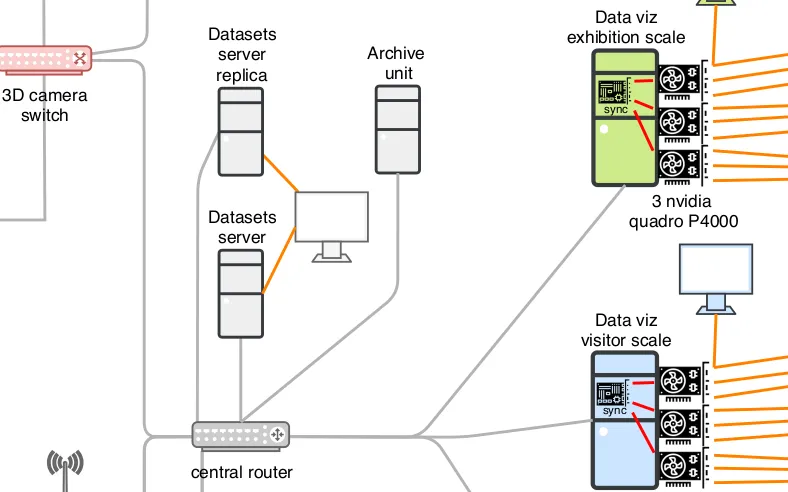
1 / 2

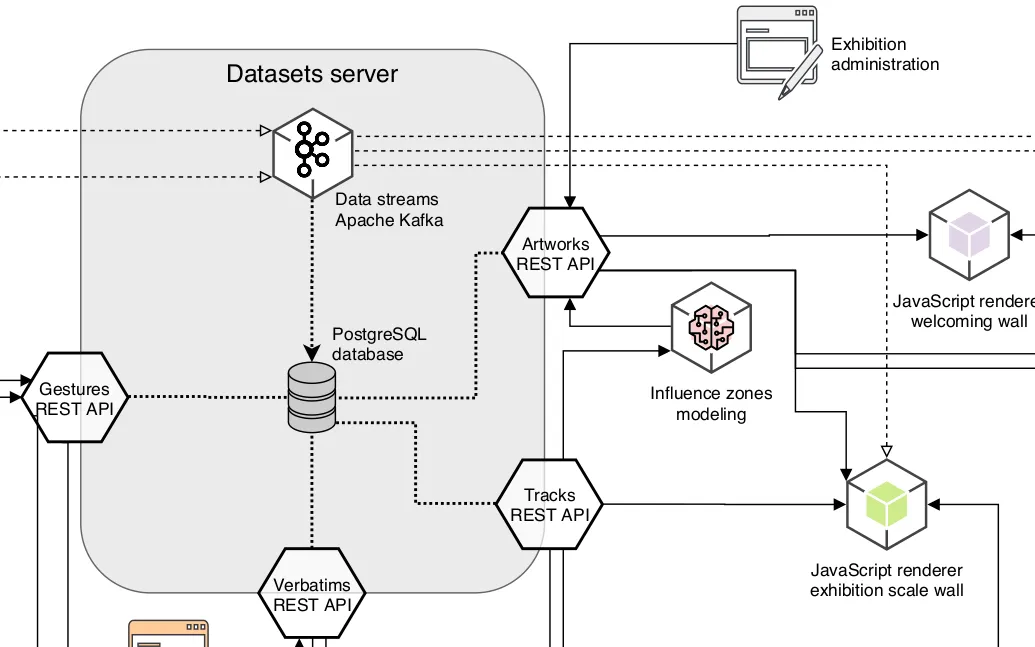
Data infrastucture schema extract
2 / 2

Physical infrastucture schema extract

Development for Oscaro.com
Oscaro.com

Kibana dashboards

Contractor for Neo4j

Neo4j